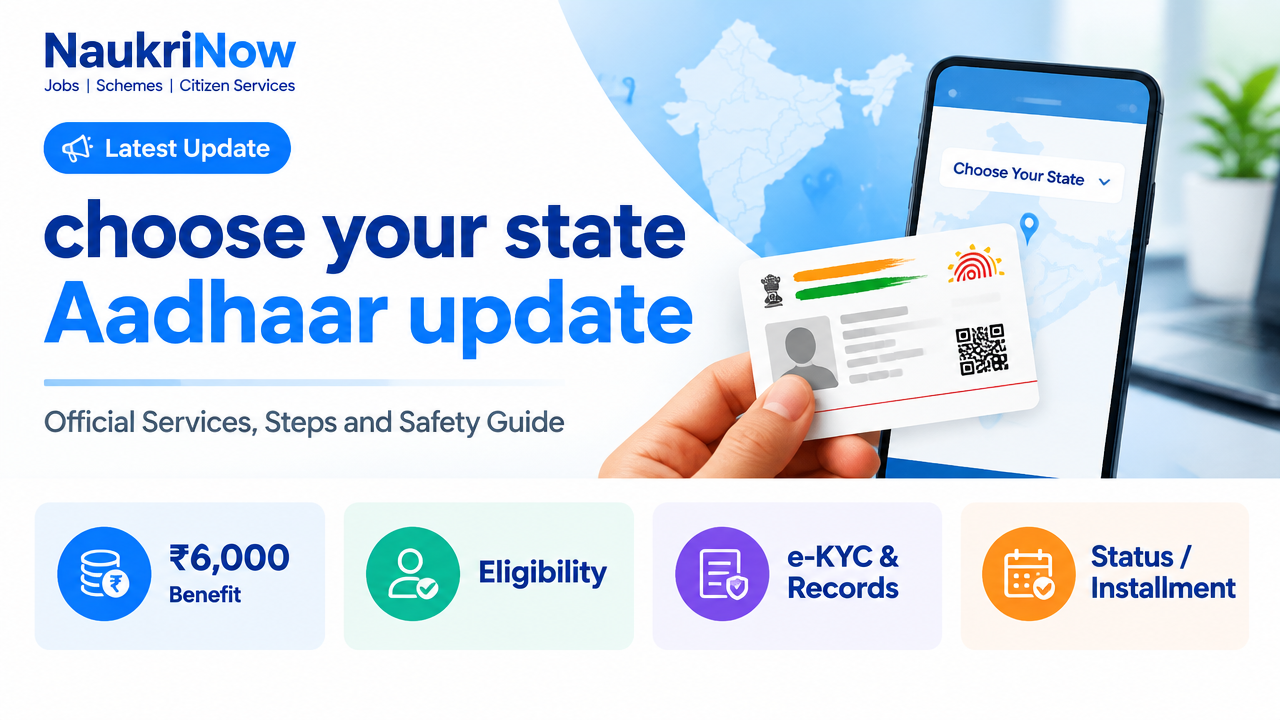
Verification note: This guide explains how to use a state-selection page to find Aadhaar guidance. Aadhaar is administered nationally by the Unique Identification Authority of India (UIDAI), not through separate state Aadhaar systems. Check the UIDAI website or the official MyAadhaar portal before submitting a request, because available services and instructions can change.
At a Glance
| Question | Answer |
|---|---|
| Does choosing a state update Aadhaar? | No. A state menu is a navigation aid. You must use UIDAI’s official online service or visit an authorised Aadhaar Enrolment and Update Centre. |
| Who manages Aadhaar updates? | The Unique Identification Authority of India (UIDAI), under the Government of India. |
| Can every update be done online? | No. Online options depend on the service currently available in MyAadhaar. Mobile-number and biometric changes generally require an in-person visit. |
| Does the selected state determine eligibility? | No. Aadhaar update access is not a state-benefit scheme. Your state does not decide whether you may request an update. |
| Where should you begin? | Use the official MyAadhaar portal or the UIDAI website. Do not enter Aadhaar details on an unverified state-guide website. |
Table of Contents
- What “Choose Your State” means
- Aadhaar services and benefits
- Online and centre-based services
- Who can request an update
- Documents to prepare
- How to update Aadhaar
- Check status and complete e-KYC safely
- Common problems and solutions
- Frequently asked questions
What Does “Choose Your State – Aadhaar Update” Mean?
A page asking you to choose a state is usually a directory or guide that sorts information by location. It may help you find instructions, nearby service information or other state-related links. Selecting a state on such a page does not itself change your Aadhaar record, create an update request or connect your Aadhaar to a state government database.
UIDAI’s Aadhaar services are national. You can generally seek an update through UIDAI’s official online services or at an authorised Aadhaar Enrolment and Update Centre, subject to the service and supporting documents required. You do not have to return to the state where your Aadhaar was first enrolled simply because you have moved. Use the official centre locator or appointment facility to confirm the available service near you.
India has 28 states. A directory may list Andhra Pradesh, Arunachal Pradesh, Assam, Bihar, Chhattisgarh, Goa, Gujarat, Haryana, Himachal Pradesh, Jharkhand, Karnataka, Kerala, Madhya Pradesh, Maharashtra, Manipur, Meghalaya, Mizoram, Nagaland, Odisha, Punjab, Rajasthan, Sikkim, Tamil Nadu, Telangana, Tripura, Uttar Pradesh, Uttarakhand and West Bengal. Union Territories are separate administrative units, not states. In either case, the state name is not an Aadhaar update requirement.
Objectives of an Aadhaar Update
An update is meant to keep the information associated with an Aadhaar number accurate and usable. Depending on the service offered and the person’s circumstances, this may involve correcting demographic details, changing an address, updating a mobile number or email address, refreshing supporting documents, or updating biometrics. An update is not the same as applying for a government benefit, changing a state residence record or linking Aadhaar to another service.
Key Features and Benefits
| Feature | What it means for you | Important point |
|---|---|---|
| National service | UIDAI sets the Aadhaar update process across India. | A state selection does not create a different state-specific Aadhaar number or process. |
| Online access for eligible services | MyAadhaar may let you submit certain requests without visiting a centre. | Check the portal to see which update options are available at the time you apply. |
| In-person assistance | An authorised centre can handle services requiring a physical visit, document verification or biometric capture. | Confirm the centre and service through UIDAI channels before travelling. |
| Request tracking | A receipt or service request details can help you check progress. | Keep the acknowledgement details private and use the official status service. |
| Updated details for authentication | Accurate records can help reduce difficulties when Aadhaar is used for identity verification. | Aadhaar authentication is not proof of eligibility for every scheme or service. |
| Separate services remain separate | Aadhaar update, Aadhaar authentication and PAN linking are different tasks. | Use the responsible authority’s official portal for each service. |
Which Aadhaar Services Are Online?
Online service availability can change, so treat the service menu in MyAadhaar as the current guide. UIDAI has offered online facilities for certain requests, including address-related updates and document update, subject to the portal’s requirements. You may need to sign in using the registered mobile number and complete an OTP-based verification. If the portal does not offer the change you need, do not assume a third-party website can complete it for you.
Some requests require a visit to an Aadhaar Enrolment and Update Centre. This commonly includes biometric-related work and mobile-number changes. A centre operator can tell you which form of evidence is accepted for your requested change. Take original documents when instructed; the operator may scan them and return them. Do not hand over your original documents to an unofficial agent.
Service and timing guide
| Service or stage | Where to check or complete it | Timing guidance |
|---|---|---|
| Online update options | MyAadhaar, after signing in | Availability is shown on the portal. Follow the on-screen instructions and retain the request details. |
| Mobile number or biometric update | Authorised Aadhaar Enrolment and Update Centre, where the service is available | Check the centre’s services and appointment information before visiting. |
| Document update | Use the route currently displayed by UIDAI, which may be online or centre-based depending on the request | Submit only the document type and file format requested by the official service. |
| Request processing | Check through UIDAI’s official status service using the acknowledgement details provided | Processing time can vary. Follow the status page rather than relying on an unofficial promised deadline. |
This is a service guide, not an installment or benefit-payment schedule. Aadhaar updates do not have scheme installments.
Who Can Request an Aadhaar Update?
| Applicant or request | General guidance |
|---|---|
| Aadhaar holder correcting their own details | Use the official service and provide the information and evidence requested for that type of change. |
| Person who has moved to another state or address | A change of state does not by itself prevent an update. Follow UIDAI’s address-update requirements. |
| Child’s Aadhaar record | Requirements can differ by age and type of update. Check UIDAI guidance and whether the child and parent or guardian must attend a centre. |
| Person without access to online services | Ask an authorised centre about completing the relevant service in person. |
| Person seeking biometric or mobile-number changes | Check the current UIDAI instructions; these changes generally require an authorised centre visit. |
Who is excluded?
There is no state-based exclusion from Aadhaar updates. However, a particular request may not be completed if the applicant cannot meet the service’s identity, evidence, verification or procedural requirements. A request may also be declined if details or documents are inconsistent, unclear or not accepted for that update. If a request fails, use the reason shown by UIDAI and correct the specific issue rather than submitting personal information to an unverified site.
Documents and Details to Prepare
The evidence required depends on what you want to change. Do not rely on a generic list as a guarantee that a document will be accepted. Before applying, check UIDAI’s current list of acceptable supporting documents for the relevant update and the instructions in MyAadhaar or at the centre.
- Your Aadhaar number or other details requested by the official service.
- Access to the mobile number registered with Aadhaar if the online sign-in process requires OTP verification.
- A supporting document that matches the field you want to update, where required.
- The original document for an in-person request, if UIDAI or the centre asks you to present it.
- Your appointment confirmation, if you booked an appointment.
- The acknowledgement or request number after submission, so you can check progress.
Make sure names, dates and addresses are legible and consistent. Upload only files requested through the official portal. Never share an OTP, full Aadhaar details or document images with someone claiming they can guarantee an update.
How to Update Aadhaar: Step-by-Step
Option 1: Use an official online service
- Open MyAadhaar by typing the official address into your browser or following the link in the Quick Links section.
- Review the available services and select the type of update you need. Confirm that the portal accepts that request online.
- Sign in using the method shown on the portal. Do not give an OTP to another person, including anyone offering paid help over a call or message.
- Enter the requested details carefully. Check spelling, dates and address fields before continuing.
- Upload the supporting evidence in the format and size requested, if the service asks for it.
- Review the declaration and submit the request. Save the acknowledgement or request details for tracking.
- Use the official status facility to check the outcome. If UIDAI asks for further action, follow the instruction shown there.
Option 2: Visit an Aadhaar Enrolment and Update Centre
- Use UIDAI’s official website to locate an authorised centre or check whether an appointment is available for your service.
- Confirm the centre’s location, opening information and whether it handles the update you need. Availability can differ between centres.
- Carry the required supporting documents and any appointment confirmation. Take originals when the official instructions require them.
- Tell the operator which field or biometric information needs attention. Review the entered details before approving the request.
- Complete any required verification at the centre and collect the acknowledgement or receipt.
- Keep the acknowledgement safe and check the request through UIDAI’s official status channel.
Do not use a state-selection page as a substitute for these steps. If it links to another website, check that the destination is an official UIDAI or government domain before entering information.
Status, Beneficiary Lists and e-KYC
How to check an update request
Use UIDAI’s official status facility and the acknowledgement information supplied when you submitted the request. Enter details only on the official service. A state-wise beneficiary list does not apply to Aadhaar updates: an Aadhaar update is an individual service request, not a state scheme with a beneficiary list. If the request is pending or unsuccessful, follow the status page’s instructions and retain your receipt.
e-KYC is not an Aadhaar update
e-KYC is an electronic identity-verification process used by an authorised service provider when you choose to use it. It does not automatically correct your Aadhaar details. Aadhaar authentication, sharing a masked Aadhaar, downloading Aadhaar and updating Aadhaar are distinct actions. Before authorising any authentication or sharing documents, check who is requesting them and why.
Protect your Aadhaar information
- Use UIDAI’s official website and MyAadhaar portal for Aadhaar-related actions.
- Never disclose an OTP, password or authentication code to a caller or agent.
- Do not post Aadhaar images, acknowledgement slips or personal documents publicly.
- Use a masked Aadhaar where an organisation accepts it and you do not need to reveal the full number.
- For PAN linking, use the Income Tax Department’s official e-Filing portal. PAN linking is not an Aadhaar update service.
Common Problems and Practical Fixes
| Problem | What to do |
|---|---|
| OTP does not arrive | Check mobile reception and whether the number is the one registered with Aadhaar. If you no longer have access to it, check UIDAI’s instructions for an in-person route. |
| The portal does not show the update you need | Service availability may differ by request. Check UIDAI guidance or ask an authorised centre; do not use an unofficial site that promises to bypass the process. |
| Document upload is rejected | Check the accepted document list, image clarity, file format and other portal requirements. Upload a readable, matching document. |
| Details were entered incorrectly | Check the request status and follow UIDAI’s instructions. Avoid submitting repeated requests without understanding whether the first request is still active. |
| A centre cannot complete the service | Confirm the centre is authorised and handles that service. Use UIDAI’s official locator or appointment information to find another suitable option. |
| A third-party page asks for Aadhaar or OTP details | Stop. Verify the destination through UIDAI’s official website. Do not share an OTP or sensitive information with the page or its operator. |
Pros and Cons of a State-Selection Guide
| Pros | Limitations |
|---|---|
|
|
Frequently Asked Questions
1. Is a “Choose Your State” Aadhaar page an official UIDAI service?
Not necessarily. A state-selection page may be an independent directory. Check its destination links carefully and use UIDAI’s official channels for Aadhaar requests.
2. Does selecting my state update my Aadhaar address?
No. Selecting a state on a guide does not change any record. You must submit an address update through an available UIDAI service and meet its evidence requirements.
3. Can I update Aadhaar after moving to a different state?
A change of state does not itself prevent you from requesting an update. Follow UIDAI’s current instructions for the field you need to change.
4. Can I change my mobile number online?
Check the current instructions on MyAadhaar. Mobile-number changes generally require visiting an authorised Aadhaar Enrolment and Update Centre.
5. Can I update biometrics through a state website?
No. A state guide cannot capture or update biometrics. Check UIDAI’s instructions and visit an authorised centre when an in-person biometric update is required.
6. Is Aadhaar update the same as Aadhaar-PAN linking?
No. Aadhaar updates are handled through UIDAI services. PAN linking is handled through the Income Tax Department’s e-Filing portal.
7. Is there a state-wise Aadhaar beneficiary list?
No beneficiary list applies to an individual Aadhaar update request. Track your own request using the official acknowledgement details and UIDAI status service.
8. What should I do if an update request is rejected?
Read the reason shown through the official status service. Correct the stated issue, check the acceptable evidence and follow UIDAI’s instructions for making any further request.
9. Should I share my OTP with an agent who offers to update Aadhaar?
No. Keep OTPs and authentication codes private. Use the official portal yourself or visit an authorised centre.
Quick Links
| Purpose | Official link |
|---|---|
| UIDAI information and Aadhaar services | https://uidai.gov.in/ |
| MyAadhaar online services | https://myaadhaar.uidai.gov.in/ |
| UIDAI Aadhaar enrolment and update centre search | https://appointments.uidai.gov.in/easearch.aspx |
| Income Tax Department e-Filing portal for PAN-related services | https://www.incometax.gov.in/iec/foportal/ |
Conclusion
Choosing a state can help you browse location-based Aadhaar information, but it is not an update step. UIDAI manages Aadhaar services nationally. Check the official MyAadhaar portal for online options, visit an authorised centre for services that require in-person verification, and keep your acknowledgement for status checks. Treat requests for OTPs or Aadhaar details on unverified sites as a warning sign.
Source Note and Disclaimer
This independent guide is based on publicly available information from UIDAI and the Income Tax Department. A state-selection page is not, by itself, proof of government affiliation or an official application service. Service availability, accepted documents and procedures may change; confirm the latest instructions directly on the linked official websites. NaukriNow is an independent information publisher and is not affiliated with UIDAI or any government department.

Comments