Table of ContentsClick to view all sections
- Before you check: identify the right application and source
- How to check your application status
- What common status messages can mean
- Different applications have different next steps
- If the status is missing, unchanged or incorrect
- Examples: choosing a sensible next step
- Mistakes to avoid
- Conclusion
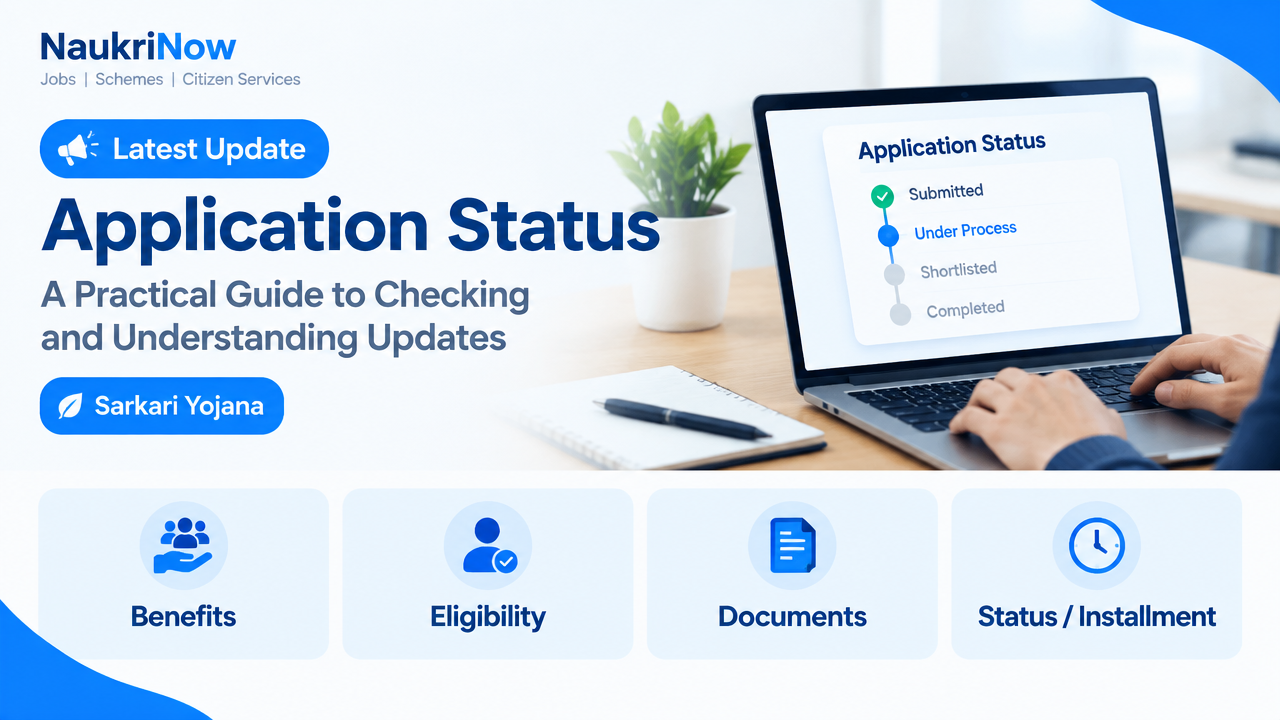
Waiting for an update after submitting a job, exam or government-scheme application can be stressful, especially when a portal displays a brief message such as “pending” or “under process”. An application status is a snapshot of what the responsible organisation has recorded. It is useful, but it may not explain every next step or indicate a final decision.
This guide explains how to check an application through the appropriate official source, make sense of common updates and respond to problems without sharing sensitive information or relying on rumours. Status labels and procedures vary between organisations, so always use the instructions in the relevant notification, application acknowledgement or official portal.
Before you check: identify the right application and source
Start with the organisation that received your application. For a job, that may be the employer or authorised recruitment agency. For an entrance or recruitment examination, it is usually the examination authority named in the notification. For a government scheme or service, check the department or agency responsible for processing it. A search result, social media post or third-party website may help you locate a page, but it should not replace the responsible organisation’s own instructions.
Use the link printed in your acknowledgement, application receipt or official notification whenever possible. If you need to find it again, check the organisation’s established website and confirm that the page relates to the correct recruitment, examination, scheme or application cycle. Look for a matching notification number, post name, programme name or other identifier. Similar names can lead to the wrong page.
Have the details requested by the official system ready. Depending on the process, these might include an application or registration number, a date of birth, a registered mobile number, an email address or a password. Do not enter information on a page simply because it asks for it: first confirm that the page belongs to the organisation handling your application.
How to check your application status
- Find your application reference. Check the confirmation page, submitted application PDF, email or SMS received after applying. Note the application number exactly as shown, including any letters, leading zeroes or separators. If you saved a screenshot, compare it with the receipt rather than relying on memory.
- Open the official status page. Use the application acknowledgement or official notification to reach the relevant portal. Check that the page is for the correct process and that any closing or processing information you read comes from the responsible organisation.
- Enter only the requested details. Follow the page’s instructions carefully. Check for typing errors, the correct date format and the right application cycle. Never share a password, one-time password, full identity number or payment details with someone who contacts you privately claiming they can check the status for you.
- Read the full message and any instructions. A status line may be accompanied by a notice, document request, correction window or next-step link. Read the relevant notification as well as the message on screen; the notification may define terms or explain how to respond.
- Save a record. If available, download or print the status page or acknowledgement. Record the date you checked, the displayed message and any action deadline stated by the official source. Keep these records in a secure place.
- Check again only when useful. If the organisation says updates will be published later, follow that schedule or instruction. Repeated checks in a short period rarely speed up processing and may make it harder to notice the actual change.
If there is no online status facility, follow the contact or tracking method stated in the official notification or receipt. Do not assume that a third-party tracking page, an unsolicited phone call or a message in a group chat is an authorised alternative.
What common status messages can mean
The wording below is common, but it is not a universal standard. One organisation may use “submitted” to confirm receipt, while another may use it to describe a different stage. Treat the explanation on the relevant official portal or notification as authoritative.
| Status wording | Possible meaning | What to do |
|---|---|---|
| Draft or incomplete | Some details may have been saved, but the application may not have been finally submitted. | Check for a final-submit confirmation, receipt or application number. Follow the portal’s instructions before assuming the application is complete. |
| Submitted or received | The system appears to have recorded an application. | Save the acknowledgement and check whether any separate confirmation or required document is mentioned. |
| Under review, pending or in process | The application may still be undergoing checks or awaiting action. | Read the published instructions and wait for an official update unless the portal asks you to act. |
| Action required, deficient or query raised | The organisation may need a correction, document or clarification. | Read the exact request, confirm the deadline and submit the response only through the method specified by the organisation. |
| Accepted, eligible or provisionally approved | A particular check may have been completed, sometimes subject to further verification. | Read all conditions. Do not treat a provisional message as a final offer, admission or benefit approval unless the official notice says so. |
| Rejected, ineligible or not shortlisted | The application may not have progressed, or it may have failed a stated condition. | Check the reason and any review or representation process, if one is provided. Do not assume that an informal request can change the decision. |
| Closed or disposed | The organisation may have completed its handling of the application or a related request. | Read any decision or communication attached to the status and note any permitted next step. |
A status is not always the same as an outcome. For example, “application received” confirms a recorded step, not necessarily eligibility, selection or payment. Likewise, a recruitment application marked “shortlisted” may mean only that you can proceed to another stage. Check the specific process before making travel, financial or employment decisions.
Different applications have different next steps
Job and recruitment applications
Check whether you applied on the employer’s own careers page, through an authorised recruitment partner or through a public-sector recruitment portal. A job application may show that it was received without revealing whether a recruiter has reviewed it. Keep the role title, reference number and submitted CV or form together. If you are invited to an interview or asked for more information, verify the sender and confirm the details through the employer’s official contact channel. A status update is not a job offer unless the authorised employer communicates an offer in the stated manner.
Examination and admission applications
For an examination or admission process, distinguish the application record from later stages such as acceptance of documents, an admit card, an examination result or counselling. Each may have its own notice and timetable. Use the examination authority or institution named in the relevant notification to check what a status means. Keep the submitted form and any correction confirmation, and do not treat an application acknowledgement as proof of eligibility to sit an examination unless the official instructions say so.
Government scheme or service applications
A scheme or service application may pass through several checks, including verification by an office or another responsible body. A portal message does not necessarily explain which step remains. Read the scheme or service guidance for its stated process, document requirements and grievance route. If a message asks you to correct information or provide a document, use only the official channel and retain proof of submission. Eligibility, approval and any benefit depend on the applicable official rules and the decision communicated by the responsible authority.
If the status is missing, unchanged or incorrect
A blank result or unchanged message does not automatically mean that your application was lost or rejected. It may be linked to an incorrect reference number, a temporary portal issue, an update that has not yet appeared or a difference between the status page and another official communication. Troubleshoot in a measured way:
- Compare the reference number with your receipt, including letters, zeroes and spaces.
- Confirm that you selected the right process, year or application category, if the portal offers more than one.
- Check whether the official website has posted an update about the portal or the processing stage.
- Try again later if the page reports a technical problem. Avoid submitting a second application unless the responsible organisation specifically instructs you to do so.
- Search your registered email inbox, including spam or junk folders, and review SMS messages for a relevant official communication. Verify links independently before opening them or entering details.
- If the problem continues, contact the organisation using the email address, form, office or other route given in its official notification or website.
When contacting an organisation, include enough information to identify the issue: the process or post name, your application reference, the date you applied, the status shown and a short description of the problem. Use the contact method the organisation publishes. Do not send passwords, one-time passwords or unnecessary identity and banking information. If you attach a screenshot, check that it does not expose details unrelated to the query.
Examples: choosing a sensible next step
Example 1: a job application says “received”. You applied for a role and saved the confirmation page. “Received” is evidence that the system recorded your submission, but it does not tell you whether you have been shortlisted. Keep the reference number, monitor official email and follow the employer’s stated process. Do not pay an unofficial “selection fee” or treat a message from an unverified account as an offer.
Example 2: an exam form shows “under scrutiny”. You have an application number, but the portal has not changed. First read the examination authority’s instructions to see whether any action is requested. If none is requested, save the current record and check for official updates rather than uploading documents through a link sent by an unknown person.
Example 3: a service application asks for a correction. The message identifies a missing or inconsistent detail. Read what must be corrected, how to submit it and any stated deadline. Make the change through the official portal or office specified, then save the acknowledgement. If the request is unclear, ask the responsible organisation through its published contact route before sending sensitive documents.
Mistakes to avoid
- Assuming every status has the same meaning. Labels vary. Use the definition and instructions published for your particular application.
- Confusing receipt with approval. A submitted form or acknowledgement may confirm only that information reached the system.
- Applying again without checking. Duplicate applications can create confusion or may be restricted. Confirm the official procedure before starting a second form.
- Trusting unofficial links or intermediaries. Avoid links that arrive unexpectedly or ask for payment, passwords or one-time passwords to reveal a status. Navigate to the responsible organisation’s website independently.
- Missing a request while checking only the status line. Read notifications, emails and instructions associated with the application, and keep an eye on any deadline expressly stated by the authority.
- Sharing a status screenshot publicly. It may reveal your application number, contact details, date of birth or other personal information. Redact identifying details before sharing a necessary screenshot with a trusted support channel.
- Relying on rumours about dates or decisions. Treat dates, results, vacancies, fees and policy claims as unconfirmed unless they appear in an official notice from the responsible organisation.
Frequently Asked Questions
How often should I check my application status?
Follow the frequency or schedule given by the organisation. If no schedule is stated, check periodically rather than refreshing repeatedly. Also monitor the registered communication channel for an official notice.
What should I do if I have lost my application number?
Look in your submitted form, downloaded receipt, confirmation email or SMS. If the organisation provides an official recovery option, use it. Otherwise contact the responsible organisation through its published channel and provide the identifying details it requests. Do not use an unknown recovery service.
Does “submitted” mean my application is complete?
Not necessarily. It may indicate that the system received the form, but there could be additional requirements. Check for a final acknowledgement, payment confirmation if applicable, document instructions and any conditions in the official notification.
Why has my application status not changed?
Processing times and portal updates differ. The status could remain unchanged while checks are in progress, but only the organisation can confirm the reason for a specific application. Check its notices and contact route rather than relying on assumptions.
Can I change details after submitting an application?
That depends on the process. Some organisations provide a correction facility or ask applicants to contact an office; others may not permit changes. Follow the instructions for your application and do not create a duplicate form as a workaround unless expressly told to do so.
Is a status message enough to prove approval?
Not always. Look for a formal decision, offer, admission communication or approval document, as relevant. Read any conditions and confirm whether further verification is required before acting on the message.
Who should I contact if the portal shows an error?
Use the helpdesk, email, grievance form or office listed on the responsible organisation’s official website or notification. Give a concise description and your application reference, but never disclose your password or one-time password.
Conclusion
Checking an application status is most useful when you know which organisation is responsible, keep your reference details secure and read the message in the context of the full official instructions. Save acknowledgements, respond only to verified requests and distinguish a recorded application from a final decision. When a status is unclear or a portal problem persists, contact the responsible organisation through its published channel. For current dates, results, fees, vacancies, eligibility rules or benefit decisions, rely on that organisation’s official notices rather than third-party claims.
Comments