Table of ContentsClick to view all sections
- What is the PM Awas MIS Report?
- PM Awas MIS Report: rural and urban portals compared
- What information can the MIS show?
- How to check a PMAY-G rural report
- How to check an urban PMAY status or progress
- How to understand status and payment terms
- Assistance and house conditions: what to verify
- Eligibility, exclusions and documents
- Common problems and practical next steps
- Advantages and limitations of checking the MIS
- Use the report safely
- Conclusion
- Official links
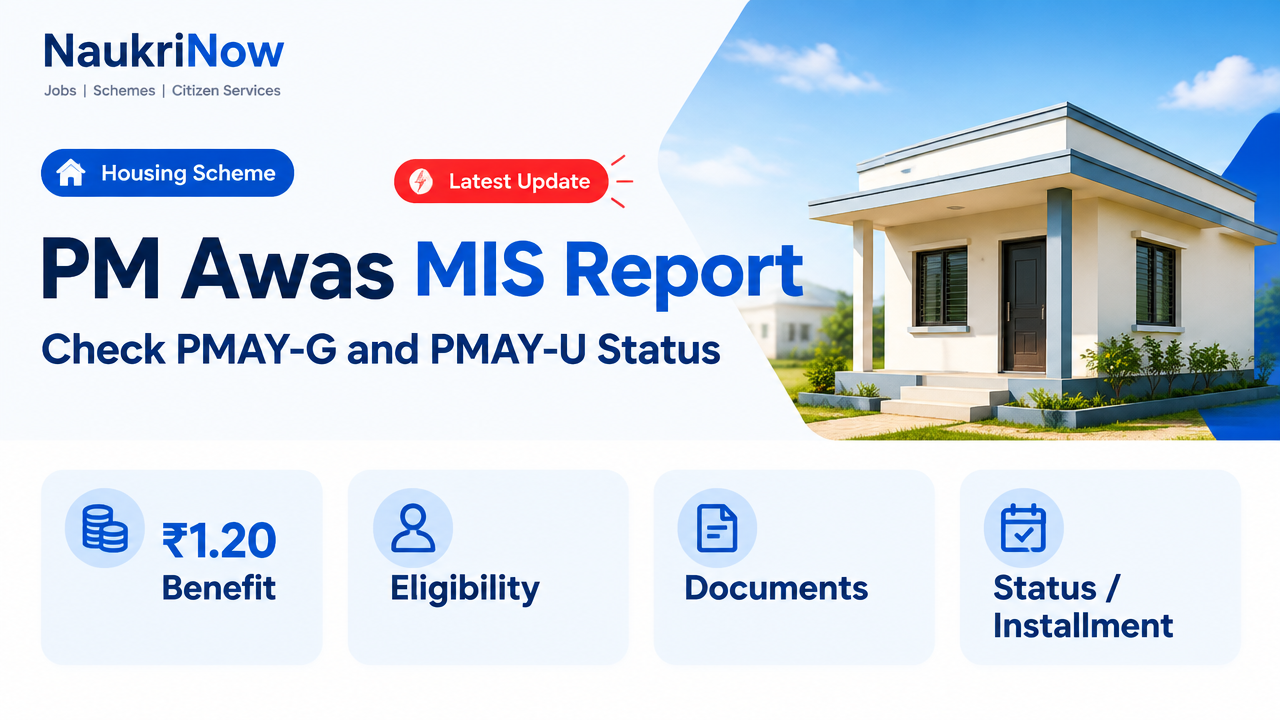
The PM Awas MIS Report is an online reporting system for checking information on houses sanctioned, under construction or completed under Pradhan Mantri Awas Yojana (PMAY). The right portal depends on whether your case is rural or urban. This guide explains where to look, how to read the available information and what to do if a name, status or payment detail appears incorrect.
What is the PM Awas MIS Report?
MIS stands for Management Information System. PMAY’s management portals publish scheme and progress information for beneficiaries, officials and the public. Depending on the portal and report, you may be able to view beneficiary records, sanction or construction progress, and fund-transfer information. The fields and menus can change as portals are updated, so treat the live official portal as the final reference.
There are separate systems for rural and urban housing. Start with the scheme under which your application or sanction was recorded; searching the wrong portal may not return your details.
PM Awas MIS Report: rural and urban portals compared
| Feature | PMAY-G (rural) | PMAY-U (urban) |
|---|---|---|
| Intended area | Eligible rural households | Eligible households in urban areas |
| Responsible ministry | Ministry of Rural Development | Ministry of Housing and Urban Affairs |
| Official portal listed here | pmayg.nic.in; the reporting system is also available through the official Awaas portal | pmaymis.gov.in |
| Useful information to look for | Beneficiary and house progress reports; fund-transfer information where available | Beneficiary search and scheme or city progress information where available |
| How to identify your case | Use your state, district, block, Gram Panchayat or registration details as requested | Use the search fields offered by the portal, such as an assessment or application reference if available |
Quick rule: a Gram Panchayat or village case is generally associated with PMAY-G; a municipality or city case is generally associated with PMAY-U. Confirm the scheme name on your application, sanction document or with the local authority if unsure. Use the PM Awas MIS Report on the portal that matches your scheme and location.
What information can the MIS show?
| Report or portal area | Information it may provide | Who may find it useful |
|---|---|---|
| Beneficiary or verification details | Recorded beneficiary details, registration or sanction information, and progress fields where published | Applicants and sanctioned beneficiaries |
| Fund Transfer Order (FTO) information | Payment instruction or transfer-processing details; this is not always proof that money has reached the account | Beneficiaries checking a delayed payment |
| House progress or geo-tagging | Construction-stage information and, where recorded, location-tagged photographs | Beneficiaries and local monitoring bodies |
| Sanction and completion reports | Aggregated figures for houses approved or completed | Residents, researchers and officials |
| Urban dashboards or progress reports | Published progress by state, city or scheme component, depending on the current portal | Urban applicants and members of the public |
Not every report is an individual application tracker. Public dashboards usually summarise scheme progress, while beneficiary-level reports or search pages are more relevant when checking a particular household. The PM Awas MIS Report may show different fields depending on the scheme and the current portal.
How to check a PMAY-G rural report
Portal labels can move or change. Use the current menus on the official site rather than relying on an old screenshot or a third-party link.
| Step | Action |
|---|---|
| 1 | Open the official PMAY-G website or the linked Awaas reporting portal at pmayg.dord.gov.in. |
| 2 | Look for the reports or AwaasSoft reporting area. Choose a beneficiary, progress or payment-related report that matches what you need to verify. |
| 3 | Enter the location details requested on screen, which may include state, district, block and Gram Panchayat. Select the relevant year or scheme field if shown. |
| 4 | Complete the on-screen verification, such as a captcha, and submit the search. |
| 5 | Check the result using your name and, if available, your registration or beneficiary reference. Compare the record with your sanction documents. |
| 6 | For payment queries, open the available FTO or fund-transfer report and follow the reference details shown. Contact the local implementing office if the record does not explain the delay. |
If you cannot find a report by its old name, use the portal’s current report index or ask the Gram Panchayat or block office which report now contains the relevant record.
How to check an urban PMAY status or progress
| Step | Action |
|---|---|
| 1 | Visit the official PMAY-Urban MIS portal. |
| 2 | Choose the beneficiary search or progress option available on the portal. The exact menu and search methods may vary. |
| 3 | Enter the requested reference, such as an assessment or application number, and location details if prompted. Use only information that the official page asks for. |
| 4 | Submit the search and read the result carefully. Distinguish an individual application record from a city-level dashboard total. |
| 5 | If your record is missing or a status seems wrong, contact the Urban Local Body or the office handling your application with your application reference and supporting documents. |
Some older search instructions refer to name or mobile-number lookup. Do not assume those options are currently available; use the fields displayed on the official portal.
How to understand status and payment terms
| Term | Plain-language meaning | What to check next |
|---|---|---|
| Registered | Information has been entered into the system | Registration alone does not confirm eligibility or approval |
| Verified | A verification step has been recorded | Check whether a separate sanction decision is shown |
| Sanctioned | Approval has been recorded for the housing assistance | Refer to the sanction details and local instructions |
| Grounded | A construction start or on-site progress stage has been recorded, where applicable | Check whether the recorded stage matches the actual site |
| FTO generated or sent | A fund-transfer instruction has been created or processed to a stated stage | It does not by itself confirm final credit to your bank account |
| Completed | The system records the house as complete, subject to the scheme’s verification process | Report a mismatch if the physical house is not complete |
Terms and workflow differ by scheme component and portal. A status can also take time to appear after a local verification or data update.
Assistance and house conditions: what to verify
Housing assistance depends on the scheme, location, approval and applicable guidelines. Do not use a general online amount as a guarantee of what an individual household will receive. For PMAY-G, published standard assistance has included different amounts for plain and specified difficult or hilly areas, with possible convergence support for items such as sanitation or labour under the relevant programme rules. Confirm the current amount and conditions against your sanction and official guidance.
| Scheme or item | General point to check | Important caution |
|---|---|---|
| PMAY-G house assistance | Assistance varies by eligible area category; commonly cited framework amounts are ₹1.20 lakh for plain areas and ₹1.30 lakh for specified hilly, difficult or IAP areas | Confirm the applicable category and current sanction; do not assume the same amount applies everywhere |
| PMAY-G sanitation support | Toilet assistance may be available through convergence with the relevant rural sanitation programme | Eligibility and payment are governed by the applicable programme rules |
| PMAY-G labour support | Eligible households may receive linked unskilled labour support under MGNREGA, subject to rules | Days and eligibility should be checked locally and against current instructions |
| PMAY-U assistance | Support depends on the urban scheme phase, component and approved case | Do not treat an amount from an older component or phase as a current universal entitlement |
For rural construction, the applicable design and minimum requirements should be checked with the local implementing authority and current PMAY-G guidance. Your sanction record is more relevant to your case than a general summary.
Eligibility, exclusions and documents
PMAY eligibility is determined under the rules for the relevant scheme and phase, using the prescribed identification, survey, application and verification process. A broad description is not enough to establish that a household qualifies.
| Area | General eligibility context | Why an application may not qualify |
|---|---|---|
| Rural (PMAY-G) | Households are identified and prioritised under the applicable rural selection and verification rules; housing condition and official survey or list information can be relevant | Not meeting the current selection criteria, not being included in the applicable list, or a mismatch found during verification |
| Urban (PMAY-U) | Eligibility depends on the applicable urban scheme phase, household and income criteria, component and local verification | Not meeting the relevant component conditions, incomplete or inconsistent application details, or an existing-house or other rule-based exclusion |
Potential exclusions and conditions differ across components and phases. Ask the responsible local office for the written reason if your application is rejected or marked ineligible; do not rely on a generic checklist to decide your case.
Keep these records ready when contacting an office. The exact documents required depend on your case:
- Application, registration, assessment or beneficiary reference number
- Identity and address details submitted with the application
- Bank account details or passbook information relevant to a payment query
- Sanction order or other scheme communication, if issued
- Land or property records where required for the approved construction component
- Survey, verification or construction-stage records requested by the local authority
Share sensitive documents only through an official process or with the authorised office. Do not post identity or bank details publicly.
Common problems and practical next steps
| Problem | Possible explanation | What to do |
|---|---|---|
| Name or record not found | Wrong portal, spelling or location selection; the record may not be published or may be missing | Check the scheme and reference number, then ask the Gram Panchayat, block office or Urban Local Body to verify the record |
| Payment shown but money not in account | The displayed event may relate to an FTO stage rather than final bank credit; bank or account details may also need checking | Note the FTO or transaction reference, check with your bank and ask the implementing office to trace the payment |
| Payment delayed | A required verification, construction-stage record or payment process may still be pending | Ask which specific step is pending and what evidence or action is required |
| Incorrect personal or house details | Data-entry or verification error | Submit a correction request to the responsible local office and keep proof of submission |
| Portal unavailable or slow | Maintenance, high traffic or a temporary connection issue | Try again later, use a different browser, or seek assistance from the local office |
| House marked complete when it is not | Progress information may be incorrect or not yet reconciled with the site | Report the discrepancy with the beneficiary reference and relevant site evidence to the implementing authority |
Advantages and limitations of checking the MIS
| Advantages | Limitations |
|---|---|
| Official records can help beneficiaries check progress without paying an agent | Online information may lag behind a local verification or recent payment event |
| Public progress reporting can help residents understand local implementation | A dashboard total may not answer an individual eligibility or grievance question |
| Payment and construction fields can help identify which step needs follow-up | An FTO status does not always mean funds have been credited to the bank account |
| Location or reference-based reports can help narrow a search | Menus, search fields and report names may change as portals are updated |
Use the report safely
- Use official government domains and verify the address before entering personal details.
- Checking a public report should not require paying an agent. Do not pay anyone who promises to add your name or secure approval.
- Never share an OTP, ATM PIN, UPI PIN or online banking password to check PMAY status.
- Keep a dated note or screenshot of the status and any reference number when raising a genuine query. Avoid sharing another person’s personal information.
- For a correction or grievance, approach the implementing local authority and ask for an acknowledgement or tracking reference.
Conclusion
The PM Awas MIS Report is most useful when you choose the correct rural or urban portal, search with accurate location or application details, and distinguish a public progress figure from an individual beneficiary record. Treat online status as a way to guide your next enquiry—not as a substitute for a sanction order or a written decision. If the record is missing, a payment is delayed or construction details look wrong, take your reference number and supporting documents to the responsible local office.
Frequently Asked Questions
Is the PM Awas MIS Report free to check?
The official portals provide online scheme information without a report-checking fee. Be cautious of anyone charging money to search a public record or promising approval.
Which portal should I use for a rural PMAY-G case?
Start at pmayg.nic.in or use the official Awaas portal at pmayg.dord.gov.in. Follow the current reporting links shown there.
Which portal should I use for an urban PMAY case?
Use the official PMAY-Urban MIS portal at pmaymis.gov.in. The search options depend on the current portal and scheme record.
Can I check a PMAY report on my phone?
Yes, you can open the official sites in a mobile browser. If a table or form is difficult to use, try landscape view or a computer, and avoid unofficial apps that request sensitive information.
What does FTO mean in a PMAY report?
FTO means Fund Transfer Order. It refers to a payment instruction or a stage in the transfer process. An FTO entry alone may not confirm that the amount has been credited to your bank account.
Why is my name missing from the report?
Check that you selected the correct scheme and location and entered the right reference details. If the record is still missing, ask the Gram Panchayat or block office for a rural case, or the Urban Local Body for an urban case, to verify your application.
What should I do if a payment is delayed?
Check the payment or FTO information if available, then ask the implementing office which verification or transfer step is pending. You can also confirm with your bank that the account details are correct.
Does a registered or verified status mean my house is approved?
Not necessarily. Registration means details were entered, and verification indicates a check was recorded. Look for a sanction decision and confirm it against your official communication.
Where can I find general government scheme information?
The National Portal of India at india.gov.in provides government information. For your PMAY record, use the relevant official scheme portal or contact the local implementing authority.
Official links
| Resource | Official link |
|---|---|
| PMAY-Gramin website | https://pmayg.nic.in/ |
| Awaas rural reporting portal | https://pmayg.dord.gov.in |
| PMAY-Urban MIS portal | https://pmaymis.gov.in/ |
| National Portal of India | https://www.india.gov.in/ |
Comments