Table of ContentsClick to view all sections
- Pradhan Mantri Surya Ghar: What is PM Surya Ghar Muft Bijli Yojana?
- Why consider the scheme?
- Scheme overview
- PM Surya Ghar subsidy: How much can you get?
- Which system size do you need?
- PM Surya Ghar 3 kW price after subsidy
- How much could you save? A 3 kW example
- A simple subsidy and savings calculation
- State top-up subsidies
- Eligibility: Who can apply?
- Documents and details to keep ready
- Online registration and application: Step by step
- Vendor list: How to choose an installer
- Loans and payment checks
- Login, application status and subsidy status
- How long does the process take?
- Advantages and limitations
- Common mistakes that can delay an application
- In brief
- Conclusion
- Official link
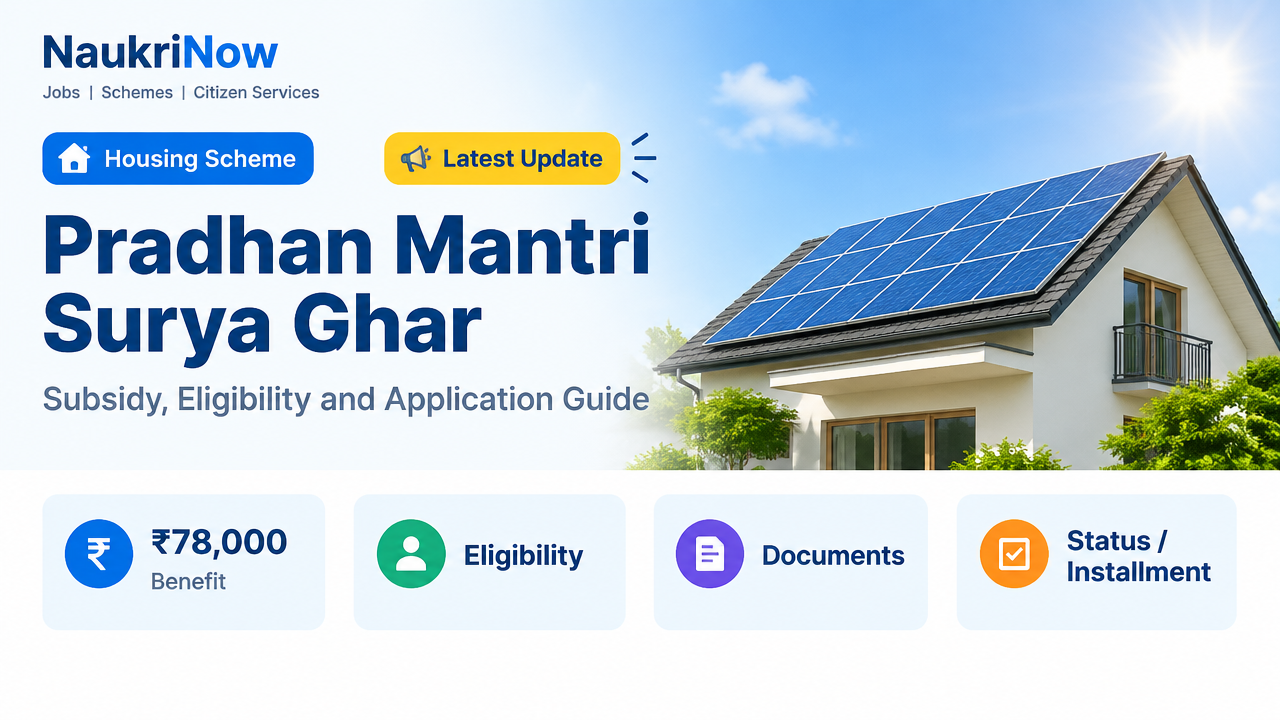
Pradhan Mantri Surya Ghar: Muft Bijli Yojana helps eligible households install grid-connected rooftop solar by providing central financial assistance. The subsidy can reach ₹78,000 in most states and Union Territories, with a higher ceiling for specified special-category regions. The support reduces the installation cost; it does not guarantee that every household will receive free electricity or have no charges on its bill.
Applications are made through the national portal. Before choosing a system or paying an installer, check your electricity use, the scheme rules shown on the portal and the vendor options available through your distribution company (DISCOM). It is useful to treat the application, installation and subsidy as separate stages: an application is not the same as approval, and approval alone does not mean a system has been commissioned or a subsidy paid.
Pradhan Mantri Surya Ghar: What is PM Surya Ghar Muft Bijli Yojana?
PM Surya Ghar: Muft Bijli Yojana is a central scheme administered by the Ministry of New and Renewable Energy (MNRE). Under Pradhan Mantri Surya Ghar, eligible residential rooftop solar installations can receive central financial assistance. The national portal is the starting point for checking scheme instructions, submitting an application and following its progress.
The phrase “Muft Bijli” in the scheme name should not be read as a promise that every participant will have a zero electricity bill. Solar can reduce the amount of electricity a household buys from the grid, but savings depend on how much the system generates, how the household uses electricity and how the DISCOM accounts for exported power. Fixed charges and other bill components may still apply.
Why consider the scheme?
Rooftop solar can let a household generate some of its electricity at the property. Central assistance can reduce the upfront amount the household needs to fund for an eligible system. For a household with a suitable roof and a suitable electricity connection, the scheme may therefore make a solar installation more affordable than it would otherwise be.
The scheme also involves steps beyond buying equipment. The applicant must follow the portal and DISCOM process, select an appropriate vendor, complete installation and meet the relevant inspection, metering and commissioning requirements. Taking time to understand those stages can help avoid preventable delays and mistaken assumptions about the final cost or bill savings.
Scheme overview
| Detail | What to know |
|---|---|
| Official scheme name | PM Surya Ghar: Muft Bijli Yojana |
| Responsible ministry | Ministry of New and Renewable Energy (MNRE) |
| What support covers | Central financial assistance for eligible residential rooftop solar installations |
| Maximum central assistance | Up to ₹78,000 in general states and up to ₹85,800 in specified special-category states, subject to applicable rules |
| How to apply | Online through the national scheme portal |
| Official portal | pmsuryaghar.gov.in |
PM Surya Ghar subsidy: How much can you get?
For Pradhan Mantri Surya Ghar, central assistance for eligible residential systems is calculated by system capacity and capped at 3 kW. Installing a larger system does not increase the central subsidy beyond the applicable maximum. The amounts below show the standard calculation; check the portal for current rules and your state category before making a purchase.
| System capacity | General states and UTs | Specified special-category states and UTs |
|---|---|---|
| 1 kW | ₹30,000 | ₹33,000 |
| 2 kW | ₹60,000 | ₹66,000 |
| 3 kW or more | Up to ₹78,000 | Up to ₹85,800 |
In the standard calculation, assistance is ₹30,000 per kW for the first 2 kW and ₹18,000 for the third kW. The special-category rates are ₹33,000 per kW for the first 2 kW and ₹19,800 for the third kW. The subsidy is not a discount that every installer can deduct automatically: follow the portal process and provide correct bank details so the eligible payment can be processed after commissioning.
These amounts describe central assistance, not the full price of a rooftop system. Your remaining cost depends on the quotation and any additional work required. A system larger than 3 kW may be considered for household requirements, but the central assistance remains subject to the 3 kW cap under the standard calculation. Confirm the current rules for your connection before deciding on a capacity.
Which system size do you need?
Use several recent bills rather than a single month to estimate your typical consumption. The table is a broad guide, not a technical approval or a promise of generation. Roof orientation, shade, local conditions and the DISCOM’s requirements also matter.
| Typical monthly consumption | Possible system-size range | Indicative central assistance in general states |
|---|---|---|
| 0–150 units | About 1–2 kW | ₹30,000–₹60,000 |
| 150–300 units | About 2–3 kW | ₹60,000–₹78,000 |
| Above 300 units | 3 kW or more, subject to roof and connection requirements | Maximum ₹78,000 |
A rough planning estimate often used for Indian conditions is around 120 units a month per kW, but actual output varies. This is only an initial way to think about possible generation; it is not a system-performance guarantee. Your household’s usage may also vary by month, so look for patterns across bills and consider whether your daytime use is different from your evening use.
Before settling on a size, compare your regular consumption with the potential system capacity, available roof area and the technical requirements that apply to your connection. Ask the vendor to explain the assumptions behind the proposed capacity and expected generation. If two quotations recommend different sizes, compare their equipment and calculations rather than choosing based only on the larger estimate or the largest subsidy.
PM Surya Ghar 3 kW price after subsidy
There is no single price for a 3 kW system that can be stated for every home based on the scheme information here. The total quoted amount may vary with the equipment selected, installation scope, roof structure, location and any additional work. The central assistance is a contribution toward eligible cost, not a guarantee that a 3 kW system will have the same final price everywhere.
To estimate your own amount after assistance, start with a written, itemised quotation from a vendor listed for your DISCOM. Confirm which costs are included and whether any additional work or charges are proposed. Then subtract only the central assistance you are eligible for under the current rules. Do not treat a state top-up, a particular vendor discount or an expected subsidy payment as certain unless it is confirmed for your case through an official source.
Ask vendors to explain the specifications and scope in the same format so you can compare offers fairly. A low headline price may not describe the same equipment or service as another quotation. Review the stated module and inverter details, installation work, warranties, payment terms and support arrangements before you commit.
How much could you save? A 3 kW example
A rough planning estimate often used for Indian conditions is around 120 units a month per kW, although actual output varies. For example, if a 3 kW system generates 300 units in a month and your energy rate is ₹7 per unit, those units have a gross bill value of about ₹2,100. This arithmetic is an illustration, not a prediction of your monthly bill or a guarantee of savings.
Your actual saving can be lower or higher. The result depends on generation, the timing of household electricity use, the applicable tariff, fixed charges and the DISCOM’s billing and net-metering rules. The way surplus electricity is treated also matters. For a more useful estimate, use your actual bills and tariff information, ask how exported units are handled for your connection, and avoid assuming that every unit generated offsets a unit billed at the same rate.
A simple subsidy and savings calculation
You can make a basic planning worksheet without treating the result as a guaranteed return. First, note your recent electricity consumption and bills. Second, choose a possible system size to discuss with a vendor, keeping the 3 kW central assistance cap in mind. Third, use an itemised written quotation to establish the proposed upfront cost. Fourth, subtract only the central assistance that applies to your system and state category under the current rules.
For a rough monthly bill comparison, estimate the system’s generation only as an indicative figure, then consider how much electricity is used in the home and how much may be exported. Apply your actual tariff cautiously, and keep charges that may remain separate from energy charges. To consider a payback period, compare the net upfront cost after confirmed assistance with a reasonable estimate of yearly bill reduction. That estimate should account for seasonal generation, maintenance and the DISCOM’s treatment of surplus electricity. A vendor’s calculator or savings estimate is not a guarantee.
State top-up subsidies
Some states may offer additional support, but availability, eligibility and payment processes can change. The central rates shown above do not establish that a household will receive a state top-up. Do not include extra state assistance in your budget unless it is confirmed by an official state notice, DISCOM or portal information that applies to your connection.
If you are told that a local benefit is available, ask for the relevant official information and check who qualifies, how to apply and whether it is separate from or connected to the central process. Keep the central assistance and any possible state support as separate parts of your calculation until both are verified.
Eligibility: Who can apply?
| Check | What it means in practice |
|---|---|
| Residential electricity connection | You need the relevant household electricity consumer connection and its consumer details for the portal application. |
| Suitable rooftop | The roof must be suitable for a compliant solar installation, with the necessary access and permissions. |
| Applicant and connection details | Keep the applicant’s details consistent with the electricity account and bank details used for the subsidy claim. |
| Previous assistance | Do not assume a connection qualifies if it has already received a government subsidy for rooftop solar. Check the portal rules for your case. |
| Tenant or shared property | Do not assume a tenant can apply independently. The connection holder, roof owner or housing society may need to be involved, with appropriate consent and DISCOM compliance. |
Important: Eligibility can depend on the connection, installation type and current scheme instructions. Confirm your specific case on the official portal or with your DISCOM before committing money. A roof that appears suitable to a household may still need to meet technical, access, ownership or utility requirements.
Documents and details to keep ready
- Recent electricity bill and consumer account number
- Mobile number that can receive an OTP
- Applicant’s identity and address details as requested on the portal
- Bank account details and any bank proof requested for the subsidy claim
- Roof ownership, permission or housing-society consent documents if relevant to your property
- Installation details, vendor agreement and equipment information when requested during the process
Use the portal’s current document instructions as the final checklist. The information requested may depend on the stage of your application. Names, account details and consumer information that do not match can delay verification or payment, so review each entry before submitting it.
Online registration and application: Step by step
For a Pradhan Mantri Surya Ghar application, use the national portal and follow the stages displayed for your DISCOM. The exact screens or requirements may change, so treat the portal instructions as authoritative. Keep a record of the application details and any documents or invoices submitted so you can refer to them if the portal or DISCOM requests follow-up.
| Step | Action |
|---|---|
| 1. Register | Open the official portal, choose the rooftop-solar application option and enter the requested state, DISCOM, consumer and mobile details. |
| 2. Log in and submit the application | Use the portal’s verification process, check the electricity-account information and provide the requested system and applicant details. |
| 3. Wait for DISCOM feasibility | Follow the application dashboard and any instructions from your DISCOM before proceeding with installation. |
| 4. Select a registered vendor | Use the vendor information available through the portal for your DISCOM. Compare written quotations, equipment specifications, warranties and service terms. |
| 5. Install the system | Have the selected vendor install the system in line with scheme and DISCOM requirements. Keep invoices and equipment details. |
| 6. Complete net-metering and inspection steps | Upload or enter the required installation information on the portal and complete the DISCOM’s net-metering and inspection process. |
| 7. Complete commissioning | Check that the DISCOM’s required inspection and commissioning steps are recorded in the application. |
| 8. Claim the subsidy | Submit or verify bank details and supporting proof as instructed. Track the payment through the portal and check the account provided. |
Before you submit
Check that you are using the correct consumer account details and that the mobile number you provide can receive the required verification messages. Review the application for typing errors, especially in account and bank information. If a detail does not match your electricity account or supporting documents, correct it using the process provided rather than entering inconsistent information in an attempt to move forward.
Before installation
Do not assume that paying a vendor or receiving an application acknowledgement is the same as completing the DISCOM feasibility stage. Follow the sequence shown for your application and ask the DISCOM or portal for clarification if you are unsure whether installation may proceed. Keep your vendor’s written scope and any related receipts.
After installation
Installation is not the final step. Complete the information, inspection, net-metering and commissioning requirements that apply to your connection. Check that the portal records the required commissioning stage and that the bank details for the subsidy claim are accurate. Keep copies of documents and follow any messages displayed on the dashboard.
Vendor list: How to choose an installer
Confirm the installer is listed for your DISCOM through the scheme portal. Being listed does not remove the need to compare the written offer and confirm that it suits your property. Ask for the module and inverter make, model and capacity; the installation scope; the total price; warranty information; payment milestones; and the service terms after installation.
Ask how the proposed equipment and installation meet the current technical requirements for the scheme and DISCOM. Get the answer in writing rather than relying on a verbal promise. Compare like-for-like quotations, and ask what is excluded from the stated price. Keep the vendor agreement, invoice and equipment details because they may be useful during the portal process or if you need to follow up later.
Loans and payment checks
If you need a loan, compare offers directly with banks or other regulated lenders. Interest rates, collateral requirements, fees and repayment periods depend on the lender and are not guaranteed by the scheme. Consider the full repayment amount and any charges, not only an advertised interest rate or monthly instalment. The assistance and any loan are separate parts of your household’s financing plan.
- Agree on payment milestones in writing and retain receipts.
- Do not pay an unverified person to “release” a subsidy.
- Do not share OTPs, banking passwords or other confidential credentials with someone claiming to check or speed up your application.
- Confirm the total amount due and what each payment covers before transferring money.
Login, application status and subsidy status
For Pradhan Mantri Surya Ghar, log in to the official portal with the details used for registration and open the application or tracking section. Review the stage shown, any pending action and any message from the DISCOM. The status displayed can help you identify whether a step remains, but it does not replace the actual instructions from the portal or utility.
After commissioning, check that the bank details submitted for the subsidy are correct and monitor both the portal and the account provided. If an application remains unchanged or a payment is delayed, use the contact or grievance instructions displayed on the official portal and follow up with your DISCOM. Avoid sharing OTPs or banking passwords with anyone claiming to check your status.
How long does the process take?
The available information here does not establish a fixed timeline for every application. The process includes actions by the applicant, a vendor and the DISCOM, including feasibility checks, installation, inspection, net-metering and commissioning. The time taken can therefore depend on the requirements and progress of the individual case. Check the status and any stated next steps on the portal rather than relying on an unofficial estimate or a guaranteed completion date from a third party.
Advantages and limitations
| Advantages | Limitations to plan for |
|---|---|
| Central assistance can reduce the upfront cost of an eligible residential system. | The household must arrange the remaining cost and may need financing. |
| Rooftop generation can lower electricity purchases from the grid. | Generation depends on sunlight, roof conditions and system performance. |
| Surplus power may be handled through the applicable DISCOM and net-metering rules. | Export credits, billing and fixed charges depend on local rules; a zero bill is not assured. |
| The online process provides a place to submit and follow the application. | Approvals, installation, inspection and payment can require action from several parties. |
| A household can compare vendors and system proposals before making a decision. | Quotes, equipment and service terms can differ, so comparison takes time and a headline price may not describe the full scope. |
The scheme may be a better fit for some households than others. A suitable roof, a qualifying connection, the ability to fund the amount not covered by assistance and a clear understanding of local billing rules all matter. Weigh these considerations against your household’s electricity use and the written offer before deciding.
Common mistakes that can delay an application
- Starting installation before checking the portal and DISCOM process.
- Choosing a vendor without confirming the portal listing for your DISCOM.
- Entering the wrong consumer number or using inconsistent applicant and bank information.
- Assuming a larger system earns a larger central subsidy after the 3 kW cap.
- Relying on an unconfirmed state subsidy or a verbal promise of a free system.
- Missing a portal request, inspection requirement or net-metering step.
- Paying unofficial agents or sharing OTPs to “speed up” the application.
- Comparing vendor headline prices without checking equipment, installation scope, exclusions and service terms.
- Budgeting on the assumption that every unit generated will eliminate an equal amount from the bill.
In brief
PM Surya Ghar: Muft Bijli Yojana offers central financial assistance for eligible residential rooftop solar installations. The subsidy is capped at the standard amount for a 3 kW system, and the household remains responsible for costs not covered by assistance. A suitable system size depends on consumption, roof conditions and the requirements for the electricity connection. Always verify current instructions on the official portal before applying or committing to a vendor.
Conclusion
Pradhan Mantri Surya Ghar can make rooftop solar more affordable, but the useful next step is to verify your connection’s eligibility, estimate a system size from actual bills and confirm the DISCOM process before signing with a vendor. Treat the subsidy ceiling as assistance toward the cost—not as a promise of a free installation or a zero electricity bill. For current rules, applications and tracking, rely on the official portal.
Frequently Asked Questions
What is the official website of PM Surya Ghar Muft Bijli Yojana?
The scheme’s national portal is pmsuryaghar.gov.in. Use it to check current instructions, apply and follow your application.
How much subsidy is given for a 3 kW solar system?
The central assistance is up to ₹78,000 in general states and UTs, or up to ₹85,800 in specified special-category regions, subject to eligibility and current scheme rules.
What is the price of a 3 kW system after subsidy?
There is no single price that applies to every household. The quotation depends on the equipment, installation scope, location, roof and any additional work. Compare itemised quotations and subtract only the assistance confirmed for your case under current rules.
Does the scheme make electricity completely free?
Not necessarily. Solar generation may reduce the energy portion of a bill, but output varies and fixed charges or other amounts may remain. Billing for exported power follows the applicable DISCOM rules.
Can tenants apply?
Do not assume so. The consumer connection, roof permissions and scheme requirements matter. A tenant should discuss the installation with the connection holder or property owner and confirm the case with the DISCOM before applying.
How do I check my subsidy status online?
Sign in to the official portal using the application details and open the tracking section. Check for pending actions and verify that the bank information submitted for payment is correct.
Where can I find the scheme PDF?
Check the official portal for current scheme information and documents. Use the portal as the authoritative source rather than relying on an unofficial copy or an outdated message.
What is the last date to apply?
Check the official portal for current application availability and scheme instructions. Do not rely on an unofficial website or message for deadlines.
What is the scheme helpline number?
Use the contact or grievance instructions displayed on the official portal for current support information. This article does not provide an independently verified helpline number.
Can I use any solar installer?
Choose a vendor listed for your DISCOM through the scheme portal and confirm the equipment, price, warranty and service terms in writing before signing.
Does the scheme guarantee a particular loan interest rate?
No fixed rate should be assumed. Loan approval and terms depend on the bank or lender, your application and its current offer. Compare the full repayment cost directly with lenders.
Official link
| Resource | Link |
|---|---|
| PM Surya Ghar national portal: scheme information, application and tracking | https://pmsuryaghar.gov.in |

Comments