Table of ContentsClick to view all sections
- HP Assistant Staff Nurse Result: HPRCA ASN Result 2026 Overview
- HPRCA ASN Result 2026: Important Dates
- How to Check HPRCA ASN Result 2026
- What the Result and Scorecard Contain
- What Candidates Should Do After Checking
- Candidate Checklist for Reviewing the Published Documents
- Important Note on the Result
- Common Result-Checking Problems
- Important Links
- Final Takeaway
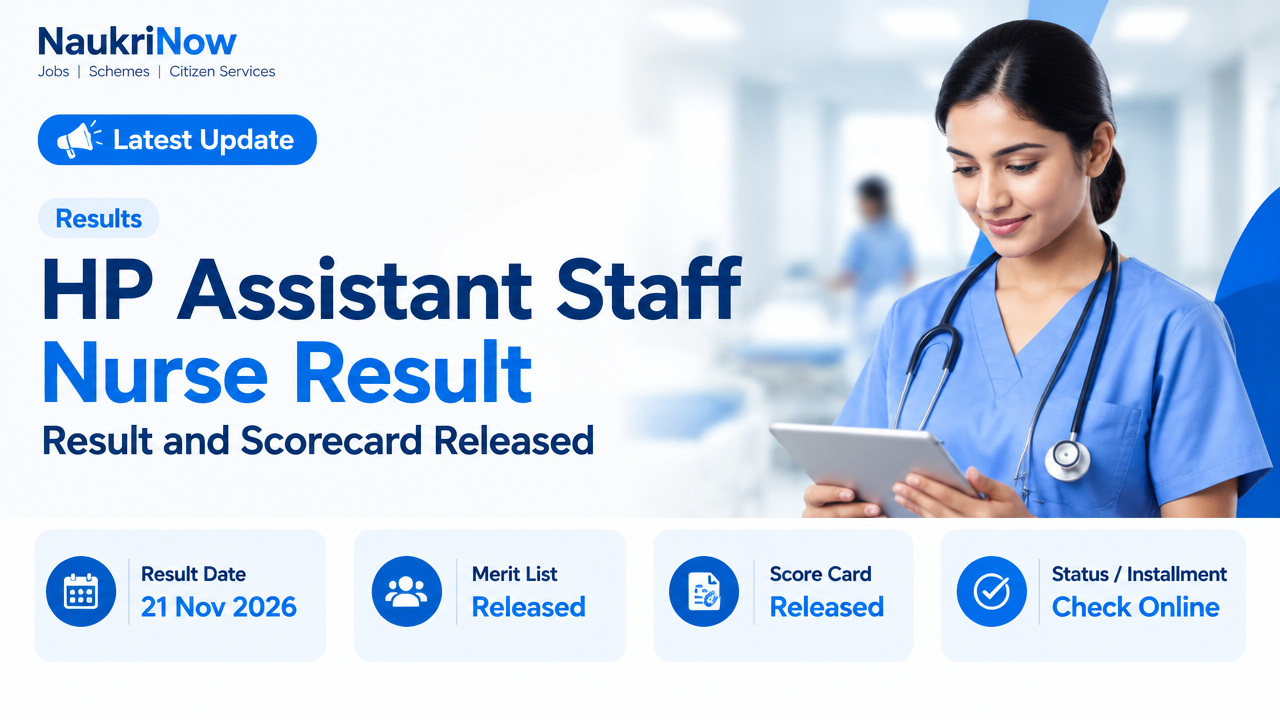
The HP Assistant Staff Nurse Result 2026 was declared by the Himachal Pradesh Rajya Chayan Aayog (HPRCA) on 21 November 2026. It concerns the tablet-based screening test for 780 Assistant Staff Nurse (Allopathy) posts under post code 26044 and Advertisement No. 12/2026. HPRCA released the normalised scorecard on the same date. Candidates can use the commission’s official portal to locate the notice and published documents; the direct result-file URL is not listed here.
This guide summarises the confirmed recruitment details and dates, explains how to find and search the result PDF, and clarifies what is and is not stated in the available information. It also covers practical checks for candidates who are opening the PDF or scorecard. For any instruction not included below, use the relevant HPRCA notice rather than assuming that a particular process or next stage applies.
HP Assistant Staff Nurse Result: HPRCA ASN Result 2026 Overview
| Particular | Details |
|---|---|
| Recruiting authority | Himachal Pradesh Rajya Chayan Aayog (HPRCA) |
| Department | Director, Medical Education & Research, Himachal Pradesh |
| Post | Assistant Staff Nurse (Allopathy) |
| Post code | 26044 |
| Advertisement number | 12/2026 |
| Vacancies | 780 |
| Engagement type | Engagement basis |
| Screening test | Tablet-based screening test (CBT) |
| Official portal | hprca.hp.gov.in |
| Result and scorecard release | 21 November 2026 |
Use the post name, code and advertisement number together when locating the correct notice. These identifiers help distinguish this recruitment from other HPRCA announcements. The recruitment covered in this article is specifically for Assistant Staff Nurse (Allopathy), post code 26044; a result notice for another post or code is not a substitute for the relevant document.
When reviewing the HP Assistant Staff Nurse Result, treat those recruitment identifiers as a document-checking aid. A similar post title on the portal may relate to a different announcement, so confirm the reference shown in the notice before using its contents. The overview above brings together the details stated for this recruitment; it does not supply information that is absent from the published result details, such as a further-stage timetable or cut-off marks.
HPRCA ASN Result 2026: Important Dates
| Event | Date or status |
|---|---|
| Screening test | 25 September 2026 |
| Result declaration | 21 November 2026 |
| Normalised scorecard release | 21 November 2026 |
| Next-stage details | Not specified; check HPRCA updates |
The screening test date and release date are separate milestones: the test took place on 25 September 2026, while the result and normalised scorecard were released on 21 November 2026. The information available here does not give a further-stage timetable. Candidates should therefore check the official portal for a later notice instead of treating the result date as a date for document verification, a medical examination or another activity.
These dates help candidates identify the relevant result cycle and understand the sequence of the two confirmed events. They should not be used to infer an unannounced deadline or appointment. If a later HPRCA notice provides additional dates, follow the directions in that notice and check that it refers to the same Assistant Staff Nurse (Allopathy) recruitment. Until then, the status of any next step remains unspecified in the information summarised here.
How to Check HPRCA ASN Result 2026
The result is provided as a PDF list. Follow these steps to find the correct notice and check your entry. The portal’s layout or labels may change, so use the closest results, notices or latest-updates area available on the official website.
- Open the HPRCA official website.
- Go to the results, notices or latest updates area on the portal.
- Look for the Assistant Staff Nurse (Allopathy) result notice. Confirm that it refers to post code 26044 or Advertisement No. 12/2026.
- Open the result PDF and allow it to load fully. Check the heading or identifying details before searching the list.
- Search for your roll number using the PDF viewer’s find or search function. On a computer, use Ctrl + F; on a phone, use the search option in the PDF viewer.
- Review the match in the document, rather than relying only on a search box result. Make sure the roll number appears in the correct result notice.
- Save a copy of the result PDF and check the normalised scorecard separately. Keep both documents for your records.
If you do not see the notice immediately, return to the official portal and check its results or latest notices area again. The exact location of a notice can vary as portal content is updated. Do not use an unrelated result page simply because it has a similar post title; verify the post code and advertisement number first.
For a careful check, begin with the notice heading and recruitment references before using the PDF search tool. Searching a document that belongs to another recruitment can produce a match that is irrelevant to this result. After finding a match, look at the surrounding entry in the PDF and confirm that the roll number is written as expected. The search function is a navigation aid; the published document itself is what you should inspect.
If the PDF is difficult to read on a small screen, use the viewer’s zoom controls or open the downloaded document in another PDF reader. These are practical ways to inspect the same file, not alternative sources of result information. If you switch devices or readers, keep checking that the document heading still identifies post code 26044 or Advertisement No. 12/2026.
How to check the normalised scorecard
The normalised scorecard was released on 21 November 2026. Locate the relevant official notice or scorecard link and follow the access instructions shown there. The available information does not confirm which login fields, if any, are required. If the portal asks you to provide credentials, use only the instructions in the official HPRCA notice. Do not guess at login requirements or enter personal details through an unofficial link.
After opening the scorecard, check that it relates to the Assistant Staff Nurse (Allopathy) screening test and the correct recruitment reference. Keep the scorecard file in a place where you can find it again. If you save or print a copy, check that the document has downloaded completely and that its contents are readable. These are practical record-keeping steps; they do not replace any specific instruction issued by HPRCA.
The result PDF and the scorecard serve different checking purposes, so make a separate pass through each document. Use the result PDF to verify the published list entry and use the scorecard to review the normalised score information available for candidates who appeared in the screening test. If one document opens and the other does not, that does not change the contents of the document you were able to access; continue to use the official portal for the unavailable item and its instructions.
What the Result and Scorecard Contain
| Document or detail | What candidates can check |
|---|---|
| Result PDF | The published list includes candidate names and roll numbers. Search by roll number to reduce the chance of missing an entry. |
| Normalised scorecard | Normalised scores for candidates who appeared in the screening test. |
| Recruitment reference | Assistant Staff Nurse (Allopathy), post code 26044, under Advertisement No. 12/2026. |
| Cut-off and attendance figures | These figures are not stated in the available result information. Check for a separate official notice before drawing conclusions. |
The result PDF and scorecard are related to the same recruitment, but they are different documents. The PDF is the published list in which candidates can search for a name or roll number. The scorecard contains normalised scores for candidates who appeared in the screening test. Checking one document does not remove the need to check the other if you need to confirm both your result-list entry and your score.
The available information does not state cut-off marks, the number of candidates who appeared, or a detailed explanation of the normalisation method. It also does not establish a particular score as a qualifying threshold. Avoid drawing conclusions from figures or comparisons that are not provided in an official notice. If HPRCA publishes an additional notice with cut-off details or an explanation, use that notice for the relevant information.
When reading the scorecard, distinguish the score shown there from any assumption about a qualifying score. The confirmed information says that normalised scores were released, but it does not set out the method used to calculate them or identify a cut-off. Without those details, candidates should avoid comparing their score against an unofficial estimate or treating a score by itself as confirmation of a later recruitment outcome.
Likewise, the list and scorecard should be read only for what each document contains. The result list includes names and roll numbers, while the scorecard provides normalised scores for candidates who appeared. Neither description supplies an attendance count, cut-off figure or next-stage schedule. For those details, rely on a separate official HPRCA notice if one is published.
What Candidates Should Do After Checking
- Verify the correct recruitment: Check that the notice is for Assistant Staff Nurse (Allopathy), post code 26044, Advertisement No. 12/2026. Do this before relying on a result or scorecard.
- Search carefully: Use your complete roll number in the PDF search tool. If searching by name, be aware that names may be written or displayed differently; the available information recommends checking the roll number.
- Check both documents: Confirm your entry in the result PDF and review the normalised scorecard separately.
- Keep copies: Save the documents for your records and retain the official source details. A search-result snippet or unofficial list should not be treated as a replacement for the HPRCA notice.
- Monitor official updates: Watch the HPRCA portal for any further notice about this recruitment or instructions for candidates.
- Wait for specific directions: Do not assume that document verification, a medical examination or another stage is scheduled unless HPRCA publishes instructions.
These steps are intended to help you confirm what the published documents show, not to predict the outcome of the recruitment or the next administrative action. The available information does not provide a separate timetable after the result. Any later process should be treated as confirmed only when HPRCA issues the relevant official direction.
Candidate Checklist for Reviewing the Published Documents
Use this checklist to keep the result check orderly. It restates the details available for this recruitment and does not add new requirements. The HP Assistant Staff Nurse Result should be checked against the official notice and its recruitment references, not against a copied list or a result page for another post.
| Check | What to confirm |
|---|---|
| Source | Open the result or scorecard through the HPRCA official portal. |
| Post identity | Look for Assistant Staff Nurse (Allopathy). |
| Recruitment identifiers | Check post code 26044 and Advertisement No. 12/2026. |
| Result-list search | Search the result PDF using the complete roll number and review the entry in context. |
| Scorecard review | Open the normalised scorecard separately and follow the access instructions in the official notice. |
| Record keeping | Save readable copies of the result PDF and scorecard for your records. |
| Unconfirmed details | Do not assume cut-off marks or a next-stage schedule from the information summarised here. |
Completing this checklist helps separate document verification from speculation about what may happen later. A result-list match confirms what is printed in that list; the scorecard is where candidates can review the normalised score information. The available information does not provide a subsequent schedule, so checking the portal for a specific later notice remains the appropriate way to learn about any further directions.
If you are keeping a personal record of the check, note which official document you reviewed and make sure the saved file remains readable. Keeping both documents together can make it easier to return to them if you need to recheck the recruitment reference. This is a practical organisation suggestion only; it is not an additional document submission requirement.
Important Note on the Result
The available notice information describes the result as final and says it was compiled after the selection rounds. At the same time, it does not provide details of a further post-result stage or a separate schedule for one. Read the wording of the official notice carefully and follow any specific instructions it contains. Do not assume, based only on the general result information, that another stage is either required or ruled out.
The available information also does not state cut-off marks, the number of candidates who appeared, or the exact method for accessing the scorecard. These omissions should not be filled with estimates or information from an unrelated recruitment. Check the HPRCA portal for a separate notice or clarification if you need details that are not included in the result information.
This distinction matters when interpreting the word “final” in the available result information. The information summarised here uses that description, but it does not set out the details of any additional post-result process or a timetable. Candidates should read the full official notice and use its specific wording rather than adding assumptions to the summary. If a later official direction addresses candidates, follow that direction for the matter it covers.
Similarly, a missing cut-off figure in this article is not a basis for estimating one. No cut-off marks or attendance figures are stated in the available result information. Avoid relying on unofficial comparisons as a substitute for an HPRCA announcement, and check the portal for a separate notice if the commission provides more detail.
Common Result-Checking Problems
| Problem | What to try |
|---|---|
| Roll number does not appear in a quick search | Check that the PDF has fully loaded, search the complete roll number and verify that you opened the notice for post code 26044. |
| PDF search does not work on a phone | Use the viewer’s find or search option, open the downloaded PDF in another reader, or check the document on a computer. |
| Scorecard link asks for login details | Use only the access instructions in the official HPRCA notice. The available information does not confirm specific login fields. |
| Result page or file is temporarily unavailable | Return to the official portal later and use its results or latest notices section. Avoid entering personal details on third-party pages. |
| You have opened a notice with a similar title | Check the post name, post code and advertisement number against the details for this recruitment before relying on the document. |
A failed search by itself does not explain why a roll number was not found. First make sure the right document is open, the PDF has finished loading and the full number was entered. If the document remains unavailable or the scorecard access instructions are unclear, use the official portal and the instructions in its notice. Do not share account or personal information on a page that is not the official HPRCA portal.
When repeating a search, avoid changing several things at once. First confirm the recruitment reference, then confirm that the file is fully loaded, and then search the complete roll number. This sequence can help identify whether the issue is the selected document or the PDF viewer’s search function. It does not determine the result; the official published document remains the source to check.
If the portal’s position or labels have changed, use the results, notices or latest-updates area that is available on the official website. The exact layout may vary, and the direct result-file URL is not listed here. Do not treat a third-party page, a copied snippet or a similar-looking notice as confirmation when the official file is available for checking.
Frequently Asked Questions
Is the HP Assistant Staff Nurse Result 2026 out?
Yes. HPRCA declared the result on 21 November 2026 for the Assistant Staff Nurse (Allopathy) recruitment, post code 26044.
When was the HPRCA Assistant Staff Nurse screening test held?
The tablet-based screening test was held on 25 September 2026.
How many vacancies are covered by this result?
The recruitment covers 780 Assistant Staff Nurse (Allopathy) posts under Advertisement No. 12/2026.
How can I find my name or roll number in the result?
Open the result PDF from the HPRCA portal and use the PDF search function to look up your roll number. Check that the document is for post code 26044 and the relevant advertisement.
Has HPRCA released the normalised scorecard?
Yes. The normalised scorecard was released on 21 November 2026. Refer to the official portal notice for access instructions; the available information does not confirm specific login fields.
Are the cut-off marks available?
The available result information does not state cut-off marks. Check the HPRCA portal for a separate cut-off or result-related notice.
What is the next stage after the result?
No next-stage schedule is specified in the available information. Follow HPRCA’s official updates for any further directions.
Does the result notice confirm document verification or a medical examination?
The available information does not specify either as a post-result stage. Do not assume a schedule; wait for an official HPRCA instruction.
Does the result PDF show the normalised score?
The result PDF is the published list with candidate names and roll numbers. The normalised scorecard is a separate document for reviewing normalised scores. Check both documents if you need to confirm both your list entry and score.
Can I infer a qualifying score from my scorecard?
The available information does not state cut-off marks or a qualifying threshold. Use a separate official HPRCA notice if one provides that information; do not rely on an unofficial estimate.
Where should I look if the scorecard access instructions are unclear?
Use the instructions in the relevant official HPRCA notice. The available information does not confirm which login fields, if any, are required.
Important Links
| Resource | Link |
|---|---|
| HPRCA official website and result notices | Open the official portal |
The official portal is the source provided here for locating result notices and related documents. The direct result-file URL is not listed in this guide, so use the portal’s results, notices or latest-updates area and verify the recruitment identifiers before opening a document. This also helps avoid relying on an unrelated page with a similar post title.
Final Takeaway
HPRCA released the Assistant Staff Nurse (Allopathy) result and normalised scorecard on 21 November 2026 for the recruitment covering 780 posts. Use the official PDF to check your roll number, confirm the recruitment reference, review the scorecard separately and save both documents. For any later process or access detail not stated here, rely on a specific official HPRCA update.
To complete your check of the HP Assistant Staff Nurse Result, verify that the document is for post code 26044 and Advertisement No. 12/2026, then review the result PDF and scorecard as separate records. The screening test was held on 25 September 2026, and no further-stage timetable or cut-off marks are stated in the available information. Check the official HPRCA portal for any later instructions rather than assuming a next step.

Comments (1)