Table of ContentsClick to view all sections
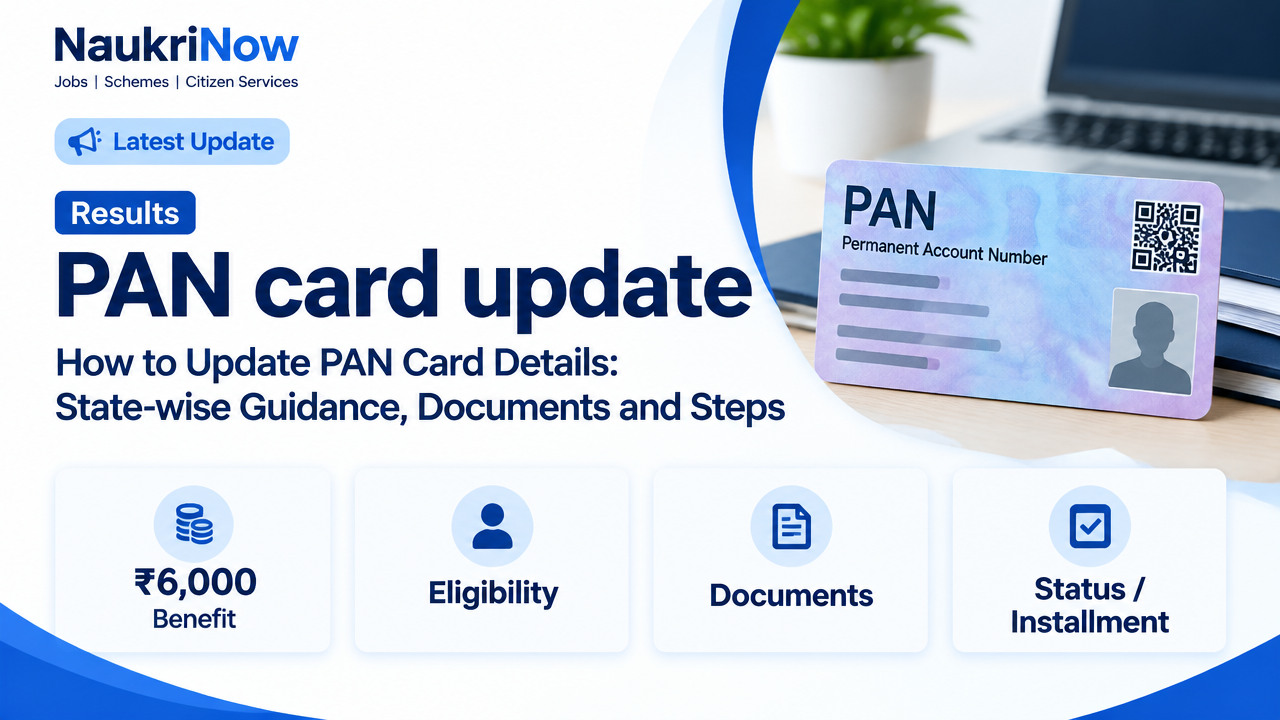
If you searched for a state-wise PAN card update service, the key point is that PAN correction is a central service. You do not need a separate application process for each state. Applicants across India can use the authorised PAN service providers to request changes to details such as name, date of birth, address or photograph.
Your state may matter for the address and delivery details you provide, but it does not determine a different PAN update form. Use the official provider through which you want to submit the request, check its current instructions and keep your acknowledgement number for tracking.
Official PAN update services
| Service | Official link | What it is used for |
|---|---|---|
| Protean (formerly NSDL e-Gov) | protean-tinpan.com | PAN application and correction services. Follow the PAN application links on the official site. |
| UTI Infrastructure Technology and Services Limited (UTIITSL) | pan.utiitsl.com | PAN application and correction services, including options shown on its portal. |
| Income Tax Department e-Filing portal | incometax.gov.in | Income Tax Department services, including Instant e-PAN facilities for eligible applicants. It is not the general route for correcting every existing PAN. |
Use the correction or changes option when you already have a PAN and need to amend its details. Do not apply for another PAN to fix an error. A person should not hold more than one PAN.
What can be updated on a PAN record?
Depending on the correction form and the evidence you provide, you may request changes to personal details, contact or address information, photograph, signature, or other particulars shown on the PAN record. The exact fields available and supporting-document rules are set out in the selected provider’s current application process.
| What needs correction | What to prepare |
|---|---|
| Name or other personal detail | Enter the correct details consistently and prepare proof supporting the requested change. A name change may require evidence of the change as well as identity proof. |
| Date of birth | Prepare a document accepted by the provider as proof of date of birth, with details matching the correction request. |
| Address or contact details | Use a current address and prepare address proof if the application process asks for it. Check that the address is complete and suitable for card delivery if you request a physical card. |
| Photograph or signature | Follow the provider’s instructions for submitting a photograph or signature, including any format or upload requirements displayed during the application. |
Document acceptance can depend on the correction and applicant category. Check the official instructions before submitting; do not assume that a document accepted for one field will prove another.
How to submit a PAN correction request online
| Step | What to do | Check before moving on |
|---|---|---|
| 1. Choose a provider | Open the official Protean or UTIITSL website and locate its PAN correction or changes service. | Check that the browser address is the genuine official domain. |
| 2. Select the right application | Choose the option for changes or correction to existing PAN details, not a fresh PAN application. | Use the applicant category and instructions applicable to you. |
| 3. Enter PAN and corrected details | Provide your existing PAN and enter only the details that need correction, as directed by the form. | Review spelling, date formats, address and contact information carefully. |
| 4. Submit supporting documents | Upload or provide the proofs requested for the fields being changed. Complete any identity verification shown in the process. | Make sure documents are legible and the details support the requested change. |
| 5. Pay and submit, if applicable | Follow the provider’s displayed payment and submission instructions. | Fees may vary by service and delivery choice. Check the amount shown on the official portal before paying. |
| 6. Save the acknowledgement | Download or note the acknowledgement or application number and retain the receipt. | You will need the reference to check progress or contact the service provider. |
Applying from a particular state
The correction process is not divided into separate state portals. Applicants in the following states use the same central PAN service channels:
| States | States | States | States |
|---|---|---|---|
| Andhra Pradesh | Arunachal Pradesh | Assam | Bihar |
| Chhattisgarh | Goa | Gujarat | Haryana |
| Himachal Pradesh | Jharkhand | Karnataka | Kerala |
| Madhya Pradesh | Maharashtra | Manipur | Meghalaya |
| Mizoram | Nagaland | Odisha | Punjab |
| Rajasthan | Sikkim | Tamil Nadu | Telangana |
| Tripura | Uttar Pradesh | Uttarakhand | West Bengal |
Enter your actual current address and select the correct state and PIN code in the application. A state selection on a guide page does not itself update your PAN; the request must be completed through an authorised service provider.
How to track a request, get a card or correct a failed application
- Track progress: Use the application status or tracking option on the same provider’s official website and enter the acknowledgement details requested there. Status tools and reference formats may differ between providers.
- Get an e-PAN or physical card: Follow the options offered by the provider that processed your request. The Income Tax Department’s Instant e-PAN download facility applies to eligible PANs issued through that facility; it is not a universal download service for every PAN.
- Fix a rejected or incomplete request: Read the status message or notice, identify the field or document that needs attention, and follow the provider’s instructions. If a new request is needed, avoid creating a second PAN.
- Correct an error after submission: If you spot a mistake, check the provider’s guidance promptly and use its official correction or grievance route. Do not assume a submitted form can be edited directly.
Common mistakes and safety checks
- Do not use a fresh PAN application when you already have a PAN and only need to change its details.
- Do not treat a state selection page or a search result as a government service. Confirm the provider’s domain before entering personal information.
- Check every detail against your supporting documents, especially name spelling, date of birth, address and PIN code.
- Keep your acknowledgement number and payment receipt private. Never share an OTP, password or full identity-document details with an unsolicited caller.
- Do not pay an agent or follow a payment link sent in an unexpected message. Confirm any charge on the official provider portal.
- Use the provider’s current instructions for document format, verification and delivery; these can change and may differ by request type.
Frequently Asked Questions
Is there a separate PAN card update portal for each Indian state?
No. PAN correction is a central service. Applicants in every state use the authorised PAN service providers, while providing their own address and state details in the application.
Which website should I use to update PAN details?
You can start from the official Protean or UTIITSL website and choose its PAN correction or changes service. Use the Income Tax Department e-Filing portal for its own services, such as Instant e-PAN where eligible; that facility is not the general correction channel for all existing PANs.
Can I change my PAN address if I have moved to another state?
You can request a change to the relevant details through an authorised PAN correction service. Enter your current address accurately and provide any proof required by the application. There is no separate state-specific correction form.
What documents are needed for a PAN correction?
It depends on what you are changing. You may need supporting evidence for the corrected personal detail, date of birth or address, and the application may ask for identity verification. Check the provider’s current document list for your specific request.
How can I check my PAN correction status?
Use the status or tracking option on the official website of the provider that accepted your request. Keep your acknowledgement or application number available.
Can I download my e-PAN after updating details?
Check the provider that processed the correction for its available e-PAN or card options. The Income Tax Department’s Instant e-PAN download service is limited to eligible PANs issued through that facility.
Do I need to apply for a new PAN if my name or date of birth is wrong?
No. If you already have a PAN, use the correction process to request a change. Do not apply for another PAN to correct an existing record.
Are PAN correction fees and processing times the same everywhere?
Do not assume a fixed fee or timeline. Charges can depend on the service and delivery option, and processing depends on the application. Check the amount and any time estimate displayed by the official provider when you apply.
Comments