Table of ContentsClick to view all sections
- What an exam city slip tells you
- City slip versus admit card: know the difference
- How to access your exam city slip
- Check the slip before making plans
- Documents and details to keep ready
- Plan travel without relying on guesswork
- Common problems and sensible next steps
- What to verify in the latest official notice
An exam city slip is a document or online notice that tells a candidate the city in which an examination is expected to take place. Exam authorities may issue it before the admit card so candidates can make travel plans. The name and format vary: it may be called a city intimation slip, exam city information or something similar.
It is useful for planning, but it should not be treated as an exam ticket. The slip may not show the exact venue, reporting time or all the instructions needed to enter the examination centre. These details are generally provided separately, often on the admit card. The issuing authority’s latest notice is the final reference because procedures differ across examinations.
This guide explains how to access and check a city slip, what to do with the information, how to handle common problems and which details to confirm officially before exam day.
What an exam city slip tells you
The main purpose of an exam city slip is to give a candidate advance information about the city or location allocated for the examination. Having this information early can help you estimate travel time, consider accommodation and organise work, study or family arrangements.
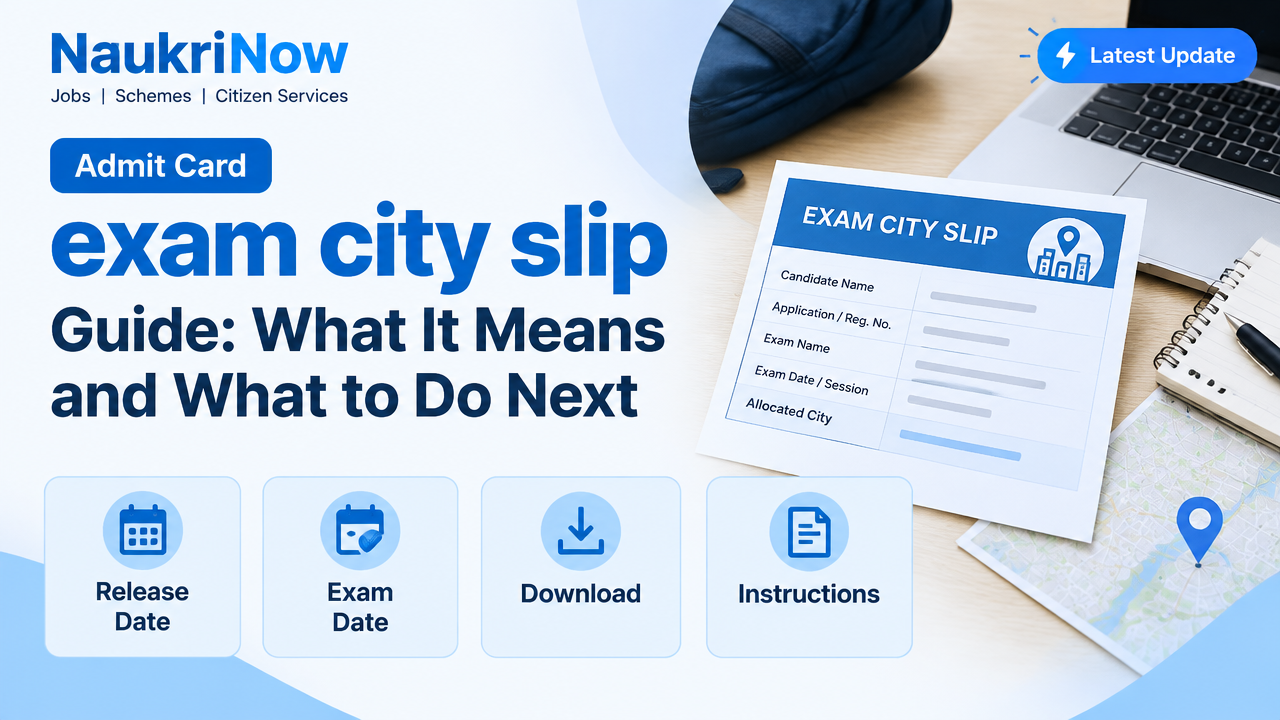
A city slip may show information such as your name, application or registration number, examination name, date or session, and the allocated city. The exact fields depend on the authority and the exam. Some slips may provide more information; others may show only a limited set of details. Do not assume that every examination follows the same format.
The city shown is generally the location assigned for the exam, not an invitation to select a different city. If you have a genuine concern about the allocation, first check whether the authority has announced a correction or grievance process. A change should not be assumed possible unless the official instructions say so.
Keep the slip accessible after downloading it. It can help you plan, and you may need to refer to it when checking the admit card. Still, follow the instructions on the admit card and current exam notice for entry requirements and venue details.
City slip versus admit card: know the difference
These documents serve different purposes, even when they contain some of the same candidate details. A city slip is primarily an advance planning aid. An admit card is the document that normally provides the candidate’s examination venue and entry instructions. The authority decides exactly what each document contains.
| Feature | Exam city slip | Admit card |
|---|---|---|
| Main purpose | To indicate the allocated examination city or provide advance location information | To provide examination and venue information and instructions for appearing |
| Venue detail | May show only a city or broad location | Often includes the centre name and address; check the document issued for your exam |
| Use on exam day | Do not rely on it as proof of permission to enter | Follow the exam authority’s directions about carrying and presenting it |
| Timing information | May not include final reporting or gate-closing instructions | May show the session, reporting time and other instructions |
| What to verify | Candidate details and city allocation | Candidate details, date, session, centre address and exam-day requirements |
Do not travel to an assumed venue based only on the city slip. Wait for the relevant venue information and check the full address carefully. If an authority explicitly says that its city slip also serves another purpose, follow that notice; do not generalise that arrangement to other exams.
How to access your exam city slip
Use the examination authority’s official website or the portal named in its notice. Search results, social-media posts and forwarded links can be outdated or misleading. If you are unsure whether a page is genuine, reach the portal from the authority’s main website instead of entering personal details through an unsolicited link.
- Read the official notice. Confirm that the notice refers to your examination and candidate group. Check whether access is through the main website, a candidate login or another linked portal.
- Open the correct login page. Use the link provided by the authority. Check the page address and avoid lookalike sites that request payment or unrelated personal information.
- Enter the requested credentials. Depending on the exam, this could include an application number, date of birth, password or another detail. Use only the credentials requested on the official portal.
- Complete any verification step. Enter a displayed security code or follow another on-screen instruction accurately. Do not share a password or one-time code with someone claiming they can retrieve the slip for you.
- Open the city information. Check that the candidate and examination details belong to you before saving or printing the document.
- Save a copy securely. Download the file to a device you can access again. If you print it, keep the paper in a safe place. A saved copy is useful, but it does not replace any other document the authority requires.
Portal layouts vary, so a button may be labelled differently or the document may appear in a candidate dashboard rather than under a direct download link. Follow the official instructions on screen instead of relying on a tutorial for another examination.
Check the slip before making plans
Read the entire document as soon as you can access it. Small errors can create confusion later, especially if you rely on a city name, session or candidate detail without checking the rest of the information.
- Candidate identity: Compare your name and any other displayed identifiers with your application or official records. Note spelling differences or missing details.
- Examination information: Confirm the examination name and any paper, subject, group or category shown.
- Allocated city: Check the city carefully. Similar place names or nearby districts can be easy to confuse.
- Date and session: If they appear on the slip, compare them with the official schedule. Do not infer a date or shift if the slip does not provide one.
- Special instructions: Read any note about later documents, permitted items, reporting or changes to the published schedule.
- Document quality: If the download is incomplete or unreadable, try opening it with another PDF viewer or downloading it again from the official portal.
If something appears incorrect, record the exact issue and check the notice for a correction window or official contact method. Do not edit the document yourself. A changed file will not update the authority’s records and could make verification harder.
Documents and details to keep ready
Preparing a simple checklist can prevent last-minute searches, but the required items are not identical for every exam. Use the instructions for your examination as the definitive list.
- Your application or registration details, stored privately and entered only on the official portal.
- A saved copy of the city slip for reference, whether digital or printed, if useful to you.
- The admit card once it is made available, reviewed and kept in the format required by the authority.
- Any identity document or other item specifically named in the exam instructions.
- Information about the examination centre once the exact venue is issued, including the full address and any route details you need.
- Official notices that explain reporting time, permitted items, photograph or signature requirements, or other exam-day conditions.
Do not assume that a photocopy, digital image or a particular identity document will be accepted unless the authority’s instructions say so. Likewise, do not carry extra papers or devices just because they were accepted at another exam. Requirements may vary even between examinations run by the same organisation.
Plan travel without relying on guesswork
A city allocation gives you a starting point for planning, not necessarily the information needed to book a final route. Once the exact centre address is available, compare it with the city shown on your slip. A large city can have examination venues far apart, so a station, bus stand or neighbourhood name is not a substitute for the centre address.
Before making non-refundable bookings, consider whether the authority might still issue the admit card or a revised instruction. Check the relevant notice for the expected sequence of documents, but do not rely on dates shared by unofficial websites. If you need to travel a long distance, you can research options in advance and make a final decision when you have enough verified information.
After you receive the venue details, check the route from your arrival point to the centre and allow a practical margin for traffic, weather, transfers or local delays. If the centre is unfamiliar, identify a backup route and confirm the address using a reliable map or transport source. Use the reporting instructions printed by the authority to decide when to leave; do not calculate arrival time from the exam start time alone.
If you need an accessibility arrangement, a scribe or another approved support, check the examination notice and any relevant application instructions. Do not assume that a city slip confirms such an arrangement. Contact the authority through the method it publishes if your approved support is missing or unclear.
Common problems and sensible next steps
Difficulty accessing a city slip does not always mean that your application is rejected or that a document has not been issued. It may be a login, browser or portal issue. Check the official notice and try these steps before taking action:
- Login details are rejected: Check for typing errors, extra spaces and the correct credential format. Use the official password or application-detail recovery option if one is provided.
- The page will not load: Try again after a short interval, use an updated browser or switch networks. Heavy traffic or maintenance can interrupt access.
- The file will not open: Download it again from the official portal and try a standard PDF reader. Make sure the file has finished downloading.
- The city or personal details appear wrong: Save a record of the issue, such as a screenshot that does not expose sensitive information unnecessarily, and follow the correction or grievance instructions in the notice.
- You cannot find the link: Return to the authority’s main website and check the examination section and notices. Avoid links circulated without a verifiable source.
- You see conflicting information: Compare the documents by date and issuer. Treat the latest relevant official notice as the reference and seek clarification through the authority’s published channel.
When contacting an authority, describe the problem clearly and include only the information its official process requests. Never post login credentials, identity-document numbers or one-time codes publicly. Do not pay an agent who promises a guaranteed correction, early access or a city change.
What to verify in the latest official notice
Procedures can change between examination cycles, so use an evergreen guide only for general preparation. Before acting on any exam-specific detail, check the latest notice and candidate instructions issued by the responsible authority. In particular, verify:
- the official name of the document and how candidates should access it;
- which candidate details and login credentials are required;
- whether the slip shows only a city or includes additional venue information;
- when and how the admit card and full centre address will be provided, if applicable;
- the process for reporting a mismatch, access problem or allocation concern;
- the documents, identity proof and items permitted or required on exam day;
- reporting time, entry conditions and any instructions for the relevant session;
- whether a revised notice has changed an earlier instruction.
Use information from the examination authority, not a general social-media post, an old article or a message that cannot be traced to an official source. If two official pages appear inconsistent, check their publication or update dates and follow the page specifically linked to your examination. When the answer remains unclear, seek clarification using the contact route published by the authority rather than relying on assumptions.
Frequently Asked Questions
Is an exam city slip the same as an admit card?
No. A city slip generally provides advance location information for planning. An admit card typically contains the venue and instructions candidates need to follow for the examination. Check the authority’s notice to confirm what each document does for your exam.
Can I enter the exam centre using only the city slip?
Do not assume that you can. The city slip is not usually a substitute for the admit card or any other required entry document. Follow the exam-day checklist issued by the authority.
Does the city slip show the exact examination centre?
Not necessarily. It may show only the allocated city. Check the admit card or later official instructions for the complete venue address and any reporting details.
Can I change the city shown on my slip?
A change is not guaranteed. Check the official notice for any correction or request process and its conditions. Do not rely on an agent or assume that a request will be approved.
What should I do if my details are incorrect?
Do not alter the downloaded file. Follow the authority’s published correction or grievance process and provide the information it requests. Keep a record of the issue and any official response.
What if I cannot download the slip?
Confirm that you are using the correct official portal and credentials. Try again later, check your connection and use the recovery option if one is available. If the issue continues, use the authority’s published support route.
Should I book travel as soon as I see the city?
Consider your travel needs, but check whether the exact venue and relevant schedule are available before making a booking that cannot be changed. A city can cover a wide area, so the centre address matters.
Do I need to carry a printed city slip on exam day?
Requirements vary. The slip can be useful for your records, but carry the documents specifically required by the latest exam instructions. Do not treat a saved or printed city slip as a replacement for them.






Comments