Table of ContentsClick to view all sections
- What is an exam response sheet?
- Why you may need your response sheet
- How to access and download a response sheet
- What to check before estimating your score
- Checklist for reviewing the file
- How to raise an answer-key objection
- Common problems and how to troubleshoot them
- Common mistakes to avoid and what to verify officially
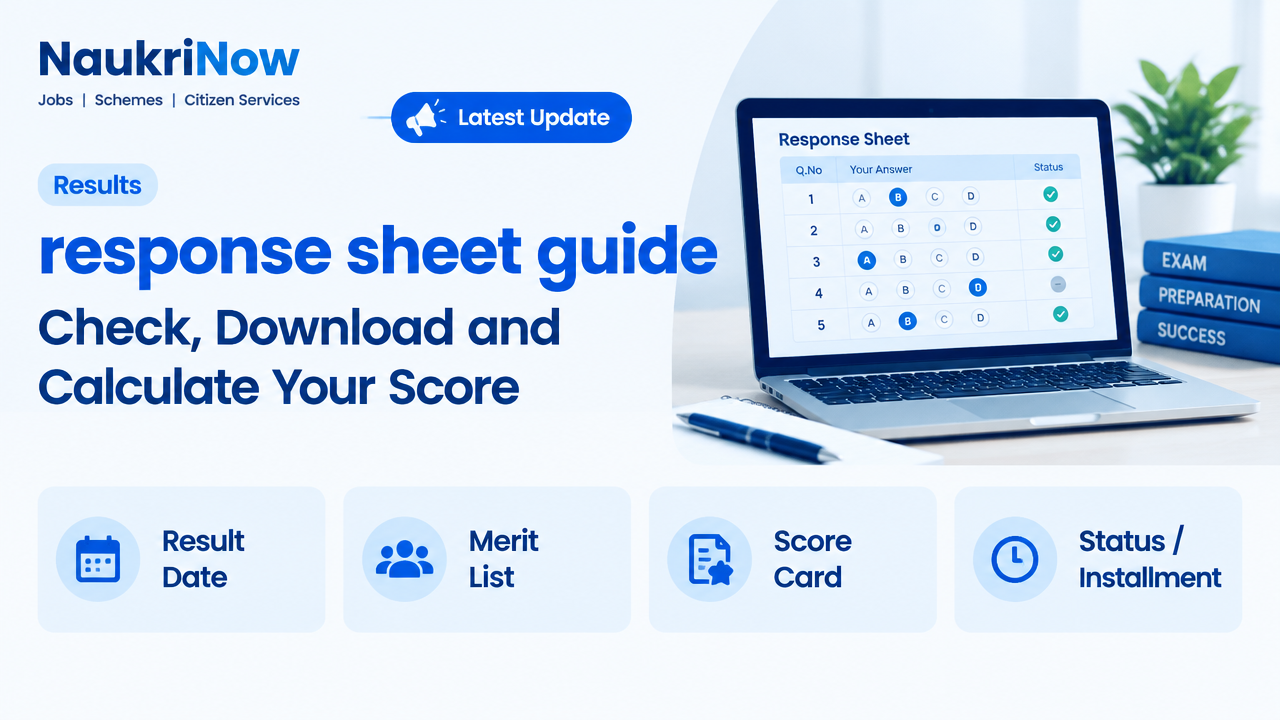
An exam response sheet shows the answers a candidate recorded during a computer-based test. It can help you review your attempts, compare them with an official answer key and estimate a score. The document is useful, but it is not automatically a result, a final scorecard or proof of selection. Its format, availability and use depend on the exam authority.
This response sheet guide explains how to find and read the document, what to check before calculating marks, how to raise an objection when a challenge window is provided, and what to do if the portal does not work. Treat the steps as general guidance: always follow the latest instructions published by the authority conducting your examination.
What is an exam response sheet?
A response sheet, sometimes called a candidate response sheet or recorded response sheet, is a record of the options or answers submitted by a candidate during an examination. In an online test, it may show each question, the answer you selected, whether you left the question unanswered, and sometimes the question status or section. The exact layout varies across examinations.
A response sheet is different from an answer key. The response sheet records your submitted answers; the answer key lists the answers the exam authority considers correct. Some portals display the two together, while others provide separate files or screens. Neither document should be mistaken for a final result. A provisional key may be revised after challenges, and a score calculated by a candidate is only an estimate until the authority publishes an official score or result.
| Item | What it tells you | What it does not confirm by itself |
|---|---|---|
| Response sheet | Answers or options recorded against your questions | Whether every recorded answer will earn marks |
| Answer key | Answers treated as correct in a particular key version | That the key is final, unless the authority says so |
| Scorecard or result | The score or outcome officially declared by the authority | Selection, appointment or eligibility beyond the stated result |
Why you may need your response sheet
Reviewing your recorded answers can help you understand your performance more accurately than relying on memory after an exam. It lets you check which questions you attempted, identify possible misreadings and compare your responses with the relevant key. If the authority invites challenges, the sheet can also help you decide whether a particular answer merits a carefully supported objection.
It can be useful for preparation as well. After noting where errors occurred, group them by cause: subject knowledge, calculation, interpretation, time pressure or accidental selection. That review can guide future study. However, avoid treating a self-calculated score as a prediction of rank or selection. Cut-offs, normalisation, qualifying rules, category conditions and later stages may all affect the outcome, where applicable.
How to access and download a response sheet
Use the exam authority’s official website or the portal linked from its official notice. Search for a candidate login, examination dashboard or notice relating to recorded responses. The labels and route differ by exam, so do not assume that a portal used for another recruitment or test will apply.
- Locate the official source. Type the authority’s known web address yourself or reach the portal through its official website. Check that the notice refers to your exact examination, session or paper.
- Read the instructions first. Look for the response-sheet link, access period, login requirements, file format and any separate instructions for the answer key or challenge process. Availability may be limited, so note any stated dates.
- Sign in using the requested details. Depending on the portal, you may need an application or registration number and a password, date of birth, security code or another credential. Enter details only on the official portal.
- Choose the correct examination and paper. If your dashboard lists multiple tests, sessions, shifts, languages or papers, confirm the one that matches your admit card and examination record.
- Open the response sheet and review it online. Check that the candidate details and exam information appear consistent before saving a copy.
- Download and store the file securely. Save the original PDF or other offered format with a clear filename. Keep a backup in a private location and avoid sharing login credentials or unredacted personal details.
If there is no response-sheet link, do not assume that your attempt is missing or that the document has been released. Check the authority’s latest notice and portal announcements. The sheet may not yet be available, may be accessible through a different section, or may not be offered for that examination.
What to check before estimating your score
Start by confirming that the file belongs to you and to the correct paper or session. Check the name or candidate identifier, exam name, date or shift where shown, and question or section labels. Some platforms use question IDs or shuffled question order; therefore, compare by question ID and the displayed options rather than relying only on question number or memory.
Next, establish which answer key applies. If the authority has issued a provisional key and later a revised or final key, use the version relevant to the calculation you are making. Read the marking scheme in the official information bulletin or notice. Do not assume every correct answer earns one mark, every wrong answer loses a mark, or every question has equal weight.
A basic calculation, where the published scheme supports it, is:
Estimated score = marks for correct answers − deductions for incorrect answers
For example, if the official scheme awards a stated number of marks for a correct response and deducts a stated amount for an incorrect one, apply those values to each response and add the results. Leave unanswered questions out only if the published rules say they carry no marks. Account separately for any partial credit, multiple-correct-answer treatment, dropped questions, section conditions or normalisation stated by the authority. If the rules are unclear, do not invent a formula.
Keep a simple working sheet with columns for question ID, your recorded response, key response, status and marks under the stated scheme. Recheck totals, especially where a question has been cancelled, has more than one accepted answer, or appears differently across versions. Your calculation remains provisional until the authority confirms the evaluated score.
Checklist for reviewing the file
Before relying on a response sheet or contacting the authority, gather the records that can help you verify what happened. You may not need to submit every item; follow the portal’s instructions and provide only what is requested.
- Your application or registration number and the examination name.
- Admit card or hall ticket details to confirm the paper, date and shift.
- The downloaded response sheet in its original form, without editing or cropping.
- The relevant official answer key and the notice explaining its version or status.
- The official marking scheme and any published instructions about unanswered, multiple or cancelled questions.
- A note of the question IDs you want to review, with a clear explanation of the discrepancy.
- Where challenges are permitted, the evidence or source material required by the authority’s instructions.
- A screenshot or brief record of a portal error, with the time and page noted, if access fails.
Keep credentials, identity documents and personal information private. Do not post a full response sheet, application details or login screen publicly to seek unofficial help. If you need to share evidence through an official channel, follow its file and privacy instructions.
How to raise an answer-key objection
First confirm that the authority has opened an objection or challenge facility. A response sheet alone does not create a right to challenge, and the process may not be available for every exam. If a facility is provided, the official notice controls the permitted questions, submission method, evidence format, any applicable charge and the closing time. These details can change between examinations.
Review the question against the prescribed syllabus, wording and accepted source material. An objection is stronger when it identifies the question precisely, explains why the published key may be incorrect and supports the claim with relevant evidence. Avoid submitting a general disagreement or relying only on a coaching-site solution. Follow the portal’s format exactly, select the correct question ID and save the acknowledgement or reference number after submission.
Do not wait until the final moments if the notice specifies a limited window. Allow time to resolve login or file-upload problems, but use only the official channel. After the challenge period, check for a notice about review or a revised key. The authority’s decision and published final key take precedence over informal answer discussions.
Common problems and how to troubleshoot them
| Problem | Practical checks |
|---|---|
| Login details are rejected | Check the exact credential requested, spelling and date format. Use the official password-reset option if available; do not repeatedly guess or share credentials. |
| The page will not load | Retry after a short interval, use an updated browser, clear a stale session or try a stable connection. Check official announcements before assuming the portal is unavailable. |
| The PDF will not open or save | Download it again from the official portal and try a trusted PDF reader. Confirm that the file finished downloading and that your device has enough storage. |
| Details or responses appear inconsistent | Verify the exam, shift, paper and question ID. Compare the original file and official notices; do not edit the document or infer an error from question order alone. |
| No link is visible | Check the correct dashboard and the latest official notice. The link may not be available for your exam or may only appear during a stated access period. |
If the issue remains, use the contact route stated in the current official notice or portal. Provide the minimum details needed to identify the problem, such as the examination, application number and a concise description. Never rely on a phone number, email address or social-media account copied from an unverified post. Do not send passwords, one-time codes or payment details in response to unsolicited messages.
Common mistakes to avoid and what to verify officially
- Confusing a response sheet with a result: recorded answers are not an official score or selection decision.
- Using the wrong key version: check whether the key is provisional, revised or final and whether it matches your paper or shift.
- Assuming a universal marking formula: use the scheme published for your specific exam, including any special treatment of questions.
- Comparing only by question number: question order may vary. Match the question ID, text and options as displayed.
- Relying on unofficial copies: use files and instructions from the exam authority, not forwarded screenshots or edited documents.
- Missing a stated access or challenge period: check the current notice for applicable dates and complete any action within the specified window.
- Sharing sensitive information: keep candidate credentials and personal data private, and use only verified official channels.
Before making a decision based on your review, verify the exam name, paper or shift, response-sheet access instructions, answer-key status, marking scheme, objection procedure and any stated deadlines on the authority’s official website. Also check later notices for revisions. Where eligibility, normalisation, qualifying marks or selection stages matter, rely on the current examination rules rather than estimates circulating online.
Frequently Asked Questions
Is a response sheet the same as an answer key?
No. A response sheet records the answers you submitted. An answer key lists the answers treated as correct by the authority. Some portals show them together, but they serve different purposes.
Can I calculate my exact result from the response sheet?
You can estimate a score if you have the applicable official key and marking scheme. It may not match the final score if the key changes, questions receive special treatment, normalisation applies or other evaluation rules are used.
What should I do if a response seems missing?
Check that you opened the correct paper, session and question ID, and compare the file with the official instructions. If the discrepancy remains, use the authority’s stated support or representation process and keep the original file.
Can I download the response sheet after the portal closes?
That depends on the exam authority. Some access periods are limited, while other arrangements may differ. Check the latest official notice and save the file when access is available.
Can I challenge an answer shown in the key?
Only if the authority provides a challenge facility for that examination. Follow its instructions on eligible questions, evidence, submission method and any applicable conditions. A response sheet by itself does not establish a challenge process.
Why does my question order differ from another candidate’s?
Computer-based tests may present questions or options in different orders. Compare question IDs and question content rather than assuming that matching numbers refer to matching questions.
Is a screenshot acceptable as proof?
Use the file type requested by the authority. Keep the original downloaded response sheet unchanged; provide screenshots only when the official process asks for them or when documenting a technical issue.
Where should I look for current instructions?
Start with the official website of the examination authority and the notice linked to your specific exam. Verify access details, key status, marking rules and any challenge process there before acting.






Comments