Table of ContentsClick to view all sections
- What a scorecard shows
- Before you try to access your scorecard
- How to access and download a scorecard
- How to read the fields on a scorecard
- Marks, percentile, rank and cut-off are different
- What to do after checking your score
- Common problems and practical fixes
- Official checks and safe record-keeping
An exam scorecard is more than a pass-or-fail message. It may show your marks, percentile, rank, qualifying status or section-wise performance, depending on the examination. Knowing what each field means can help you check that the result is yours, understand how it may affect your next step and keep the right records for counselling, an interview or document verification.
This scorecard guide explains how to find and download a scorecard, what to check on it and how to handle common problems. It is general guidance: exam authorities use different portals, terminology and procedures. Always follow the latest official notice for your examination rather than assuming that a process used elsewhere applies to you.
What a scorecard shows
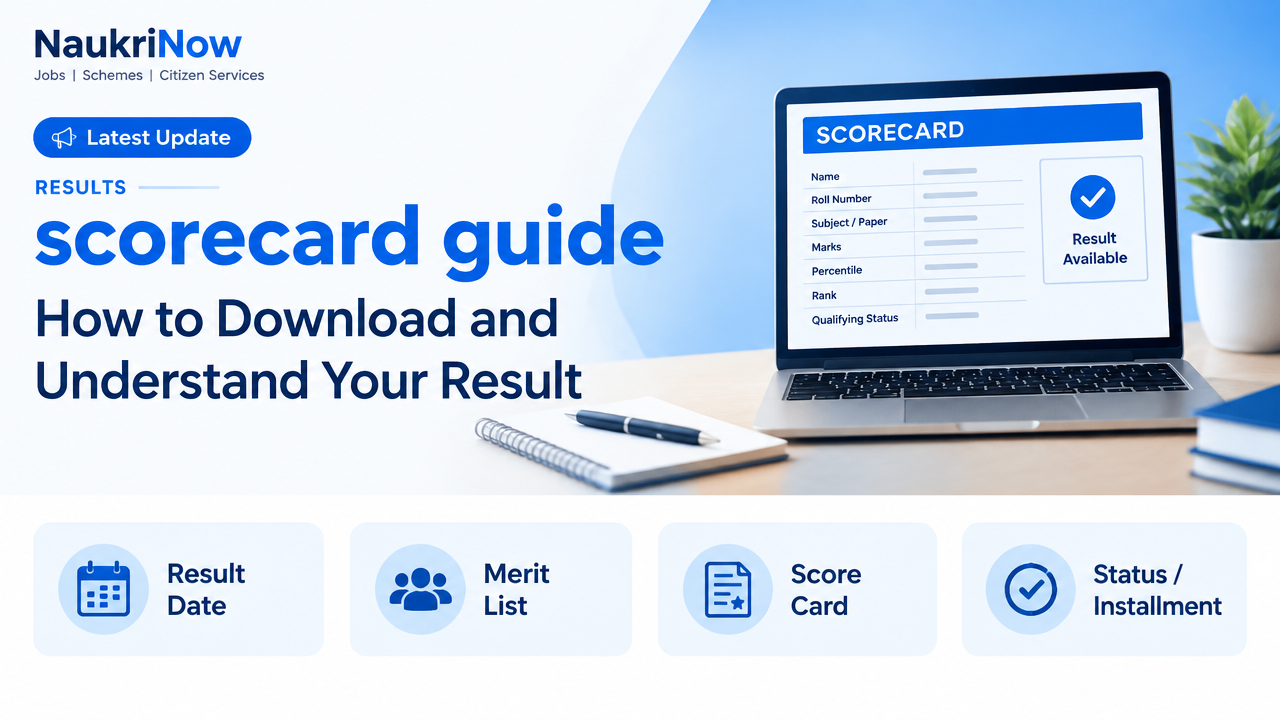
A scorecard is an official or authority-issued record of an individual’s examination result. Depending on the exam, it may include the candidate’s name, roll number or registration number, category, subject or paper, marks, percentile, rank, qualifying status and result-related instructions. Some scorecards are available only for a limited period, while others remain accessible through a candidate account. The exam authority’s notice explains which arrangement applies.
A scorecard is not always the same as a detailed result, an answer sheet, a certificate or an admission or recruitment offer. For instance, a qualifying result may allow a candidate to take part in a later stage without confirming selection. A rank may be used for allocation, but the rules for allocation are set separately. Read the result notice and follow-on instructions together.
It is also useful to distinguish an official scorecard from a result displayed by a third-party website. A news or jobs portal may report that results are available, but the examination authority’s portal is the source to use for accessing and verifying your personal record.
Before you try to access your scorecard
Find the official examination website or candidate portal using the authority’s published website or notice. Check that the page relates to the correct exam, session and year. Search results and forwarded links can lead to outdated pages or lookalike sites, so avoid entering personal details on a page you cannot verify.
Keep the information used during registration nearby. Depending on the portal, you may need one or more of the following:
- Application, registration or roll number.
- Password or another login credential created during registration.
- Date of birth, as entered in the application.
- A registered email address or mobile number for an allowed verification step.
- An admit card or application confirmation, which can help you check identifying details.
Requirements differ by exam. Do not assume that every item is needed, or that a portal will ask for the same combination each year. Use a private device where possible, keep your login details confidential and avoid saving them on a shared computer.
How to access and download a scorecard
- Open the verified official portal. Start from the examination authority’s main website or a link in its official notice. Confirm the exam name and the relevant result or scorecard page before signing in.
- Choose the correct examination cycle. Where a portal lists several sessions, papers or years, select the one for which you appeared. A similar exam name or a previous cycle can lead to the wrong result page.
- Enter the requested details carefully. Match your registration information to the application or admit card. Pay attention to letters, numbers, date format and spaces. Enter any verification code as displayed.
- Submit once and wait for the response. A slow page does not necessarily mean the submission failed. Wait before trying again, particularly if the portal is busy, so you do not create unnecessary login attempts or confusion.
- Review the result on screen. Check the exam, session and personal identifiers before downloading. If the details appear to belong to someone else or do not match your records, do not treat the page as correct; contact the authority through its published process.
- Save a complete copy. Use the portal’s download or print option. Open the file to confirm that every page is readable, then save it in a folder you can find later. Keep a second secure backup if the scorecard may be needed for future stages.
- Make a paper copy only if useful or required. If you print it, check that the text and any QR code or verification details are clear. Follow the authority’s instructions if it specifies a particular format for a later process.
Note the date you accessed the file and keep the relevant result notice with it. If the scorecard is later updated or corrected, follow the authority’s instructions and retain the version it identifies as valid.
How to read the fields on a scorecard
Start with identity and exam details, then interpret the result fields. Labels are not standard across examinations, so use the definitions in the official information brochure, result notice or scorecard itself. The table below explains common terms in general; it does not replace exam-specific rules.
| Field | What it commonly means | What to check |
|---|---|---|
| Candidate details | Name, roll number, registration number or category linked to the record. | Compare the details with your application and admit card. Report a discrepancy through the official channel. |
| Marks or score | Marks awarded, sometimes shown overall and sometimes by paper or section. | Check the scale and whether the score is raw, adjusted or final, as defined by the authority. |
| Percentile | A relative measure of performance within a stated group or method. | Do not read it as a percentage of questions answered correctly. Check how the exam defines it. |
| Rank | A position assigned under the exam’s ranking method, if one is provided. | Check whether it is an overall, category, subject or other rank, and how ties are handled. |
| Qualifying status | An indication of whether a stated qualifying requirement has been met. | Check what the status permits. Qualifying may not itself mean admission, appointment or final selection. |
| Section-wise result | Performance in individual papers, subjects or sections. | Look for separate minimum requirements or later-stage conditions in the official rules. |
If a number seems unexpected, first confirm that you are looking at the correct session and paper. Then read the scoring method and any notice about evaluation, answer-key challenges, revised results or score normalisation. Do not infer a calculation method from another exam or from an unofficial calculator.
Marks, percentile, rank and cut-off are different
These terms are related but not interchangeable. Marks usually describe the score recorded under an exam’s marking method. A percentile generally describes how a candidate performed relative to a defined group; it is not necessarily the percentage of answers that were correct. A rank indicates position under the authority’s ranking process. The way each is calculated, reported or used depends on the examination.
A cut-off is a threshold used for a specified purpose, such as qualifying for a later stage or being considered in a particular category. It may vary by exam, paper, category or stage, and may be published separately from an individual scorecard. Meeting a cut-off does not automatically guarantee a seat, job or other outcome where further conditions or limited allocation apply.
For a fair interpretation, compare like with like: the same exam, cycle, paper, category and stage. Confirm whether a reported cut-off is official and whether it applies to the decision you are considering. Estimates on discussion forums can be useful as informal context, but they are not a substitute for the authority’s result and selection rules.
What to do after checking your score
First, save the scorecard and the official notice that explains the result. If you are moving to counselling, an interview, a skill test or another stage, make a checklist from the authority’s instructions. Note any stated actions and dates directly from the current notice; this guide does not set deadlines or requirements for a particular exam.
Prepare records that may be relevant, but submit only what the official process requests. Depending on the examination and the candidate’s circumstances, useful records could include:
- A clear copy of the scorecard and admit card.
- Application confirmation or registration details.
- Identity and educational records relevant to the next stage.
- Category, disability or other supporting documents, where applicable and requested.
- Any correction, verification or communication from the examination authority.
Check the required document format, issuing authority, validity and matching details in the official notice. Do not assume that a document accepted for one exam or stage will be accepted for another. Keep originals safe and never hand over originals unless the authorised process specifically requires it.
If you believe there is an error, note the exact field and gather supporting evidence before raising it. Use only the grievance, correction or contact procedure published by the authority. Keep a copy of what you submit and any acknowledgement. A request does not guarantee that a result will be changed; the authority decides under its published procedure.
Common problems and practical fixes
The portal will not load
Heavy traffic, maintenance or a temporary connection issue can interrupt access. Wait and try again later, use a stable connection or a different browser, and check the authority’s website for a notice. Avoid repeatedly refreshing a page or relying on unofficial download links.
Login details are not accepted
Check for typing errors, the correct exam cycle and the date format requested. Use the portal’s official password-recovery option if available. If your registration number is unclear, refer to the application confirmation or admit card. Do not share your password or verification code with a person claiming to retrieve the result for you.
The scorecard does not download or will not open
Check your internet connection, device storage and browser download settings. Try the portal’s own print or download function, then open the file with a current PDF reader. If you are on a shared device, download only to a location you can access and remove the file afterwards if appropriate. Do not install unknown software to view a scorecard.
Details or marks appear incorrect
Compare the scorecard with the correct application, admit card and exam cycle. Check whether the authority has published a revised result or an explanation of the scoring method. If a genuine mismatch remains, follow the official correction or grievance procedure and keep a record of your communication. Do not edit the downloaded file; an altered copy is not an official correction.
You cannot find the scorecard link
Look for the result section on the authority’s main website and read the latest notice for the relevant exam. Some authorities use a separate candidate login rather than a public result page. If the link is absent, do not assume the scorecard has been released or that an unofficial copy is valid; check the authority’s published updates.
Official checks and safe record-keeping
Before acting on a scorecard, verify the examination name, session, candidate identifiers, result fields and any accompanying instructions. Confirm the score’s meaning, qualifying criteria and next-stage process from the official brochure or notice. If multiple notices apply, check for later corrections or updates on the authority’s website.
Be cautious of messages that promise to change marks, guarantee selection, sell access to a result or ask for your login details. A scorecard should be accessed through the official route, and any fee or service should be treated as legitimate only if the current official instructions explicitly say so. Never rely on an unverified social media post for a deadline, eligibility condition or document requirement.
Store the downloaded file securely and use a clear filename that helps you identify the exam and cycle. Keep a backup, but avoid sharing personal identifiers publicly. If a future stage requires online submission, upload the file only through the verified portal and check that it has been attached successfully.
Frequently Asked Questions
Is a scorecard the same as a result?
Not always. A result may simply show a status, while a scorecard can provide marks, rank, percentile or other details. The terminology and contents depend on the examination authority.
Can I download my scorecard more than once?
That depends on the portal and its access period. Download and save a readable copy when you can, and check the official notice for any access or retention instructions.
What should I do if I forget my login password?
Use the password-recovery facility on the verified official portal, if provided. Follow its instructions and do not give credentials or verification codes to an intermediary.
Does a high percentile guarantee selection?
No general guarantee applies. Selection may depend on cut-offs, available seats or posts, category rules, further stages, document verification and other exam-specific conditions. Check the current official selection rules.
Is percentile the same as percentage?
No. A percentage usually expresses a share of a total, while a percentile is generally a relative measure defined by the exam’s method. Read the authority’s explanation before comparing scores.
What if my name or other details are wrong?
Compare the scorecard with your submitted application and official records, then use the authority’s published correction or grievance process. Do not alter the scorecard yourself.
Can I use a screenshot instead of the downloaded scorecard?
Only if the receiving authority accepts it. Save the original file and follow the instructions for the next stage, including any requirements about file format or print copies.
Where can I confirm the applicable rules?
Use the examination authority’s official website, information brochure, result notice and later updates. Requirements can differ by exam and change between cycles, so verify the latest instructions before taking action.






Comments