Table of ContentsClick to view all sections
This UPSC Result guide explains how to find written, interview and final result notices on the official Union Public Service Commission website, what to check in each notice and where to look for marksheets. The Commission conducts different examinations and recruitment processes, so the right result category, document and next steps depend on the examination or advertisement involved. Use this guide to navigate the official information, but treat the relevant UPSC notice as the authority for your case.
Where to find UPSC results
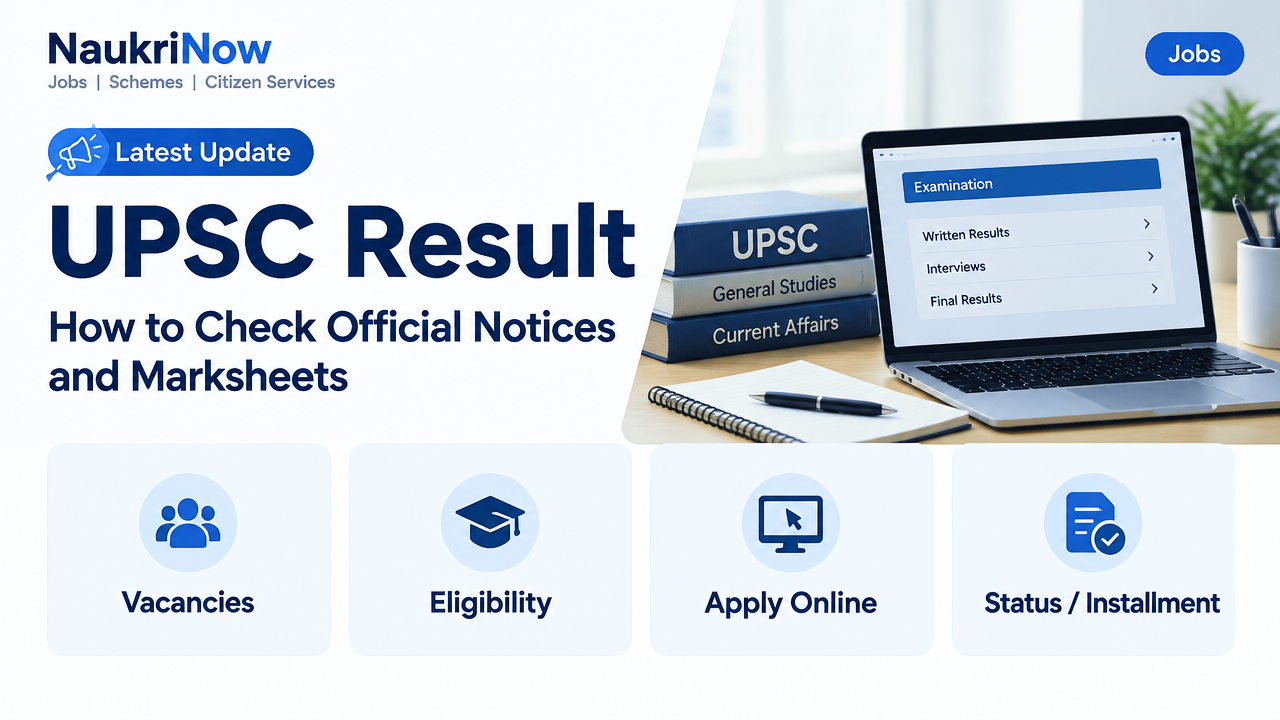
Start at the official UPSC website. Its Examination section lists result categories including Written Results, Interviews and Final Results. To locate the UPSC Result relevant to your case, open the category that matches your examination, then check the notice title and date before downloading a file. A result for a similarly named examination, a different year or another stage may not relate to your case, so confirm the details rather than relying on a search snippet or a result summary.
The website’s “What’s New” area can also show current announcements. It can be useful when looking for a recent update, but a general announcement is not necessarily a result notice. Read the announcement title and open the linked document, if there is one, to understand what it covers. The site also has sections such as Forthcoming Examinations and Recruitment; these concern other kinds of examination or recruitment information and should not be mistaken for a result category.
If a result is not immediately visible, use the website’s search facility or browse the relevant result category directly from the homepage. Search with the examination or post name, but still verify any result you find against the full notice title and details. The Commission’s website may display an error or fail to load some content in a browser. If that happens, try again later or use another browser, and rely only on official UPSC pages and documents when confirming a result.
What the different result stages mean
UPSC result notices can relate to different stages of an examination or recruitment process. The exact sequence and meaning vary by examination. A result heading alone may not tell you whether a document is a shortlist, schedule or final outcome, so read the notice and any accompanying instructions before deciding what it means for you.
| Result stage | What it generally indicates | What to check next |
|---|---|---|
| Written result | The outcome of a written stage. In some processes, the notice identifies candidates eligible to proceed to a further stage. | Read the notice for next-stage instructions, any schedule and any documents or forms that it says are required. |
| Interview or personality test | An update relating to the interview stage. Depending on the notice, it may contain a schedule or an outcome. | Confirm whether it is an interview call, an interview-stage update or a result. Follow the specific directions in the notice. |
| Final result | The outcome published after the relevant selection stages have been completed. | Check the official notice for result details and any post-result instructions. |
| Recruitment result | An update for a particular recruitment advertisement or selection process. | Match the advertisement number and post title before acting on the notice. |
These descriptions are general ways to understand the categories, not a substitute for the instructions issued for an individual process. For example, a written result might indicate that a candidate can proceed, but it does not by itself explain every requirement for the next stage. Likewise, a notice associated with interviews could provide scheduling information rather than a final outcome. Read the full document to distinguish what has been announced from what candidates are asked to do.
How to check your UPSC Result
Follow these steps to locate and check the relevant official document for your UPSC Result. The labels and available notices may differ between examinations, so use the category and instructions that apply to your case.
| Step | Action |
|---|---|
| 1 | Open the official UPSC website and go to the Examination section. |
| 2 | Select Written Results, Interviews or Final Results, as applicable. For a recruitment case, locate the notice for the relevant post or advertisement. |
| 3 | Check the examination or post name, advertisement or examination details, notice date and stage. Do not rely on a similar-sounding result from another process. |
| 4 | Open the result document and use your roll number or another identifier in the manner specified by the notice. If it gives a different checking method, follow that method. |
| 5 | Read the full notice, including instructions about the next stage, marksheet or further communication. Save a copy for reference. |
It can help to check one detail at a time. First establish that the examination or post is the one you took part in. Then establish that the notice concerns the stage you are looking for. Finally, use the document’s stated method to check your own details. This order reduces the chance of interpreting a result document for another process or assuming that a notice has a meaning it does not state.
If the site presents several notices with similar titles, compare their dates and descriptions rather than opening only the first search result. A newer notice may provide an update, while an older notice may relate to a different stage or process. Do not assume that a later date automatically makes a notice relevant: the examination, post or advertisement details must also match.
How to read the result notice correctly
- Confirm the exact examination or recruitment case: UPSC publishes results for multiple examinations and recruitment processes. Verify the full title and, where applicable, the post or advertisement details before interpreting a document.
- Check the stage: A written-stage result and a final result are not interchangeable. Read the notice heading and accompanying instructions to identify whether it reports a written outcome, interview-related information or a final outcome.
- Use the document’s own search method: If the notice is a PDF, use its search function where possible. Check your identifier carefully, including similar-looking digits or letters. If the notice gives another checking method, use that instead.
- Read the notes as well as the list: A result document may include instructions or explanatory information beyond the names or numbers shown. Do not interpret a list without reviewing the rest of the notice.
- Do not treat an absent name or number as a complete answer without context: Recheck that you have the correct document and identifier, then read any explanatory notes or follow-up instructions. If the notice gives a specific method, that method takes priority over assumptions about how the result is displayed.
- Keep the official file: Save the result notice and note its publication details for reference. Avoid relying on forwarded screenshots, cropped extracts or unofficial summaries when confirming what UPSC has announced.
- Separate result information from next-stage instructions: A result notice may point to another step or further communication. Finding your details in a document does not remove the need to read and follow the rest of its directions.
When reviewing a document, take care not to confuse a result list with a schedule or a general announcement. Look at the title, the examination or post information and the instructions together. If the document’s purpose is still unclear after reading it, return to the official result category and check whether another notice for the same process provides the relevant update. Do not fill gaps in the instructions by assuming that another examination follows the same procedure.
Marksheets and result-related follow-up
UPSC provides an online marksheet system for applicable examinations. Use the official marksheet service and check its current instructions, including which examination and candidate details it supports. A marksheet link is separate from a result notice: the service is where marksheet information may be accessed, while the notice announces a result or provides related instructions. Its availability or timing may depend on the relevant examination.
Do not assume that every result notice includes marks or that a marksheet will be available at the same time as a result. Check the marksheet service itself for current information rather than relying on an old link description or an informal claim. If the service does not show the examination or information you need, consult the relevant UPSC notice and official pages for any applicable update. The existence of a general marksheet portal does not establish that every examination is covered by it.
If you have qualified for another stage, use the next-stage directions in the official result notice. The process may have its own instructions about schedules, documents or forms, and those details should not be inferred from a different UPSC examination. Read any linked or subsequent official communication that the notice directs you to consult. Keep the original result document so that you can refer back to the wording and publication details if needed.
The UPSC website also publishes examination notices and other announcements. Check the relevant official page for updates rather than relying on an old notification or a general guide. The UPSC application portal is a separate official online destination; do not assume that an application page is itself the place to confirm a result. Follow the link and instructions relevant to the task you are completing.
Common mistakes to avoid
- Opening a result for a different examination, year or recruitment advertisement. Similar titles can make notices easy to confuse, so match the details before checking a name or number.
- Confusing an interview schedule or written-stage shortlist with a final result. Check what the notice announces and what stage it concerns.
- Searching a downloaded document with an incorrect roll number. Review the identifier carefully and use the method specified by the notice.
- Assuming that every result notice includes marks. A result document and a marksheet service are not the same thing; check the official marksheet system for applicable information.
- Assuming that a marksheet is available immediately. Availability may depend on the examination, so check the service and current official information.
- Following links from unofficial messages without checking their destination. Confirm that a link leads to an official UPSC page or service before using it.
- Reading only a list or headline. The full notice may include important context or directions about what to do next.
- Ignoring later notices. Revisit the relevant official page for updates and follow any subsequent instructions that apply to the process.
- Treating a website error as proof that no result exists. Try the relevant category again later or use another browser, then confirm through official pages and documents.
A practical checking checklist
Before you consider the process complete, check that you have the correct UPSC examination or recruitment notice, that its stage matches what you are looking for and that you have used the document’s stated method to check your details. Read the entire notice, not just the part where a name or number may appear. Note any next-stage or post-result instructions, save the official file and check the relevant UPSC page again if the notice points to further communication.
If you are looking for marks rather than a result list, use the official marksheet system and verify that its current instructions cover your examination. If a link or page is unavailable, return to the official UPSC website and navigate from there instead of treating an unofficial copy as confirmation. These checks are useful whether you are reviewing a written result, interview-related update, final result or recruitment notice.
Final takeaway
For a reliable UPSC Result check, begin with the official Commission website, identify the correct examination and result stage, and follow the notice exactly. Use the official marksheet service when it applies, and revisit UPSC for any subsequent instructions. The Commission’s own notice—not a general result guide, a screenshot or an informal summary—determines the process for your case.
Frequently Asked Questions
Where can I check a UPSC written result?
Visit the official UPSC website and open the Written Results section under Examination. Check the notice title, examination details and date before opening the result document. Read the complete notice to see what the written result means and whether it includes directions for a further stage.
How do I find a UPSC final result?
Go to the Final Results category on the official UPSC website and locate the notice for your examination or recruitment process. Confirm that the title and details match your case, then follow any instructions included with the notice.
Is a written result the same as a final result?
No. A written result relates to a written stage, while a final result is a later outcome where the relevant process includes further stages. The notice for your examination explains what the result means and what, if anything, candidates should do next.
How can I check whether my roll number is in a result PDF?
Open the correct official result document and use its search function, if available. Check the roll number carefully, including digits or letters that could be mistaken for one another, and read the notice in case it specifies another method.
Where can I get my UPSC marksheet?
Use the official UPSC online marksheet system. Check the service’s current instructions to confirm that your examination is covered and whether the marksheet is available. A result notice and a marksheet are separate resources.
Why can’t I see my result on the UPSC website?
Check the relevant result category and confirm the examination name and stage. If the page does not load, try again later or use another browser. You can also use the official website’s search facility. Do not rely on an unofficial copy as confirmation.
Does every UPSC written result lead to an interview?
Not necessarily. The next stage depends on the examination or recruitment process. Follow the instructions in the specific result notice rather than assuming that another process has the same stages.
What should I do after finding my name or roll number?
Read the complete notice and follow its next-stage or post-result directions. Keep a copy of the notice and check the official UPSC website for further updates. If the notice points to another official page or service, use the instructions provided there.
Official links
| Resource | Link |
|---|---|
| UPSC official website | https://www.upsc.gov.in/ |
| UPSC online marksheet system | https://upsconline.gov.in/marksheet/exam/marksheet_system/ |
| UPSC application portal | https://upsconline.nic.in/ |






Comments