Table of ContentsClick to view all sections
- Scorecard Guide: What is an exam scorecard?
- How to find and download your scorecard
- How to read the main scorecard fields
- Check the scorecard before using it
- What to do if there is an error or access problem
- Illustrative examples: avoid common misreadings
- Mistakes to avoid
- Keeping your scorecard secure and easy to find
- Conclusion
Scorecard Guide — this guide explains the latest verified details, eligibility, benefits, application or status steps, and official resources relevant to this topic.
An exam scorecard can affect what you do next, whether you are applying for a course, a job or another stage of a selection process. But the layout and meaning of a scorecard are not the same for every exam. One may show raw marks and a percentile; another may list a qualifying status, section-wise scores or a rank. Some authorities issue a separate result notice or certificate as well.
This guide explains how to find and read a scorecard, check that it belongs to you, and respond if something looks wrong. Treat it as general guidance: for deadlines, eligibility, score validity, counselling or recruitment steps, rely only on the official website and notices of the authority that conducted the exam.
Scorecard Guide: What is an exam scorecard?
A scorecard is an official record of an exam candidate’s result or performance. Depending on the exam, it may be available as a downloadable PDF, a page behind a candidate login, or another format specified by the authority. It can include your identity and application details alongside marks, a score, a rank or a qualification status.
A scorecard is not automatically an appointment letter, admission offer, eligibility certificate or guarantee of selection. It records the information the authority has published for that exam. Read it together with the official result notice and any instructions for the next stage.
How to find and download your scorecard
- Identify the responsible authority. Check your application confirmation, admit card or exam instructions to confirm which body conducted the exam. Search for its official website directly rather than relying on a message or an unfamiliar search result.
- Open the relevant exam page. Look for the exam’s result, scorecard or candidate-login section. Make sure the page refers to the correct exam, session, year or recruitment cycle. A portal for a similarly named exam may not be the right one.
- Read the official instructions first. The authority may specify how candidates can access the result and which details are required. Follow those instructions. Do not assume that every exam uses the same login credentials or download process.
- Sign in carefully. Enter information only on the official portal. Check that the address and page look consistent with the authority’s site. Avoid sharing passwords, one-time codes or account details with anyone who offers to retrieve a scorecard for you.
- Open the scorecard and check the exam details. Before saving it, confirm that the name or candidate identifier and exam information correspond to your application. If the document is a PDF, allow it to finish downloading and open it with a trusted PDF viewer.
- Save a clean copy. Keep the downloaded original in a secure folder and, if appropriate, a separate backup. Use a clear file name, such as the exam name and your own year or session label. Do not alter the document or rely only on a screenshot.
- Follow any next-step instructions separately. If the result notice refers to counselling, verification, an interview or another stage, open the relevant official instructions and note the requirements. A scorecard alone may not contain everything needed.
If you cannot find the scorecard, do not assume that it has not been issued or that a third-party website has the correct link. Check the authority’s current notices and candidate portal. Availability, access periods and recovery options vary by exam.
How to read the main scorecard fields
Start by distinguishing personal and exam identifiers from performance information. Then check the labels and any explanation printed on the scorecard or in the accompanying notice. A familiar term can have a specific meaning in one exam’s rules.
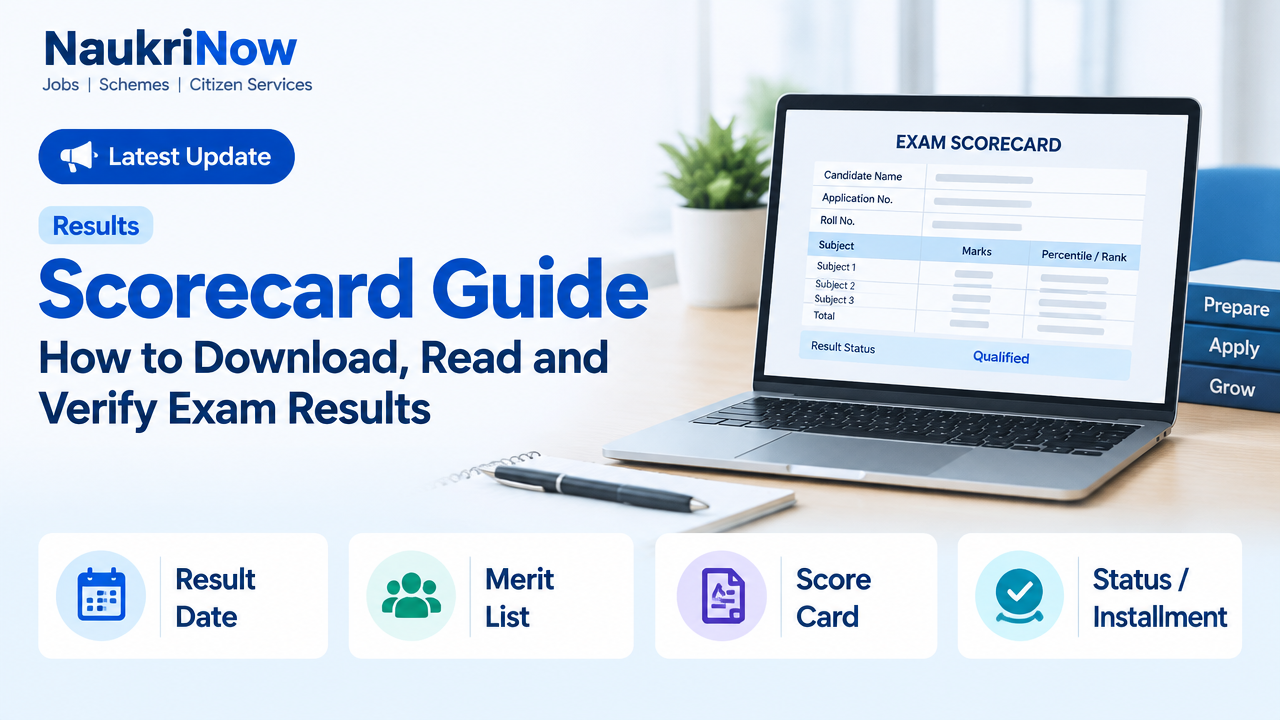
| Field | What it may tell you | What to check |
|---|---|---|
| Candidate details | Your name, application number or another identifier | Compare the details with your application and identity documents. Follow official correction instructions if they do not match. |
| Exam details | The examination, paper, session or subject linked to the result | Confirm that this is the correct exam and cycle. |
| Marks or score | Performance reported under the exam’s scoring system | Check whether the figure is section-wise, total, raw, scaled or described another way. |
| Percentile | A relative measure calculated under that exam’s method | Do not read it as a percentage of questions answered correctly. Use the exam authority’s explanation. |
| Rank or merit position | A position or order assigned under the published rules | Check which rank list it belongs to and whether category, paper or other conditions apply. |
| Qualifying status | A status such as qualified, not qualified or eligible for a stated next stage | Read the result notice to understand what the status permits and what steps remain. |
| Validity or instructions | Exam-specific conditions or directions, if provided | Follow the wording on the scorecard and official notice; do not assume a general validity period. |
Marks, percentile and rank are not interchangeable
Marks usually refer to a score under the exam’s marking method, but the label alone may not tell you whether the figure is raw or adjusted. Percentile generally expresses a candidate’s relative standing according to a calculation method; it is not necessarily the percentage of answers correct. Rank gives an ordered position under the applicable ranking rules. How these are calculated, and whether they are shown at all, depends on the exam.
Where an exam uses multiple sessions or a normalisation method, do not try to convert or compare scores using a formula found in an unofficial post. Use the authority’s published explanation. The same number can mean different things across exams, and a high score in one exam cannot be directly compared with a score in another.
Check the scorecard before using it
Take a few minutes to review the document while you can still access the official portal. This basic check can help you spot a wrong file, a display problem or an apparent mismatch before you submit the scorecard elsewhere.
- Confirm the exam name, session or cycle and paper or subject, where applicable.
- Check that the candidate name and identifying details correspond to your application.
- Make sure all pages have loaded and that the figures are readable. Open the downloaded file rather than relying only on the browser preview.
- Compare the result with the official notice if the notice explains how to interpret it.
- Check whether the authority gives instructions about retaining, presenting or verifying the scorecard.
- Keep the original file unchanged. If you need to provide a copy, follow the receiving institution’s instructions about file format and any required attestations.
What to do if there is an error or access problem
First, work out what kind of problem you have. A missing scorecard, a login failure, an unreadable PDF and a possible error in candidate details may need different responses. Take a screenshot of a technical error if it is useful, but protect personal information before sharing it.
- Recheck the official instructions. Confirm that you are using the correct exam page and the credentials or access method specified by the authority. Check whether your browser has downloaded the file to a different folder.
- Try a basic technical check. Refresh the official page, try a current browser or device, and check your internet connection. If the PDF does not open, download it again from the official portal and use a trusted reader.
- Record the issue accurately. Note what you were trying to do, the wording of any error message and when you encountered it. Keep relevant application details available, but do not post them publicly.
- Use the contact route stated by the authority. Look for an official query form, candidate-support process or contact details on the exam portal or notice. Follow its stated process and provide only the information requested.
- Keep a record of your request. Save any acknowledgement or reference number and follow the official instructions for checking its status.
If a name, date or score appears incorrect, do not edit the PDF yourself or ask an unofficial agent to change it. Contact the responsible authority through its official process and follow any stated correction or review procedure. Whether a correction, recheck or review is available—and any conditions attached to it—varies by exam.
Illustrative examples: avoid common misreadings
Example 1: A percentile is mistaken for marks. A candidate sees a percentile figure and assumes it means they answered that percentage of questions correctly. That interpretation may be wrong. The candidate should check how the exam authority defines the field and whether a separate marks figure is shown.
Example 2: A rank is treated as a final offer. A candidate sees a rank and assumes admission or appointment is confirmed. A rank may be one input to a later process, subject to the exam’s rules and any remaining steps. The candidate should read the official notice for what happens next rather than treating the scorecard as an offer.
Example 3: A screenshot is used instead of the full document. A cropped image may omit the exam cycle, instructions or other pages. Keep the original downloadable document and submit a screenshot only if the receiving body specifically permits it.
Mistakes to avoid
- Trusting an unofficial result link. Social posts and forwarded messages can be outdated, misleading or designed to collect personal details. Navigate through the responsible authority’s official website.
- Sharing login credentials. No one needs your password or one-time code to explain a scorecard. Do not send them to agents or publish screenshots containing sensitive information.
- Assuming every exam uses the same scoring rules. Marks, normalisation, rank and qualification criteria are exam-specific. Check the relevant notice instead of applying rules from another exam.
- Confusing qualification with selection. A qualifying result may allow a candidate to proceed, but it does not necessarily confirm a seat, job or final selection.
- Ignoring the next-stage notice. A scorecard may not list all documents or actions required later. Review the current official instructions for the process you are entering.
- Editing or discarding the original file. Altered copies can create verification problems. Preserve the original and make a separate copy only when needed.
- Posting personal details publicly. Mask application numbers, dates of birth, contact information and other identifiers before asking for general technical help online.
Keeping your scorecard secure and easy to find
Store the original in a folder that only you can access, and keep a backup in a secure location if that suits your circumstances. Use a sensible file name without putting sensitive identifiers in it. If you print a copy, store it safely and avoid leaving it in a shared space.
When a college, employer or other organisation asks for a scorecard, use the submission method it specifies. Share only the requested document and information. If the recipient needs a digitally verifiable copy or a particular format, check its instructions rather than modifying the file yourself. Retain your own copy and any submission acknowledgement.
Frequently Asked Questions
Is a scorecard the same as a result?
Not always. A result may be announced through a notice or portal, while a scorecard provides an individual candidate’s details and performance. Some authorities use the terms differently. Check the exam’s official instructions to see which document you need.
Does a higher percentile always mean a particular rank?
No universal conversion applies. Rank depends on the exam’s method and rules, and a percentile cannot automatically be turned into a rank using a general formula. Use only the ranking information and explanation published by the authority.
Can I use a screenshot as proof of my score?
Only if the organisation requesting it accepts screenshots. A screenshot may leave out context or verification details. Keep the complete original scorecard and follow the recipient’s stated document requirements.
What should I do if my name or other detail is incorrect?
Do not alter the document. Contact the responsible exam authority through the official correction or query route and follow its instructions. Keep your application records available in case the authority asks for supporting information.
What if I cannot log in to download the scorecard?
Confirm that you are on the correct official portal and using the access details specified for that exam. Check the portal’s instructions for login or account recovery. If the problem continues, use the official support route shown on the exam website.
Does a qualified status guarantee admission or a job?
Not necessarily. It may mean that you meet a condition for a later stage, but final outcomes can depend on additional steps and the rules of the relevant process. Read the current official notice before making plans.
Where should I check deadlines, validity and next steps?
Check the responsible exam authority’s official website, candidate portal and notices. These details can differ between exams and may change, so general guides and old messages should not be treated as the final source.
Conclusion
A scorecard is most useful when you can confirm that it is yours, understand what each field means and know what the result does—and does not—allow you to do. Download it from the responsible authority’s official portal, preserve the original and follow the exam-specific notice for interpretation, corrections and next steps. When information is unclear, verify it at the source rather than relying on assumptions or unofficial claims.
Comments