Table of ContentsClick to view all sections
- Government Job Documents: Quick Preparation Checklist
- Start with the Notice, Not a Generic List
- Government Job Documents Commonly Requested for Government Recruitment
- How to Check Each Document Group
- Separate Uploads, Exam-Day Items and Verification Originals
- How to Check a Certificate Before You Apply
- Organise Scanned Government Job Documents and Paper Copies
- A Practical Review of Government Job Documents Before Final Submission
- Advantages & Limitations
- Common Document-Related Mistakes
- Where to Confirm the Official Requirements
- Final Takeaway
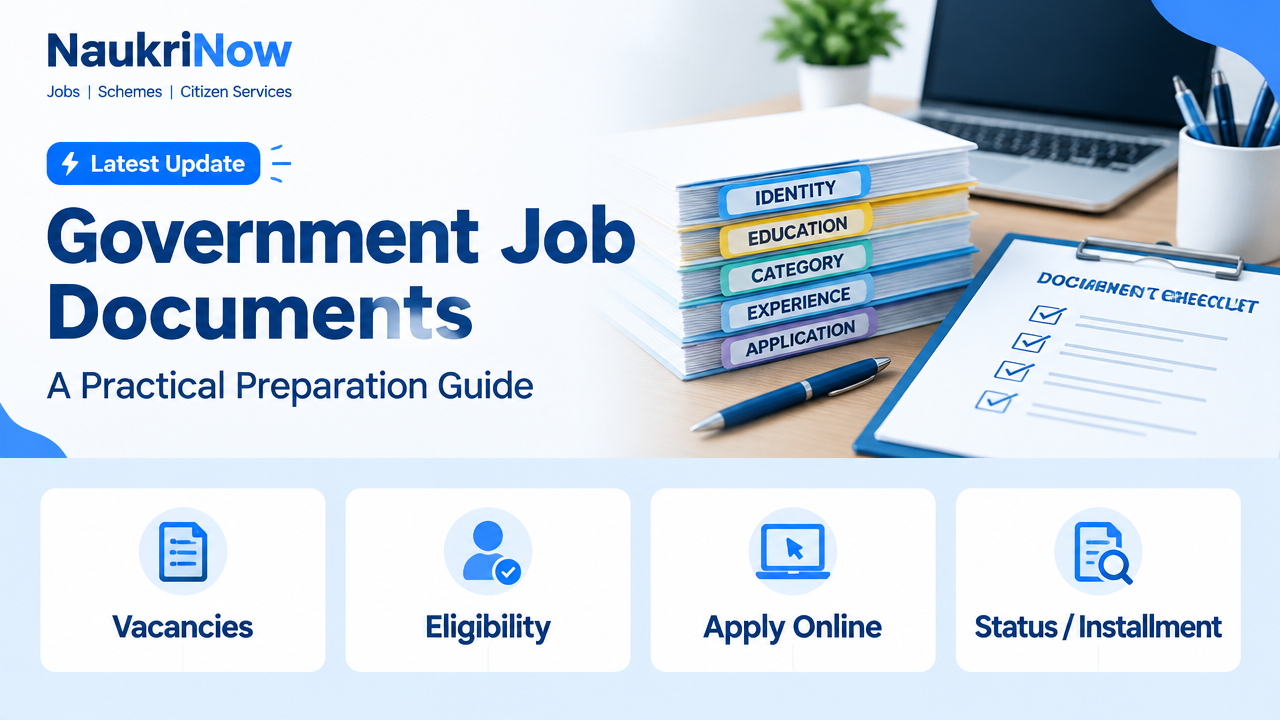
Government Job Documents are not identical for every recruitment. The official notification decides which records you must upload, carry to an exam or produce during document verification. Use this guide to prepare a reliable set, then check it against the notice for the specific post.
Keeping records organised can make it easier to complete an application and respond to later instructions. It does not replace checking the recruitment notice: eligibility rules, accepted proofs, certificate formats and deadlines can differ between recruiting bodies and vacancies. Treat every general list as a starting point, not confirmation that a particular item will be accepted or required.
Government Job Documents: Quick Preparation Checklist
| Document group | Examples to check | When it may be needed |
|---|---|---|
| Identity and personal details | Photo ID, date-of-birth proof and recent photographs | Application, examination entry or verification, as specified |
| Education | Marksheets, certificates, degree or diploma records | To establish the required qualification and any claimed marks or subjects |
| Category or reservation | Applicable caste, EWS, disability or other prescribed certificate | When claiming a relevant reservation, relaxation or benefit |
| Work and service records | Experience proof, service documents or No Objection Certificate | Only where the post or applicant’s circumstances require them |
| Application records | Submitted form, fee receipt and application or registration details | For tracking the application and resolving process-related queries |
This is a preparation aid, not a universal document list. The recruitment notice and any official updates take priority. Some items may not apply to your post or circumstances, while the notice may ask for a record not shown in this summary.
Start with the Notice, Not a Generic List
Before scanning or requesting certificates, locate the current notice for the exact vacancy and read the sections about eligibility, application instructions, examination entry and document verification. If the recruiting body issues a correction, revised schedule or separate verification instructions, check those as well. A document list for a different post, year or recruiting body may not match the rules for your application.
Make a short personal checklist using the wording of the notice. For each item, note whether it is needed during the online application, at an examination, at an interview or verification, or at joining. Also note any format, issuing-authority, date or validity condition that the notice gives. If a requirement is unclear, do not fill the gap by assuming that a document accepted in another recruitment will work here. Look for clarification through the recruiting body’s official channel.
Keep the difference between eligibility and evidence in mind. A qualification or claim may make you eligible, but the recruitment instructions determine which records are accepted to prove it and when they must be produced. Preparing a record does not itself establish that the claim meets the vacancy’s conditions.
Government Job Documents Commonly Requested for Government Recruitment
| Category | What to organise | Check before using it |
|---|---|---|
| Identity and date of birth | The ID and age or date-of-birth evidence named in the notice | Confirm the accepted ID types. Make sure the name and date details match the application, or check the notice for how discrepancies are handled. |
| Photograph and signature | Recent photo and signature image, if the application requires uploads | Follow the specified format, file size, dimensions, background and recency rules. Do not assume that an exam ID photo can replace an upload. |
| Educational qualification | Relevant marksheets, pass certificates, degree or diploma records | Check that the qualification, subject, result and completion date meet the post’s stated conditions. |
| Category or eligibility claim | Only the certificate or supporting record relevant to the claim | Check the prescribed issuing authority, format, issue date and any validity or cut-off-date requirement stated in the notice. |
| Disability or other special provision | Applicable certificate or assessment record, if required | Use the exact evidence and format specified for the recruitment and the benefit claimed. |
| Experience or professional credentials | Employer certificates, work records, registration or licence documents where relevant | Check required duration, role, dates and whether the document must be issued by a particular authority. |
| Employment or service status | No Objection Certificate or service-related documents, where applicable | Check whether these are required at application, interview or verification stage. |
| Application proof | Final submitted form, payment confirmation if a fee was payable, and application number | Save the successful submission record; a filled draft or payment attempt alone may not prove submission. |
How to Check Each Document Group
Identity, name and date details
Use the identity proof named in the recruitment instructions rather than relying on a general list of photo IDs. Compare the name and date-of-birth information you enter in the application with the supporting records. If spellings, initials, spacing or dates differ, first check whether the notice explains how to handle the difference. Do not alter a source document to make it match a form. If the instructions do not explain the situation, ask the recruiting body through its official channel and retain any relevant guidance.
Photographs and signatures
Some applications ask for photo or signature files, and the portal may set specific image dimensions, file types, sizes or other conditions. Check those instructions before preparing a file. A photograph that is suitable for one purpose may not satisfy a separate upload requirement. Review the image after saving it to make sure it is clear and complete, and confirm that the portal accepted the intended file before moving on.
Education and qualifications
Gather the marksheets, certificates, degree or diploma records that relate to the post’s stated qualification. Compare the subject, result and completion details in your records with the conditions in the notice. Do not assume that a course with a similar name automatically meets the stated requirement. If the notice distinguishes between a qualification, a subject or a completion date, use its wording when checking your evidence. Keep the records that support any marks or subjects you claim in the application.
Category, reservation and other eligibility claims
Prepare only the certificate or supporting record relevant to the claim you intend to make. The notice may specify an issuing authority, prescribed format, issue date, validity period or cut-off date. Check each condition rather than relying on a certificate simply because it was used for an earlier application. Rules can depend on the recruitment and the specific claim, so acceptance in one process does not establish acceptance in another.
Experience, professional credentials and service records
If a post asks for experience or a professional credential, check what the recruitment says about the relevant role, duration, dates and evidence. Where applicable, organise employer certificates, work records, registration or licence documents. If your circumstances make a service document or No Objection Certificate relevant, check when it must be provided. The requirement may relate to a particular stage, so do not assume that every applicant needs these records or that they are always required with the initial application.
Separate Uploads, Exam-Day Items and Verification Originals
A document can be required at one stage but not another. Read the instructions for the application, examination and later verification separately. Uploading a scan does not mean you can leave the original at home when attending verification if the call letter asks you to bring it. Likewise, carrying a document to an examination does not establish that it was uploaded correctly during the application.
| Stage | Prepare | Practical check |
|---|---|---|
| Online application | Required scans, photograph, signature and details needed to complete the form | Use the portal’s specifications and review every entry before final submission. |
| Written or other examination | Admit card and the identity proof expressly accepted in the exam instructions | Check the name, photo, reporting time and permitted items on the latest instructions. |
| Interview or document verification | Originals and the number or format of copies stated in the call letter or notice | Arrange records in a clear order and carry any required self-attested copies. Follow the specific list issued for your recruitment. |
| Joining or onboarding | Appointment-stage forms and any additional records requested by the employer | Wait for official joining instructions; requirements can differ from application-stage requirements. |
For each stage, make a separate list instead of assuming that one folder checklist covers everything. Record what must be uploaded, what must be carried, whether originals or copies are requested, and any instructions about presentation. Recheck the relevant call letter or notice close to the date, because the latest official instructions should guide your preparation.
How to Check a Certificate Before You Apply
- Match the purpose. Confirm that the certificate supports the exact benefit or eligibility condition you are claiming.
- Check the authority and format. Compare the issuing authority and certificate format with the recruitment notice.
- Review personal details. Check names, dates and other identifying details against your application and supporting records.
- Check dates and validity. Look for a stated issue-date, validity period or cut-off date. Do not assume an older certificate will be accepted.
- Resolve uncertainty early. If a detail is missing or inconsistent, seek clarification through the recruiting body’s official channel before the deadline where possible.
Do not edit a certificate or add information to it yourself. If the record appears incomplete or contains an error, check the instructions for the appropriate correction process or contact the relevant official channel. Keep enough time to address an issue; discovering it only at verification may leave less opportunity to ask questions or follow the stated process.
Organise Scanned Government Job Documents and Paper Copies
- Create separate folders for identity, education, category or eligibility, experience and application records.
- Scan the full document in colour or in the format requested, keeping text, seals and signatures legible.
- Save each file with a clear name, such as the document type and year, without changing the document itself.
- Check the portal’s allowed file type, size and image dimensions before uploading. Requirements are set by the application system.
- Open each saved file to confirm it is complete, readable and the correct side or page is included.
- Keep a secure backup of the final application, uploaded files and submission confirmation.
Before uploading, compare the selected file with the item named in the form. A clear scan of the wrong page is still the wrong upload. If a record has more than one relevant page, check whether the portal allows or asks for all of them and follow its instructions. Avoid unnecessary changes to images or documents; the submitted record should remain legible and should not be altered to change its content.
For paper preparation, group documents in the order requested by the call letter or verification notice. If the instructions request copies, prepare the stated number and type rather than guessing. Keep originals secure and easy to locate. Store personal records carefully, and upload or send them only through the official recruitment portal or another channel named in the official notice. Avoid sharing identity or certificate scans with unverified contacts.
A Practical Review of Government Job Documents Before Final Submission
Before pressing the final submit button, take a deliberate pause and work through the form from beginning to end. Check that personal details match the information you intend to support with records. Review qualification and eligibility entries against the notice, confirm each uploaded file is the intended one, and look for any required field or declaration you may have missed. If the portal presents a preview, use it to catch obvious mistakes before submission.
After submitting, save the final application or acknowledgement, application or registration number, and payment confirmation if a fee was payable. A filled draft or an attempted payment is not necessarily proof that the form was successfully submitted. Store copies of the files you actually uploaded so that you can refer to them later. If the portal provides a successful-submission record, keep it with the application materials.
Do not assume that a saved draft is a submitted application. Follow the portal’s instructions for completing the process and check for an acknowledgement or other submission record. If something appears to have gone wrong, use the official portal or contact channel identified by the recruiting body rather than relying on an unofficial intermediary.
Advantages & Limitations
| Pros | Cons |
|---|---|
| A personal checklist can help you locate missing records earlier and keep application files separate from exam-day items. | A general checklist cannot confirm eligibility, guarantee that a certificate will be accepted or replace the recruiting body’s instructions. |
| Recording dates, formats and stages beside each item can make it easier to track what still needs attention and follow call-letter instructions. | Requirements can vary by post, applicant circumstances and stage, so not every listed item will apply to every applicant. |
| Keeping a copy of the final application and uploaded files gives you a reference if you later need to review what you submitted. | An old checklist may be misleading if the current notice sets different conditions; requirements should be checked against current official material. |
Common Document-Related Mistakes
- Using a general checklist instead of the recruitment’s own document instructions.
- Entering a name, date of birth, qualification or category differently from the supporting record without checking how the mismatch should be handled.
- Uploading a cropped, blurred, incomplete or incorrectly sized image.
- Assuming a certificate’s validity or issue date meets the current recruitment’s cut-off.
- Waiting until verification to discover that a required record is missing or needs correction.
- Forgetting to save the final application and its acknowledgement after submission.
- Assuming every item is required at every stage, or that an upload removes the need to bring an original when requested.
- Sharing sensitive documents with unofficial agents or unverified job contacts.
Most of these problems can be reduced by checking the notice early, keeping a stage-by-stage list and reviewing uploaded files before final submission. If something remains uncertain, use the recruiting body’s official channel rather than relying on hearsay or another vacancy’s instructions.
Where to Confirm the Official Requirements
Use the recruitment notice, the recruiting body’s official website and the application portal identified by that body. Check for corrigenda, revised schedules and document-verification instructions after applying. If the recruitment provides a call letter with a stage-specific list, use that list for the relevant event. This guide does not link to a particular recruitment because requirements and official portals vary by vacancy.
Be cautious about requests for sensitive records that arrive through unsolicited messages or contacts you cannot verify. Confirm the vacancy and the document-submission channel independently using official information. Do not treat a private request as genuine simply because it refers to a recruitment or asks for familiar records.
Final Takeaway
Prepare a well-organised set of Government Job Documents, but treat it as a starting point—not proof that every item is required. Match each record to the relevant instruction, confirm certificate conditions and upload or carry documents in the format requested for that stage. Save the final application and its acknowledgement, and rely on current official instructions if they differ from a general guide.
Frequently Asked Questions
Are the same documents required for every government job?
No. The recruiting body and post determine the required documents. Check the latest notification and stage-specific instructions for the vacancy you are applying to. A list from another recruitment can help you think about what to organise, but it cannot confirm what the current process requires.
Which identity proof should I carry to an examination?
Carry an ID type accepted in that examination’s instructions. Accepted proofs can vary, so do not rely on a general list or assume every photo ID will be permitted. Read the latest exam instructions and check that the identity details are consistent with your application where applicable.
Do I need to carry originals for document verification?
Follow the verification notice or call letter. If it asks for originals, bring them along with any copies or other records it specifies. Do not assume that an uploaded scan replaces an original when the notice requests one.
Can I use a certificate issued for an earlier recruitment?
Possibly, but acceptance depends on the current notice, the certificate’s format and issuing authority, and any date or validity condition. Verify these before relying on it. A certificate accepted in one application is not automatically valid for another.
What if my name differs across documents?
Do not ignore the mismatch. Check the recruitment instructions for acceptable supporting evidence or correction procedures, and contact the official recruiting body if the notice does not resolve it. Do not alter a supporting document yourself.
Can I upload a phone photo of a document?
Only if it meets the portal’s file and image requirements. Ensure the complete document is readable and unaltered; use the requested format and size. Review the file after saving it and confirm that the portal accepted the intended upload.
Should I submit documents to a recruiter who contacts me privately?
Share sensitive records only through a verified official channel or a process clearly identified by the recruiting body. Be cautious of unsolicited requests and confirm the vacancy independently. Do not send identity or certificate scans to unverified contacts.
What should I save after submitting an application?
Keep the final application or acknowledgement, application number and any payment confirmation if applicable. Store copies of the files you submitted so you can refer to them later. A draft or payment attempt alone may not show that the application was successfully submitted.
When should I start organising my records?
Start by reading the notice and making a stage-specific list before you begin the application, where possible. Early preparation gives you time to locate records, check file specifications and ask official questions if something is unclear. Continue to check for updated instructions after applying, especially before an examination, verification or joining stage.


Comments