Table of ContentsClick to view all sections
- Document Verification After Result: What document verification checks
- Start with the official instructions
- Build a document checklist around your application
- Prepare originals, copies and digital files
- Check for discrepancies early
- On the day or during online verification
- Mistakes to avoid
- Practical examples
- Conclusion
Document Verification After Result — this guide explains the latest verified details, eligibility, benefits, application or status steps, and official resources relevant to this topic.
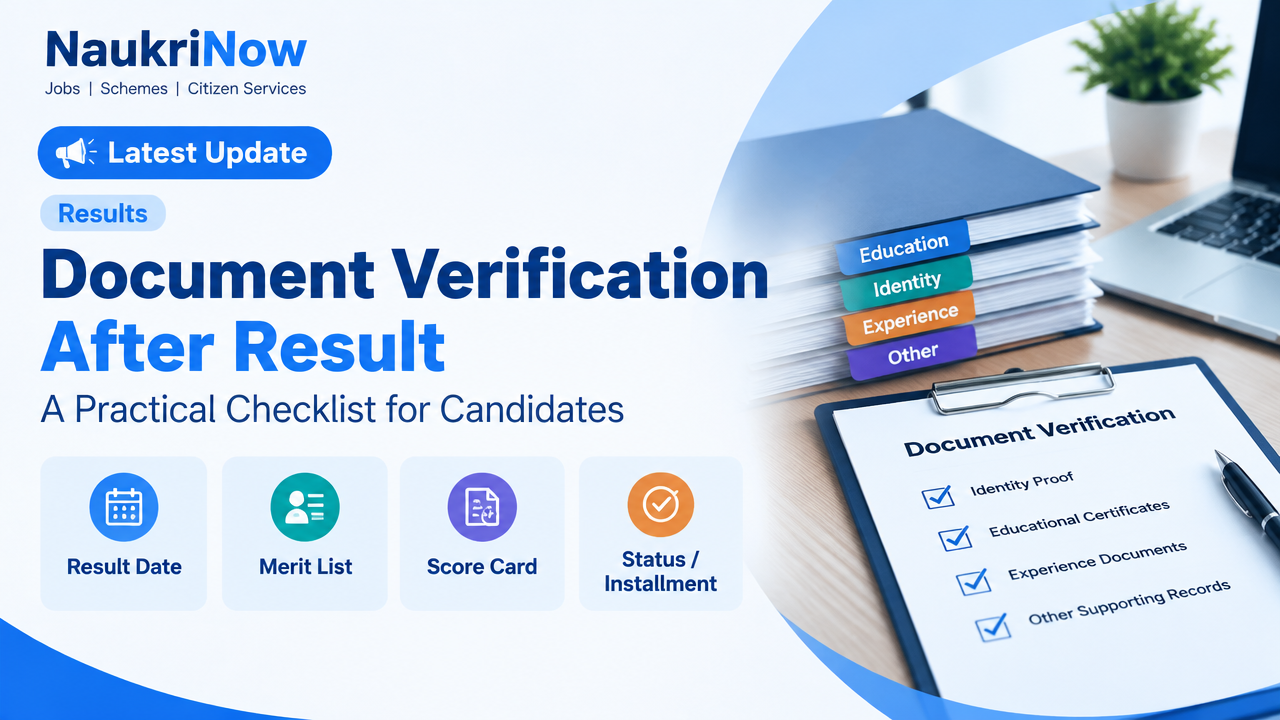
Being shortlisted or qualifying in a result can bring you one step closer to a job or admission, but it does not always mean the process is complete. The next stage may include document verification: an authority checks whether the details and claims in your application match your supporting records.
The documents, format, location and deadlines depend on the recruiting organisation, employer, institution and selection process. Use this guide to get organised, but treat the latest notice, candidate portal or written communication from the responsible authority as the final source for requirements. Do not rely on an old notice, a social media post or a list intended for a different recruitment.
Document Verification After Result: What document verification checks
Verification is a review of the evidence behind your application. Depending on the process, officials may compare your identity, date of birth, education, category, residence, experience or other eligibility details with what you submitted. They may inspect originals, check uploaded files, ask for self-attested copies, or combine these methods.
A result may indicate that you have qualified for the next stage, been shortlisted, or been provisionally selected. Those terms do not necessarily mean that eligibility has been finally confirmed or that an appointment or admission is guaranteed. A selection can remain subject to document checks and any other stages described in the official notice.
Start with the official instructions
Before collecting paperwork, locate the instructions for your specific examination, vacancy, course or application. Check the responsible organisation’s official website and, where relevant, the candidate login or the verified email or letter sent to you. Confirm that the notice applies to your recruitment cycle and candidate category.
Look for these details:
- Who must attend: whether verification applies to all shortlisted candidates or only candidates called in a particular round.
- When and where: the stated reporting time, venue or online process, along with any rescheduling instructions.
- Required records: the exact documents and any prescribed forms, declarations or certificates.
- Copies and formats: whether photocopies, self-attestation, scanned files, a particular file type or a specific number of copies is required.
- Special conditions: instructions for category, disability, experience, equivalence or other claims, if applicable.
- Contact route: the official channel for reporting a discrepancy or asking a question.
If two official communications appear to conflict, do not guess which one applies. Check the candidate portal for an updated notice and seek clarification through the contact method published by the responsible authority. Save a copy of the instructions and note any stated deadline.
Build a document checklist around your application
Start with the application form you actually submitted. Write down each eligibility claim and personal detail, then identify the record that supports it. The list below is a preparation aid, not a universal requirement. Carry or upload an item only when the official instructions call for it.
- Identity and date of birth: the identity or age record specified by the authority. Check that your name and date of birth are consistent with the application and other records.
- Education: certificates, mark sheets, transcripts or other proof for the qualifications you claimed. If the notice asks for proof of completion, confirm which document it accepts.
- Application and selection records: the application confirmation, registration details, admit card, result or call letter, where requested. These can help officials locate your record.
- Category or eligibility certificates: include these only if you claimed the relevant status and the notice requires supporting proof. Check the prescribed format, issuing authority and any timing or validity conditions stated in the notice.
- Residence or domicile evidence: prepare it only if it is relevant to the eligibility or preference claimed and is specifically requested.
- Experience or employment records: where experience was claimed, check which proof is accepted. An employer letter, service record or other evidence may be treated differently by different authorities.
- Other claim-specific records: for example, a disability-related record, equivalence document or name-change record, but only where relevant and requested.
For every item, record whether you have the original, a readable copy and, if applicable, a digital version. Do not assume that a document accepted in one recruitment will be accepted in another. The official notice decides what is suitable for that process.
Prepare originals, copies and digital files
- Match each document to a claim. Compare the application with your records. Check spelling, dates, qualification names, category details and other fields rather than looking only at whether you possess a certificate.
- Keep originals safe and accessible. Arrange requested originals in a folder so they can be shown for inspection. Make clear copies if required. Do not leave original documents with anyone unless the official process specifically requires temporary retention; if an authorised office retains an original, ask for written acknowledgement and instructions for its return.
- Make copies readable. Include all pages, seals, relevant sides and details. Avoid cuts, shadows, glare or marks that hide information. Follow any stated self-attestation or copying instructions instead of adding marks automatically.
- Prepare digital files carefully. If uploading is required, follow the portal’s stated file type, size and naming instructions. Open each file after scanning to check that every page is upright and legible. Use only the official portal or an official submission route.
- Keep a simple inventory. List the documents packed or uploaded and mark any item you are still waiting for. This makes it easier to spot omissions before the appointment or submission deadline.
Digital records can be useful where the authority accepts them, but acceptance is process-specific. Do not assume that a phone image, a document stored in an app or a digital locker copy replaces a requested original or certified copy. Follow the instructions for the particular verification.
Check for discrepancies early
Small differences can lead to questions or delays, so review your records well before verification. Common examples include a different spelling of a name, initials appearing in one record but not another, a date of birth mismatch, a changed surname, or a qualification described differently across documents.
If you find a difference, first identify which record is inconsistent and whether the authority has provided a correction process. Contact the relevant issuing body if a source document needs correction. For an application error, use the recruiting organisation’s official correction or query channel, if one is available. Keep evidence of any request and response.
Do not alter a certificate, edit a scan to change its contents, or submit an explanation that is not supported by records. An affidavit, gazette record, correction letter or other supporting document may be relevant in some situations, but it is not automatically accepted everywhere. Ask the responsible authority what it will accept and follow its written instructions. If a correction cannot be completed before the stated deadline, ask promptly how to proceed rather than waiting until the appointment.
On the day or during online verification
For an in-person appointment, plan your route and allow enough time to reach the stated venue. Carry the call letter or appointment details and the items specifically requested. Keep documents in the order of your checklist, but do not hand over more personal information than the official process requires.
For online verification, use the link or portal provided by the authority. Check the web address carefully, submit only the requested files and retain the acknowledgement or reference number. If a file fails to upload, take a note or screenshot of the error and contact the official support channel through details published by the organisation.
Answer questions clearly and honestly. If an official flags a missing or unclear record, ask what is needed, how it should be submitted and by when. Keep a record of the request. Do not rely solely on a verbal assurance where the issue affects eligibility or a deadline; seek written confirmation through an official channel when possible.
Mistakes to avoid
- Using a generic checklist as a rule. Requirements vary. A document list from a previous year, another department or an online discussion may not apply to your case.
- Assuming a result guarantees selection. Read the result and call letter carefully. Verification may be one of several remaining conditions.
- Waiting until the last moment. Finding an old record, requesting a correction or obtaining a certificate can take time. Review your papers as soon as you receive a verification communication.
- Submitting incomplete or unreadable files. A cropped page or blurred seal can make a genuine record difficult to assess. Review every scan before sending it.
- Changing documents yourself. Never edit official records or create a substitute certificate. Use the issuer’s correction process and report discrepancies honestly.
- Sharing sensitive details carelessly. Do not send identity documents, passwords, one-time passcodes, PINs or full application details to an unverified person or personal messaging account. Use official channels and share only what the process asks for.
- Paying an unofficial agent. Treat demands for money to secure selection, speed up verification or fix a record as suspicious. Check any fee or payment instruction against the official notice and pay only through the authorised method, if a payment is explicitly required.
Practical examples
Name differs across records: Suppose your application uses your expanded name while an older certificate shows initials. Gather the relevant records, check whether the notice explains how name differences are handled, and ask the authority what supporting evidence it accepts. Do not assume an affidavit alone will resolve the issue.
A certificate is not yet available: If a required document is pending, check whether the authority permits an acknowledgement, provisional record or later submission. Do not present an application receipt as though it were the final certificate unless the instructions allow it. Ask for guidance before the deadline and keep the reply.
A scan is rejected: Confirm the portal’s file requirements, make a clearer scan and try the official resubmission route. Save the error message and contact the published support channel if the issue continues. Avoid sending the file to an unofficial email address offered by a stranger.
Frequently Asked Questions
Does qualifying in the result mean I am finally selected?
Not necessarily. A result may qualify or shortlist you for the next stage. Final selection, appointment or admission can depend on document verification and other conditions in the official process.
Which documents should I carry?
Carry the documents listed in the current notice for your specific process. Use general checklists only to prepare; they cannot confirm what a particular authority will accept.
Are photocopies enough?
That depends on the instructions. Some processes require originals for inspection, copies for submission, or digital uploads. Check the notice and bring only the formats it specifies.
Can I use a digital document instead of an original?
Only if the authority accepts that format for the relevant verification. Check the official instructions rather than assuming that a digital copy replaces an original, certified copy or other requested record.
What should I do if my name or date of birth does not match?
Identify the records that differ, check the authority’s correction procedure and contact the relevant issuing body where needed. Ask the responsible authority what supporting evidence it accepts. Do not change a document yourself.
What if I cannot obtain a required document before the appointment?
Contact the authority through its official channel as early as possible. Ask whether an alternative, later submission or other procedure is permitted. Do not assume an application receipt or promise to provide the document later will be accepted.
How can I confirm that a verification message is genuine?
Check for the same instruction on the organisation’s official website or candidate portal, and compare it with contact details published there. Do not trust a payment demand or link solely because it uses an official-looking logo or mentions your result.
Conclusion
Good preparation starts with the instructions for your exact recruitment or admission process. Match your application claims to supporting records, organise originals and copies as directed, resolve discrepancies early and keep evidence of official communication. When a requirement is unclear, ask the responsible authority rather than relying on assumptions. That approach helps you attend verification prepared while protecting your documents and personal information.
Comments