Table of ContentsClick to view all sections
- WCL Mining Sirdar and Assistant Admit Card 2026: Quick Overview
- WCL Recruitment 2026 Important Dates
- How to Download WCL Mining Sirdar and Assistant Foreman Admit Card 2026
- Details to Check on the WCL Admit Card
- WCL Vacancy 2026: Post-Wise Details
- WCL Mining Sirdar and Assistant Foreman Selection Process 2026
- WCL CBT Exam 2026: Important Instructions
- WCL Mock Test 2026
- What to Do If You Cannot Download the WCL Admit Card
- WCL Mining Sirdar and Assistant Admit Card 2026: Important Links
- Final Checklist for Candidates
- Conclusion
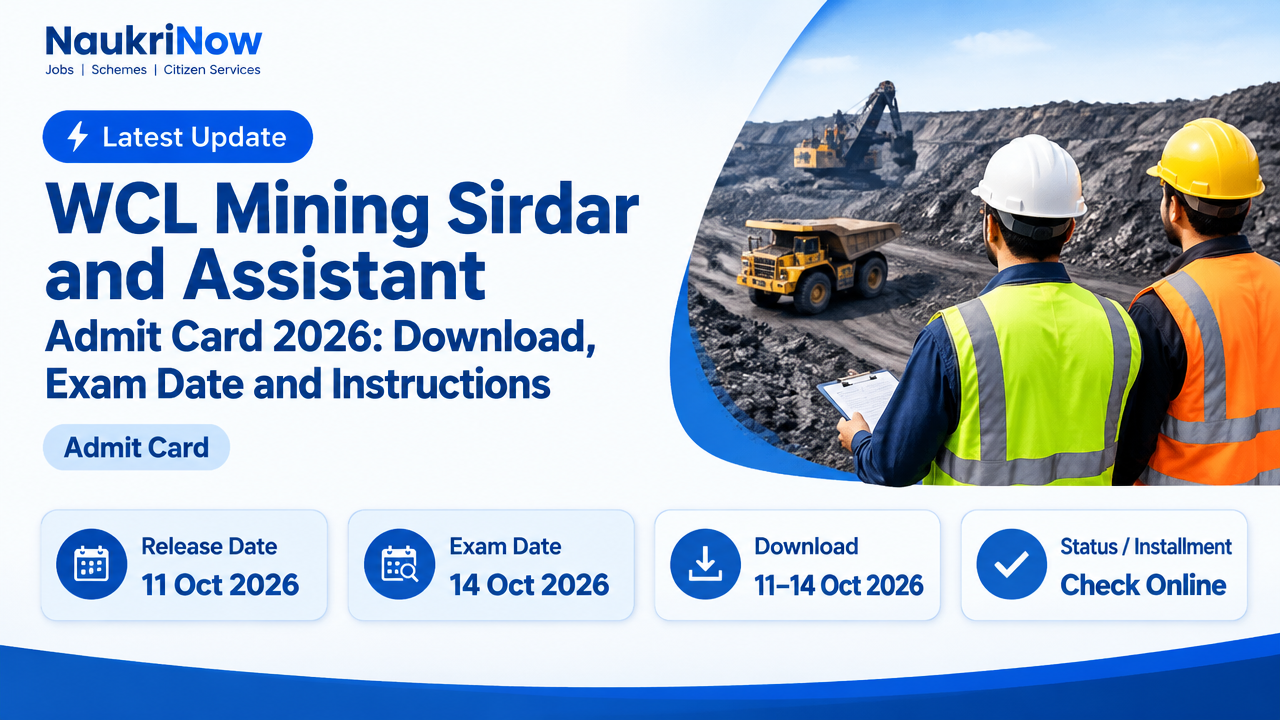
The WCL Mining Sirdar and Assistant admit card 2026 is scheduled to be available for download from 11 October, ahead of the Computer Based Test (CBT) on 14 October 2026. Candidates for Mining Sirdar and Assistant Foreman (Electrical)/Electrical Supervisor posts should download and print their call letter through the official Western Coalfields Limited (WCL) website before the exam.
This recruitment is for Statutory Supervisory Staff under Advertisement No. 2026/69 and has 444 vacancies in total. The admit card is an important exam document: check the information printed on your own call letter for your reporting time, examination centre, test duration and any candidate-specific instructions. Do not rely on another candidate’s details or an unofficial schedule when planning your exam day.
The dates and process below reflect the available recruitment information. The stated download window ends on the CBT date, so candidates should use the official WCL website to check for any change or additional notice and should not wait until the last day to access or print the call letter.
WCL Mining Sirdar and Assistant Admit Card 2026: Quick Overview
| Particular | Details |
|---|---|
| Organisation | Western Coalfields Limited (WCL), under Coal India Limited, Ministry of Coal |
| Recruitment | Statutory Supervisory Staff |
| Advertisement number | 2026/69 |
| Posts | Mining Sirdar, T&S Grade-C; Assistant Foreman (Trainee) (Electrical)/Electrical Supervisor, T&S Grade-C |
| Total vacancies | 444 |
| Admit card download period | 11 October to 14 October 2026 |
| CBT date | 14 October 2026 |
| Exam mode | Computer Based Test (CBT) |
In this article, “WCL Mining Sirdar and Assistant” is used as a concise reference to the recruitment and admit-card information. The two listed posts are Mining Sirdar and Assistant Foreman (Trainee) (Electrical)/Electrical Supervisor; check your own application and call letter to confirm the post associated with your candidature.
WCL Recruitment 2026 Important Dates
| Event | Date |
|---|---|
| Detailed notification released | 16 July 2026 |
| Online application opened | 20 July 2026 |
| Last date to apply | 10 August 2026 |
| Admit card notice | 10 October 2026 (Ref. No. WCL/2026-27/2518) |
| Admit card download window | 11–14 October 2026 |
| CBT | 14 October 2026 |
The notice announcing the admit card is dated 10 October 2026, while the stated download window begins on 11 October. These are separate dates: the notice date is not the first day of the download window. The schedule provided places the CBT on 14 October, which is also the final stated day for downloading the call letter.
Because the download period is short and overlaps the exam date, plan to retrieve the document as soon as the link is available. Allow time to check the details and make a readable printout. If WCL publishes a revised schedule or other instruction, follow that official update rather than an older summary.
How to Download WCL Mining Sirdar and Assistant Foreman Admit Card 2026
Use the official WCL website to reach the recruitment or application portal. The relevant link is described as the CBT admit card link for Mining Sirdar and Assistant Foreman. A separate direct-download URL is not provided here, so start from WCL’s official website rather than entering credentials on an unverified page.
| Step | Action |
|---|---|
| 1 | Visit the official WCL website at westerncoal.in. |
| 2 | Look for the recruitment, latest-notice or application-portal link related to the CBT admit card for Mining Sirdar and Assistant Foreman. |
| 3 | Open the relevant link. The portal may ask for your registration number or roll number and your date of birth or password; use the details requested on the screen. |
| 4 | Enter the login information carefully and submit it. Check that the candidate and recruitment details shown belong to you. |
| 5 | Open or download the call letter. Review every visible page and instruction before printing. |
| 6 | Print a clear copy and keep the downloaded file in a place where you can find it again. Retain the call letter for the examination and subsequent recruitment instructions. |
Before you begin, have the login details used for the application available. This can help you avoid repeated attempts to guess a registration number, roll number or password. Enter your information only on the portal reached through the official WCL site. Do not share your credentials with a person or service claiming it can download the admit card for you.
After the document opens, do not stop at confirming that it has downloaded. Check the post, candidate details, examination date, centre and reporting information as printed on your own call letter. If the document contains multiple pages, review and print the pages needed to retain the complete set of instructions. A saved electronic copy is useful for reference, but the available exam information says to carry a printed admit card.
Details to Check on the WCL Admit Card
Review the call letter as soon as you download it. The published update identifies the following information as important, although the exact fields and layout may vary on the document:
- Candidate name: Check that the call letter belongs to you and that the name shown is the one associated with your application.
- Registration or roll number: Confirm that the identifying number is displayed and appears consistent with your recruitment records.
- Post applied for: Check whether the document relates to Mining Sirdar or Assistant Foreman (Trainee) (Electrical)/Electrical Supervisor.
- Examination date: Confirm the date shown on your own call letter. The scheduled CBT date in the available information is 14 October 2026.
- Reporting time and test duration: Use the call letter for the time you are expected to report and the duration or session information applicable to you. Do not assume all candidates have identical timings.
- Examination centre: Read the centre details carefully and make a note of the address shown for your test.
- Candidate-specific instructions: Read all instructions on the document, including any directions about entry or items to bring.
If a detail appears wrong, unclear or missing, consult the recruitment notice and the contact information published on WCL’s official website. The available update does not provide a dedicated admit-card helpline number or email address. Do not assume that an error can be corrected at the examination centre, and do not rely on an unofficial source to decide what to do.
WCL Vacancy 2026: Post-Wise Details
| Post | Vacancies |
|---|---|
| Mining Sirdar, T&S Grade-C | 220 |
| Assistant Foreman (Trainee) (Electrical)/Electrical Supervisor, T&S Grade-C | 224 |
| Total | 444 |
The recruitment lists 220 vacancies for Mining Sirdar and 224 for Assistant Foreman (Trainee) (Electrical)/Electrical Supervisor, making 444 vacancies in total. These figures describe the announced vacancy distribution; they do not indicate an individual candidate’s eligibility, exam result or likelihood of selection. For the post title and application details relevant to you, refer to your application and the official recruitment notification.
When checking the admit card, compare its post information with the post for which you applied. If the description looks different from what you expect, review the application details and official notice, then use the contact route provided by WCL if clarification is needed. Do not infer that a difference is harmless or that the call letter can be used for another post.
WCL Mining Sirdar and Assistant Foreman Selection Process 2026
The recruitment information identifies the Computer Based Test as the selection basis. Document Verification and Medical Examination are also reported as subsequent stages. Dates for those later stages are not stated in the available update, so candidates should wait for official instructions from WCL rather than rely on an unofficial timetable.
The immediate task for a candidate scheduled for the CBT is to follow the call-letter instructions and attend the examination at the centre and time specified for them. The admit card is not a result or confirmation of completion of later stages. Keep your application and qualification records organised in case WCL calls you for Document Verification. The specific document list and medical requirements should be taken from the official recruitment notification or a later WCL notice; they are not specified in the information summarised here.
Check WCL’s official website for subsequent announcements after the CBT. This is especially important because the available information does not provide dates for Document Verification or Medical Examination. Treat any later-stage date shared elsewhere as unconfirmed unless it appears in an official WCL communication.
WCL CBT Exam 2026: Important Instructions
Your own call letter is the primary source for your centre, reporting time, examination duration and any candidate-specific directions. Use the checklist below to prepare without assuming details that have not been stated in the available notice.
- Print the admit card: Carry a printed copy, as the exam instructions state that the admit card is required for entry. Check that the print is clear and that the information can be read.
- Confirm your schedule: Read the date and reporting time from your own call letter. The CBT is scheduled for 14 October 2026, but use your document for your individual reporting information.
- Check the centre address: Review the full examination-centre details before travelling. Do not select a centre based on another candidate’s call letter.
- Review ID instructions: Check the call letter for the accepted photo ID and any additional items you must bring. The available notice does not specify which identity documents are accepted.
- Plan your journey: Identify how you will reach the centre and allow enough time to arrive. This is a practical preparation step; your call letter remains the source for official reporting instructions.
- Follow the printed directions: Read all instructions on the call letter and follow directions issued by examination staff at the centre.
- Keep your login details private: Do not share your password or other application credentials with anyone offering unofficial assistance.
The available information does not list permitted or prohibited personal items, a specific photo-ID type, or a detailed entry procedure. For those points, check the call letter and any official WCL notice. Avoid relying on assumptions or advice that conflicts with the instructions issued for your examination.
WCL Mock Test 2026
A mock test link is reported to be available on the homepage of the online application portal. Candidates can use it to become familiar with the computer-based test interface. The mock test is for practice and familiarisation; it is not part of the selection process and should not be treated as an examination result or a substitute for the CBT.
Access the mock test through the portal linked from WCL’s official website. Using the official route helps ensure you are viewing the practice facility associated with the recruitment rather than an unrelated page. The available update does not specify the mock test’s questions, duration or technical requirements, so do not assume that practising it establishes the format or content of the actual CBT.
If you choose to use the practice link, focus on getting comfortable with the general act of navigating a computer-based interface. The mock test does not change your exam date, call-letter details or selection status. For the scheduled examination, follow the instructions on your admit card and official notices.
What to Do If You Cannot Download the WCL Admit Card
| Problem | What to try |
|---|---|
| Login is rejected | Recheck the registration or roll number and the date of birth or password. Enter the details in the format requested on the portal. |
| Portal is slow or unavailable | Try again after some time and use the official WCL site to check for a notice about access issues. |
| Call letter does not appear | Confirm that you are using the correct CBT admit card link for this recruitment and that the stated download window is open. |
| Details appear incorrect | Refer to the official recruitment information and contact route published by WCL. No helpline number or email is specified in the available update. |
If login fails, first check for simple input errors, including a mistyped character or details entered in the wrong format. Use the information requested by the portal; do not try unrelated credentials. If the page is slow, avoid repeatedly submitting the same information in quick succession. Return to the official WCL website and try again after some time.
If the admit card link is difficult to locate, start again from the official website and look for the recruitment or application portal associated with the CBT. The described link is for Mining Sirdar and Assistant Foreman. Make sure you have not opened a different recruitment notice or an unrelated examination page.
If you can download the call letter but find an error, keep a copy of the document and consult the official recruitment information and WCL contact route. The available update does not identify a specific helpline, so do not rely on a number or email address unless it is published through an official WCL channel. Avoid sharing personal login information with third parties while seeking help.
Once downloaded, save a copy and check that the print is readable. Keep the document available until you have followed the exam instructions. Because the stated download window ends on 14 October, resolve access problems as early as possible rather than postponing them until the CBT date.
WCL Mining Sirdar and Assistant Admit Card 2026: Important Links
| Resource | Link |
|---|---|
| Western Coalfields Limited official website | https://westerncoal.in |
A direct admit-card URL is not provided here. Use the official website to find the appropriate recruitment or application-portal link. Confirm that a page is associated with the WCL recruitment before entering registration details, and follow official WCL notices if the link or schedule changes.
Final Checklist for Candidates
Before the CBT, make sure you have completed the basic checks that can be confirmed from your own call letter and the official recruitment information:
- Access the admit card through the official WCL website during the stated 11–14 October 2026 download window.
- Confirm that the call letter belongs to you and relates to the post for which you applied.
- Read the date, reporting time, centre details, test duration and all instructions printed on the document.
- Print a clear copy and check the call letter for the accepted photo ID and any other required items.
- Use the official website to check for any change to the schedule or further exam instructions.
- Keep application and qualification records organised in case of later Document Verification, while waiting for WCL to publish the specific requirements and dates.
The WCL Mining Sirdar and Assistant Foreman CBT is scheduled for 14 October 2026, and the stated admit card window runs from 11 to 14 October. Download the call letter through WCL’s official website, verify the centre and reporting details printed on your own document, and follow its instructions. For schedule changes or later selection-stage dates, rely on official WCL updates.
WCL Mining Sirdar and Assistant Admit Card 2026: FAQs
Q1. When is the WCL Mining Sirdar CBT exam 2026?
The CBT is scheduled for 14 October 2026. Check your own call letter for your reporting time, examination centre and any candidate-specific instructions.
Q2. When was the WCL admit card 2026 released?
The admit card notice is dated 10 October 2026 (Ref. No. WCL/2026-27/2518). The stated download window begins on 11 October and runs through 14 October 2026.
Q3. What is the last date to download the WCL admit card?
The stated final day is 14 October 2026, the date of the CBT. Download and print the call letter as early as possible within the stated window.
Q4. How do I download the WCL Mining Sirdar admit card?
Visit the official WCL website, open the relevant CBT admit-card link for Mining Sirdar and Assistant Foreman, and sign in using the registration number or roll number and the date of birth or password requested by the portal.
Q5. How many vacancies are there in WCL Recruitment 2026?
There are 444 vacancies in total: 220 for Mining Sirdar, T&S Grade-C, and 224 for Assistant Foreman (Trainee) (Electrical)/Electrical Supervisor, T&S Grade-C.
What should I carry to the examination centre?
Carry a printed admit card. Check your own call letter for the accepted photo ID and any additional items, as the available update does not name a specific identity document.
Is the WCL mock test part of the selection process?
No. The mock test is for practice and familiarisation with the CBT interface; it is not a selection stage.
What should I do if my admit card details are wrong?
Check the recruitment information and contact instructions on WCL’s official website. The available update does not specify a dedicated admit-card helpline or email address.
Are the dates for Document Verification and Medical Examination available?
No dates for those subsequent stages are stated in the available update. Wait for official WCL instructions rather than relying on an unofficial schedule.
Conclusion
For the WCL Mining Sirdar and Assistant recruitment, use the official WCL website to access your call letter, then check its post, centre, reporting time and instructions and print a clear copy. Follow the call letter and any official WCL updates for the CBT and wait for official information about subsequent selection stages.
Comments