Table of ContentsClick to view all sections
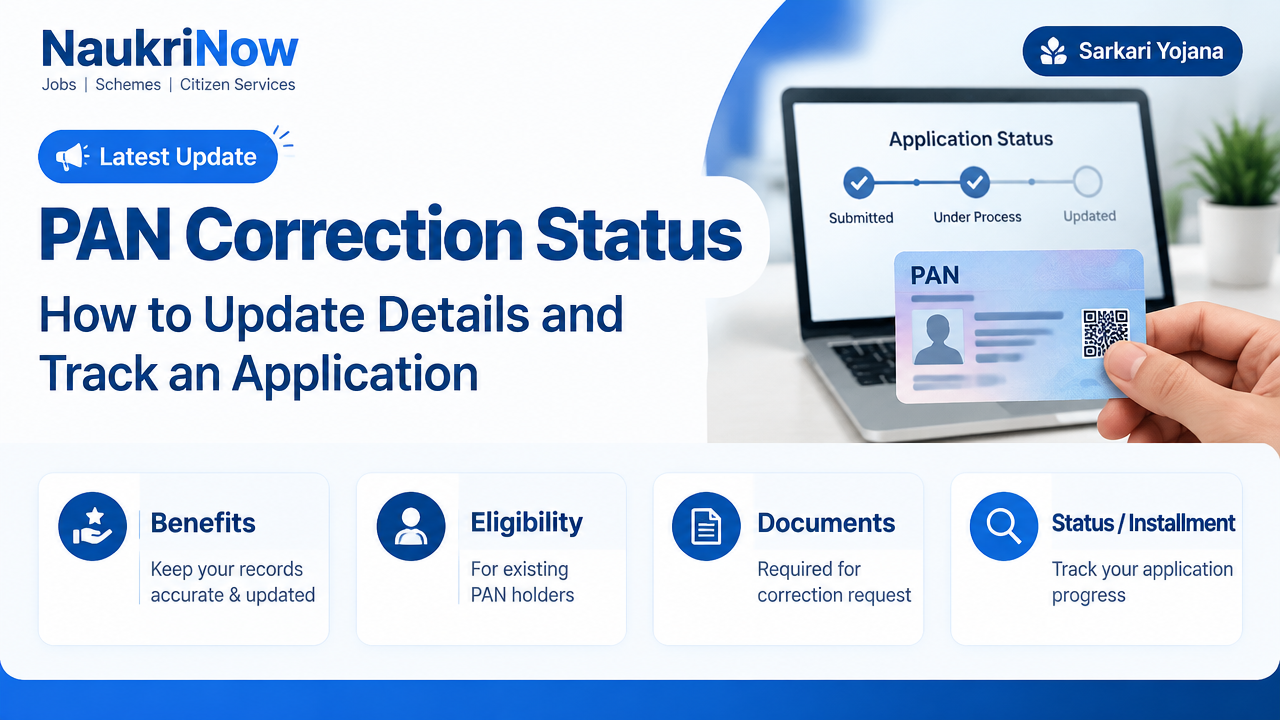
PAN Correction Status: How to Update Details and Track an Application
A mistake in your name, date of birth or another PAN record can cause problems when your details are checked against other documents. If you already have a PAN, the usual route is to request a correction to that record—not to apply for another PAN. After submitting a request, you can check its progress through the service provider that received it.
This guide explains how to prepare a correction request, find the right status-checking service and respond sensibly if processing is delayed or an issue is raised. The exact form, document list, payment amount and processing steps can change. Confirm those details on the official portal you use, such as Protean or UTIITSL, and use the Income Tax Department’s official e-Filing portal for relevant PAN services and verification.
What a PAN correction request does
A correction request asks for one or more details in an existing PAN record to be amended. Depending on the service provider’s current process, the fields may include your name, date of birth, photograph, signature, contact details or other particulars. The fields available and the evidence required depend on what you want changed and your circumstances.
A correction generally concerns the information attached to your existing PAN. It is different from applying for a PAN for the first time, and it is different from requesting another printed card when the recorded information is already correct. If you only need a replacement or reprint, check whether the provider offers that option and read its conditions before starting a correction.
A PAN is intended to be a unique identifier for an individual. Do not apply for a fresh PAN simply because a card is damaged, a detail is wrong or an application is taking time. If you already have more than one PAN, do not try to solve the issue by submitting another application; ask the responsible official service provider or the Income Tax Department how to address your situation.
Before you submit: a practical checklist
- Find the PAN you already hold. Check the number on your card or a trusted official record. Take care not to confuse an application acknowledgement number with your PAN.
- Compare the record with reliable documents. Decide exactly which field is incorrect and how it should read. Use documents that support the requested change, not a spelling or date you are merely guessing.
- Identify how you will apply. Use the official provider through which you intend to submit the request. The available online or assisted options can differ.
- Check the current instructions. Review the form guidance, accepted proof documents, image or signature specifications, submission method and any payment shown on the official portal.
- Prepare legible files or copies. Make sure the name and other details are readable and consistent. Follow the provider’s requirements for file type, size, certification or originals.
- Use contact details you can access. An email address or mobile number you can check can help you receive an acknowledgement or a query, where the service supports those updates.
How to request a correction to an existing PAN
1. Start from the official service provider
PAN applications and corrections are handled through authorised service channels, including Protean and UTIITSL. Go to the provider’s official website directly, or reach it through a trusted government information page. Search results and sponsored links can include lookalike sites, so check the website identity before entering personal details or making a payment. If an agent or centre is helping you, ask which provider will receive the request and keep the receipt.
2. Select the option for changing existing PAN details
Choose the correction or change option for an existing PAN. Read the page carefully before proceeding: a fresh PAN application is not the right choice when you already hold a PAN. If the portal offers both a data correction and a reprint route, select according to whether the record itself needs an amendment or only the physical card needs replacing.
3. Enter the existing PAN and mark the fields to be changed
Enter your PAN carefully and follow the form’s instructions about which boxes to select. Review every field, including those you do not intend to change. A form may require details to be entered again even when they are not being amended. Avoid unnecessary changes: requesting a correction to several fields can mean you need to support each change with suitable evidence.
4. Provide the evidence requested for your case
The portal should tell you what supporting proof it accepts for the particular detail being changed. Requirements can depend on the correction, the applicant’s circumstances and the method used to authenticate or submit the request. For example, a name change may call for different evidence from a correction to a date of birth. Do not assume that one document will support every field, or that a document accepted for another service will automatically be accepted here.
Follow the current official checklist rather than relying on an old form, social-media post or an agent’s general advice. If the portal asks for a document you do not have, check its guidance or contact the provider through the contact route published on its official site before submitting alternatives.
5. Review the declaration, submit and keep the acknowledgement
Before you submit, check the spelling, dates, PAN number, selected changes and document attachments. Read the declaration and consent text rather than accepting it without review. Complete the provider’s submission and payment steps only through the official process. Charges and payment methods can change, so rely on the amount displayed by the provider for your application—not an old article or an unofficial payment request.
Save the acknowledgement, receipt or confirmation generated after submission. It may contain an acknowledgement number or another reference needed to check progress. Keep it in a secure place, along with a copy of the submitted form and documents. Do not post the acknowledgement or document images publicly.
How to check PAN Correction Status
- Identify who received your application. Check your receipt, confirmation message or assisted-service slip. The correct status page is generally tied to the provider that accepted the request.
- Open that provider’s official status service. Use the status-checking option on the official Protean or UTIITSL website, as applicable. Do not enter your reference number on an unrelated website that promises faster results.
- Enter the requested reference details. The portal may ask for an acknowledgement or application number and other identifying information. Use the details exactly as shown on your receipt; do not substitute your PAN unless the official page specifically requests it.
- Read the result and any instructions. A status page may show that a request has been received, is being processed, needs attention, has been completed or has moved to dispatch. Labels and stages vary by provider, so treat the message shown for your own application as authoritative.
- Follow up through the same official channel if needed. If the status is unclear, an objection is raised or the reference is not found, check the provider’s guidance and contact options. Keep your acknowledgement ready, but share personal information only through a verified official channel.
Not every provider uses the same wording or displays the same level of detail. A status such as submitted or under process does not by itself tell you that the requested correction has been accepted. A completed or dispatched message may also relate to a particular stage of the process. Read any accompanying note, and check the provider’s instructions if you are unsure what to do next.
If your application is delayed or needs attention
First, confirm that you are using the right provider and have entered the correct reference number. Check the acknowledgement for any next step, and review the email or mobile number supplied with the application in case the provider has sent a query. A request may need further information if a field is incomplete, a document is unclear, or the evidence does not support the change. The status page or provider should explain what action is available.
If the portal shows no record, do not immediately submit a second application. Check the receipt, spelling and submission channel, then use the provider’s official help or enquiry route. If you submitted through an assisted centre, ask for the provider’s acknowledgement and confirmation that the request was actually lodged. Keep records of any follow-up, including dates and reference numbers, without sharing sensitive information in public forums.
Do not pay an unofficial intermediary who claims to be able to move your request ahead. Use only payment instructions shown by the responsible provider. If you receive a message with a link asking for an OTP, password or payment to release a PAN, verify it independently on the official website rather than clicking the link.
After the correction is processed
Once the provider indicates that the request is complete, check the updated information using the confirmation or document made available through the official process. Compare the corrected detail with the proof you submitted. If a card is issued or delivered, check it as soon as it arrives. If the record is correct but the printed card has a production or delivery issue, follow the provider’s instructions for that issue rather than filing a new PAN application.
For an additional check where appropriate, use PAN-related verification services on the Income Tax Department’s official e-Filing portal. Availability and steps can vary, so follow the portal’s current instructions. If you still see an incorrect detail or the correction does not appear as expected, contact the provider that handled your request and provide the acknowledgement through its secure official channel.
Once the PAN record is corrected, consider updating other organisations where you use the old detail, such as a bank or employer, if their records need to match. Updating PAN details does not necessarily amend information held by those organisations; check their separate requirements.
Common mistakes to avoid
- Applying for a new PAN instead of correcting the existing one. Start with the correction route for the PAN you already hold.
- Using a different spelling from your supporting proof. Inconsistent versions of a name or date can prompt questions or prevent a clean match. Follow the evidence and portal guidance.
- Entering the wrong reference number. A PAN number and an application acknowledgement are not interchangeable. Use the identifier requested by the status page.
- Uploading unclear or incomplete evidence. Check that the relevant details are visible and that every requested page or side is included.
- Changing extra fields without need. Request only the corrections you intend to make and can support.
- Relying on old instructions. Forms, accepted proofs, online steps and charges can change. Recheck the official provider’s instructions before submitting.
- Sharing sensitive details in public. Do not post your full PAN, acknowledgement, identity documents, OTP or login credentials in comments, groups or public complaint forums.
Useful examples
Your name is misspelt on the PAN card: Check the existing PAN record and your supporting documents, then use the existing-PAN correction route. Enter the requested spelling exactly as supported by the documents accepted for that type of change. Save the acknowledgement and use the same provider’s status service.
Your PAN card is damaged but the details are right: A data correction may not be necessary. Check whether the provider offers a reprint or replacement option and confirm its current conditions. Avoid submitting a fresh PAN application.
The status page asks for attention: Read the message and the provider’s instructions before taking action. If it asks for clearer evidence or a response, follow the stated procedure. If you cannot understand the request, contact the provider through its official channel and quote the acknowledgement securely.
You have a receipt but cannot find the request online: Confirm which provider took the application and whether the receipt shows a different reference format. Re-enter the details carefully. If the request still does not appear, ask the provider or assisted centre to confirm submission before you consider any further application.
Frequently Asked Questions
Can I correct PAN details online?
Online correction options are available through PAN service providers, but the process and supporting requirements can vary. Check the official Protean or UTIITSL instructions for the method available to you and the documents required for the specific change.
How do I check my PAN correction application status?
Use the official status service of the provider that received your application. Enter the acknowledgement or other reference details requested on that page. Your receipt or confirmation should help you identify the provider and reference number.
Can I submit another PAN application while a correction is pending?
Do not submit another PAN application just because a correction is pending. A correction is meant to update the existing record. Check the application status and ask the responsible provider how to resolve a delay or a problem.
What documents are needed to correct PAN details?
The evidence depends on which detail you want changed and your circumstances. Use the current document checklist on the official provider’s website. Do not rely on a generic list or assume the same proof works for every correction.
What should I do if the status shows an objection or query?
Read the full message and follow the provider’s instructions for responding or supplying further evidence. If the reason is unclear, contact the provider through its official website and keep your acknowledgement available.
Can I use my PAN while a correction is being processed?
A correction request does not itself mean you have been issued a different PAN. For a specific transaction or verification, ask the organisation requesting your PAN what it needs, and check the status or record through the relevant official service.
How can I tell whether a PAN update is genuine?
Check application progress on the official website of the provider that handled it. For applicable PAN verification, use the Income Tax Department’s official e-Filing portal. Be cautious of unsolicited messages and never disclose an OTP or password to someone claiming to process your correction.
Conclusion
For a PAN detail error, use the correction route for your existing PAN, prepare evidence that matches the requested change and keep the acknowledgement after submission. Track the request through the official provider that received it, respond to any query through its verified channel, and check the corrected record when the process is complete. Because document requirements, fees and portal steps can change, confirm current instructions directly with Protean, UTIITSL or the relevant Income Tax Department service rather than relying on outdated guidance.






Comments